
PC Game Booster
PC Game Booster: An affordable Windows booster with automatic game launching, monitoring, and resource controls. Ranked #2 of 18 in Game Booster Software by our editors (9.1/10); pricing: Free plan · 30-day trial; best for windows users wanting affordable one-click boosting.
At a glance
- Editor score9.1 / 10
- PricingFree plan · 30-day trial
- Best forWindows users wanting affordable one-click boosting
- Free planYes
- Paid from$18.95/yr
- Supported platformsWindows 11/10/8.1
- Founded2008
- Facts checked20 Sep 2026
Where it wins
- Free plan includes automatic boosting and performance monitoring
- Supports five major game launchers with automatic library imports
- Professional adds FPS, RAM, service, task, and hardware optimization
Where it doesn't
- Available only for Windows PCs
- Advanced optimization features require a paid Professional plan
- Game-platform support is limited to five listed launchers
Our verdict on PC Game Booster
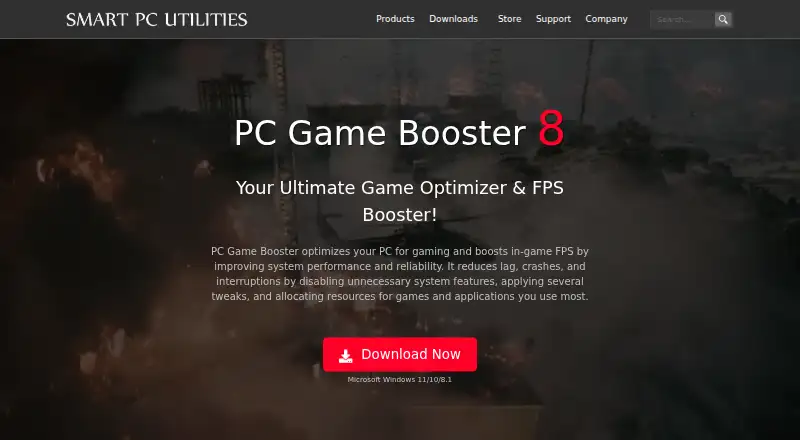
PC Game Booster is Windows software for PC gamers who want one-click optimization, automatic boosting, and a central place to manage games. Its Game Mode applies system, network, memory, visual-effects, application, and process adjustments, while performance tools monitor CPU, memory, disk resources, and hardware temperatures. The product supports manually added games and is aimed at users on Windows 11, 10, or 8.1 who prefer automated controls over manual system tuning.
The pricing structure gives budget-conscious users a clear entry point. The Free plan includes basic game optimizations, automatic boosting when games launch, game management, and system health and performance monitoring. Professional costs $1.58 per month when billed annually and adds real-time FPS boosting, Windows services and task optimization, automatic RAM optimization, hardware monitoring, and 24/7 priority support. Separate licensing options include a Professional 1-Year License for $18.95 and a Professional Lifetime License for $31.58. The product page also presents a 30-day trial and a 30-day money-back guarantee.
Its main ecosystem strength is a unified library with automatic imports from Steam, Epic Games, Ubisoft Connect, Battle.net, and Microsoft Store. Automatic boosting when library games launch reduces the need to apply settings title by title, while process, service, and scheduled-task management provide more control for users who want to adjust Windows behavior around gaming. PC Game Booster is a strong fit for Windows users seeking affordable, centralized optimization with a free starting plan. Users who need support beyond Windows or launchers outside the five listed integrations should consider a different tool.
Your product? Our editors can test PC Game Booster in depth and publish a review, labelled as paid · from $149/mo →
PC Game Booster pricing
All 4 PC Game Booster plans and prices →
PC Game Booster fact sheet
| Free plan | Yes |
|---|---|
| Paid from | $18.95/yr |
| Supported platforms | Windows 11/10/8.1 |
| Boost control | One-click |
| Automatic game detection | Yes |
| Process management | Yes |
| Game profiles | Not verified |
| Performance overlay | Not verified |
| Free trial | 30 days |
| Money-back guarantee | 30 days |
| Deployment | Desktop |
| Platforms | Windows |
| Support | Tickets, Docs · 24/7 |
| Built for | Solo, Small business (editorial estimate) |
| Integrations | 5 integrations: Steam, Epic Games, Ubisoft Connect, Battle.net, Microsoft Store See all → |
| Pricing | Free plan · 30-day trial (source) |
| Website | smartpcutilities.com |
| Facts checked | 20 Sep 2026 |
PC Game Booster integrations
PC Game Booster lists 5 integrations on its own site.
- Steam
- Epic Games
- Ubisoft Connect
- Battle.net
- Microsoft Store
See all PC Game Booster integrations →
Alternatives to PC Game Booster
- CorePinA free Windows utility for granular CPU control, game profiles, recording, and benchmarking.9.4
- Gaming OptimizerA focused Windows optimizer for users who want per-game CPU and process control.8.8
- Wise Game BoosterA free, focused Windows booster with one-click optimization and manual controls.8.5

See all PC Game Booster alternatives →
PC Game Booster vs the competition
- PC Game Booster vs CorePin
- PC Game Booster vs Gaming Optimizer
- PC Game Booster vs Wise Game Booster
- PC Game Booster vs PotatoBoost
- PC Game Booster vs w0a
- PC Game Booster vs Smart Game Booster


Compare PC Game Booster with any tool side by side →
Also Ranked In
PC Game Booster is ranked in 2 of our directories.
Used PC Game Booster? Be the first to review it
The editor score above is our own research. What this page doesn't have yet is a reader's view — what you used PC Game Booster for, what worked and what didn't. No stars are seeded and no review is paid for; an editor reads every one before it appears.
Write a reviewTwo minutes · verified accounts only · read by an editor before it appears
Featured on iTechGuides

PC Game Booster is listed in our Game Booster Software directory. Add the badge to your site — it links back to this page.
<a href="https://www.itechguides.com/products/pc-game-booster/"><img src="https://www.itechguides.com/best/badge/pc-game-booster.svg" alt="Featured on iTechGuides" width="230" height="46"></a>
Reviewed by iTechGuides Editors · Editorial team · Updated Oct 2026
Advertiser disclosure: iTechGuides is reader-supported. Vendors can pay for top positions in our rankings and for a place on other products' pages, and we may earn a commission when you click some links. Bought places stand at the number bought; this page and our disclosure say so. Paying vendors may get a fuller, more detailed review from our editors, and that review can change their score. How we rank.
Last updated · How we research and update