Gaming Optimizer
Gaming Optimizer: A focused Windows optimizer for users who want per-game CPU and process control. Ranked #3 of 18 in Game Booster Software by our editors (8.8/10); pricing: Open source; best for open-source users needing detailed Windows tuning.
At a glance
- Editor score8.8 / 10
- PricingOpen source
- Best forOpen-source users needing detailed Windows tuning
- Paid fromFree
- Supported platformsWindows
- Facts checked20 Sep 2026
Where it wins
- Automatic game detection with configurable per-game profiles
- Controls CPU affinity, process priority, and background processes
- Dashboards, alerts, session reports, and cumulative CSV tracking
Where it doesn't
- Supports Windows only
- Administrator elevation is required
- NVIDIA clock locking is optional and hardware-specific
Our verdict on Gaming Optimizer
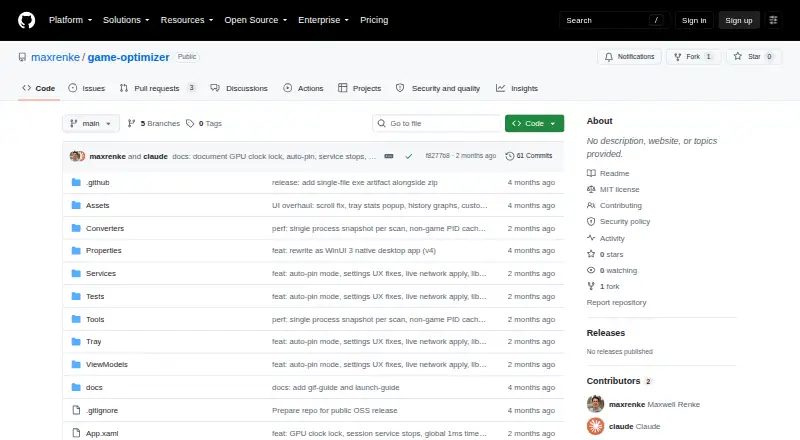
Gaming Optimizer is an open-source Windows desktop utility for gamers who want direct control over how games and background processes use system resources. It detects games through WMI process events and library scanning, then applies configurable per-game settings for CPU affinity and process priority. The tool supports Windows 10 version 1809 and later, Windows 11, x64 processors, and administrator elevation.
Its strongest area is session-level tuning. Users can pin a game to selected CPU cores, raise its process priority, demote background processes, isolate media processes, and suspend cloud-sync applications. Per-game affinity and priority profiles make those choices repeatable, while system-tray controls keep the main actions accessible during use. Optional NVIDIA GPU clock locking adds a narrower hardware-control feature for compatible setups. This makes Gaming Optimizer a fit for users who want custom boost control rather than a simple one-click mode.
The monitoring layer adds context to those adjustments. A real-time dashboard covers CPU, GPU, network, latency, and bottleneck metrics, while threshold alerts can surface changes during a session. Per-session performance reports and cumulative CSV tracking provide a way to review results over time. The trade-off is its focused scope: it is a Windows utility centered on local process and system tuning, rather than a broader multi-platform gaming suite. Choose it for open-source access and detailed Windows controls; look elsewhere if you need support beyond Windows or a less technical optimization workflow.
Your product? Our editors can test Gaming Optimizer in depth and publish a review, labelled as paid · from $149/mo →
Gaming Optimizer pricing
Gaming Optimizer fact sheet
| Free plan | Not verified |
|---|---|
| Paid from | Free |
| Supported platforms | Windows |
| Boost control | Custom |
| Automatic game detection | Yes |
| Process management | Yes |
| Game profiles | Yes |
| Performance overlay | Not verified |
| Deployment | Desktop |
| Platforms | Windows |
| Support | Community |
| Built for | Solo, Small business (editorial estimate) |
| Pricing | Open source |
| Website | github.com |
| Facts checked | 20 Sep 2026 |
Alternatives to Gaming Optimizer
- CorePinA free Windows utility for granular CPU control, game profiles, recording, and benchmarking.9.4
- PC Game BoosterAn affordable Windows booster with automatic game launching, monitoring, and resource controls.9.1
- Wise Game BoosterA free, focused Windows booster with one-click optimization and manual controls.8.5


See all Gaming Optimizer alternatives →
Gaming Optimizer vs the competition
- Gaming Optimizer vs CorePin
- Gaming Optimizer vs PC Game Booster
- Gaming Optimizer vs Wise Game Booster
- Gaming Optimizer vs PotatoBoost
- Gaming Optimizer vs w0a
- Gaming Optimizer vs Smart Game Booster


Compare Gaming Optimizer with any tool side by side →
Also Ranked In
Gaming Optimizer is ranked in 3 of our directories.
Used Gaming Optimizer? Be the first to review it
The editor score above is our own research. What this page doesn't have yet is a reader's view — what you used Gaming Optimizer for, what worked and what didn't. No stars are seeded and no review is paid for; an editor reads every one before it appears.
Write a reviewTwo minutes · verified accounts only · read by an editor before it appears
Featured on iTechGuides

Gaming Optimizer is listed in our Game Booster Software directory. Add the badge to your site — it links back to this page.
<a href="https://www.itechguides.com/products/gaming-optimizer/"><img src="https://www.itechguides.com/best/badge/gaming-optimizer.svg" alt="Featured on iTechGuides" width="230" height="46"></a>
Reviewed by iTechGuides Editors · Editorial team · Updated Oct 2026
Advertiser disclosure: iTechGuides is reader-supported. Vendors can pay for top positions in our rankings and for a place on other products' pages, and we may earn a commission when you click some links. Bought places stand at the number bought; this page and our disclosure say so. Paying vendors may get a fuller, more detailed review from our editors, and that review can change their score. How we rank.
Last updated · How we research and update