PatternSpace
PatternSpace: A focused Mac calibration toolkit with SDR, HDR, ICC, LUT, and automation tools. Ranked #21 of 24 in Display Calibration Software by our editors (6.3/10); pricing: Free plan; best for mac users needing patterns and HDR tools.
At a glance
- Editor score6.3 / 10
- PricingFree plan
- Best forMac users needing patterns and HDR tools
- Free planYes
- Paid from$39.99 one-time
- ICC profile exportYes
- Facts checked20 Sep 2026
Where it wins
- 100+ SDR and HDR patterns across six categories
- Multi-monitor targeting with per-display diagnostics
- ICC, LUT, and ColourSpace automation support
Where it doesn't
- Requires macOS 15.6 or later
- ICC profile building is limited to SDR
- Automation and advanced HDR tools require Pro
Our verdict on PatternSpace
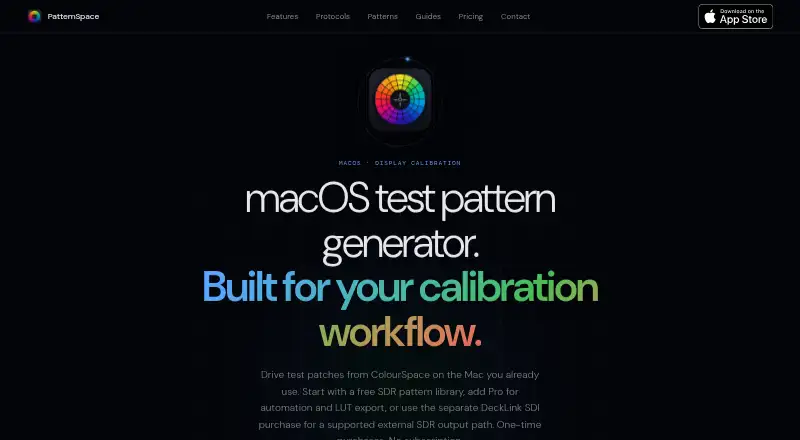
PatternSpace is a native macOS test-pattern generator for display calibration. It is designed for display calibrators, reviewers, video engineers, home-theater installers, and other color-critical users who need controlled SDR and HDR output. The app renders color swatches, grayscale ramps, clipping checks, gamma tools, geometry patterns, and calibration references on a selected display. Its GPU-rendered library contains more than 100 patterns across six categories, with multi-monitor targeting and per-display profile diagnostics.
The free plan provides Device Native and Display SDR output, 14 SDR reference presets, full and legal measurement ranges, preset diagnostics, and display/profile details. It also includes PatternSpace Remote evaluation for up to 25 patches per session. PatternSpace Pro costs $39.99 as a one-time purchase and adds ColourSpace, CalMAN, and PGenerator automation, unlimited PatternSpace Remote rendering, advanced HDR output, Peak White and EDR control, ICC profile export, and calibrated-profile assignment. The published plans make the product approachable for basic pattern work while reserving professional workflow controls for the paid tier.
PatternSpace fits workflows that need both test-pattern generation and display-profile tools in one Mac application. HDR support covers HDR PQ, tone-mapped HDR, Display HDR, and Linear HDR presets, while .cube LUT files can be imported as VCGT gamma calibration. Its ICC tools support matrix/TRC profile building, inspection, comparison, and assignment, although the ICC profile builder is SDR-only. Network automation through ColourSpace, CalMAN, PGenerator, and the PatternSpace Remote WebSocket/JSON-RPC protocol gives Pro users broader workflow options. Choose it for Mac-based calibration with pattern, HDR, multi-monitor, and automation needs; choose another tool if you require a non-macOS platform or HDR ICC profile building.
Your product? Our editors can test PatternSpace in depth and publish a review, labelled as paid · from $149/mo →
PatternSpace pricing
All 2 PatternSpace plans and prices →
PatternSpace fact sheet
| Free plan | Yes |
|---|---|
| Paid from | $39.99 one-time |
| ICC profile export | Yes |
| LUT calibration | Yes |
| Multi-monitor calibration | Yes |
| HDR calibration | Yes |
| Monitor limit | Not verified |
| Supported platforms | macOS 15.6+ |
| Deployment | Desktop |
| Platforms | macOS |
| Support | Email, Docs |
| Built for | Solo, Small business, Mid-market (editorial estimate) |
| Integrations | 4 integrations: ColourSpace, CalMAN, PGenerator, PatternSpace Remote |
| Pricing | Free plan (source) |
| Website | patternspace.caplaz.com |
| Facts checked | 20 Sep 2026 |
PatternSpace integrations
PatternSpace lists 4 integrations on its own site.
- ColourSpace
- CalMAN
- PGenerator
- PatternSpace Remote
Alternatives to PatternSpace
- X-Rite i1ProfilerA deep X-Rite workflow suite for precise display calibration, profiling, and QA.9.2
- EIZO ColorNavigator 7A capable free choice for hardware LUT calibration on compatible EIZO ColorEdge displays.8.9
- Datacolor SpyderSpyder builds custom display profiles across modern monitors, but requires a compatible sensor.8.7

See all PatternSpace alternatives →
Used PatternSpace? Be the first to review it
The editor score above is our own research. What this page doesn't have yet is a reader's view — what you used PatternSpace for, what worked and what didn't. No stars are seeded and no review is paid for; an editor reads every one before it appears.
Write a reviewTwo minutes · verified accounts only · read by an editor before it appears
Featured on iTechGuides

PatternSpace is listed in our Display Calibration Software directory. Add the badge to your site — it links back to this page.
<a href="https://www.itechguides.com/products/patternspace/"><img src="https://www.itechguides.com/best/badge/patternspace.svg" alt="Featured on iTechGuides" width="230" height="46"></a>
Reviewed by iTechGuides Editors · Editorial team · Updated Sep 2026
Advertiser disclosure: iTechGuides is reader-supported. Vendors can pay for top positions in our rankings and for a place on other products' pages, and we may earn a commission when you click some links. Bought places stand at the number bought; this page and our disclosure say so. Paying vendors may get a fuller, more detailed review from our editors, and that review can change their score. How we rank.
Last updated · How we research and update