partrevive
partrevive: A cautious Linux recovery utility with read-only checks and partition-table undo. Ranked #17 of 34 in Partition Recovery Software by our editors (6.9/10); pricing: Free plan; best for linux users wanting cautious open-source recovery.
At a glance
- Editor score6.9 / 10
- PricingFree plan
- Best forLinux users wanting cautious open-source recovery
- Free planYes
- Paid fromFree
- Scan modesBoth
- Facts checked20 Sep 2026
Where it wins
- Read-only mount tests verify candidate partitions before changes.
- Restores GPT and MBR tables while resolving overlapping candidates.
- Supports disk imaging, saved backups, and undo for recovery workflows.
Where it doesn't
- Linux-only, with no Windows or macOS support.
- Requires root access and standard Linux disk utilities.
- Early-stage project with a narrow validation history.
Our verdict on partrevive
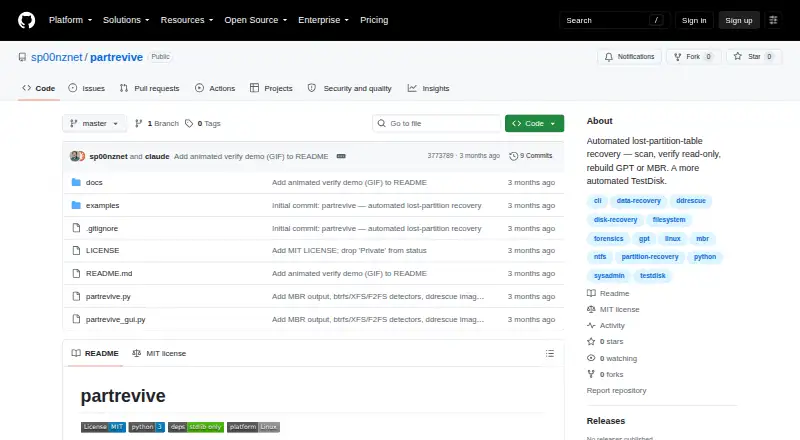
partrevive is an open-source Linux utility for recovering lost or deleted partition tables. It is aimed at operators working on disks they own, particularly Linux users who want a cautious recovery process rather than an opaque repair tool. The utility scans raw disks for filesystem signatures, identifies candidate partitions, and proposes a reconstructed layout. It supports GPT and MBR (msdos) partition tables, with filesystem coverage including NTFS, FAT12/16/32, exFAT, ext2/3/4, btrfs, XFS, F2FS, and Linux swap. A command-line interface and Tkinter graphical front end provide two ways to work with the recovery process.
Its strongest angle is risk control during partition reconstruction. Candidate partitions are checked with read-only mount tests, and the proposed layout resolves overlaps before a table is restored. partrevive can back up existing partition tables and supports undo, while recovered-volume files can be copied without modifying the source. For failing drives, it can create disk images with ddrescue, allowing recovery work to focus on an image rather than the original device. These features give the product a coherent workflow for inspecting, preserving, and then restoring partition structures.
The trade-off is operational scope. partrevive requires root access and standard Linux disk utilities, and its platform support is limited to Linux. The project is also early-stage, so it is better suited to technically capable operators who can work with command-line recovery tools and understand disk-partition risks than to users seeking a broadly supported consumer application. Choose it when open-source access, read-only verification, GPT or MBR recovery, imaging, and undo matter most. Choose an alternative when cross-platform support, a more established project, or a simpler guided experience is the priority.
Your product? Our editors can test partrevive in depth and publish a review, labelled as paid · from $149/mo →
partrevive pricing
partrevive fact sheet
| Free plan | Yes |
|---|---|
| Paid from | Free |
| Scan modes | Both |
| Supported platforms | Linux |
| Partition table types | GPT, MBR (msdos) |
| Filesystem support | NTFS, FAT12/16/32, exFAT, ext2/3/4, btrfs, XFS, F2FS, Linux swap |
| Bootable recovery media | Not verified |
| Disk image recovery | Yes |
| RAID recovery | Not verified |
| Deployment | Self-hosted, Desktop |
| Platforms | Linux |
| Support | Docs |
| Built for | Solo, Small business (editorial estimate) |
| Pricing | Free plan |
| Website | github.com |
| Facts checked | 20 Sep 2026 |
Alternatives to partrevive
- TestDiskA broad, free recovery toolkit for users comfortable with command-line workflows.9.3
- DMDEA low-cost recovery toolkit with unusually broad filesystem, partition, disk, and RAID support.8.8
- Active@ Partition RecoveryA deep Windows recovery toolkit with free scanning and advanced repair tiers.7.9


See all partrevive alternatives →
Used partrevive? Be the first to review it
The editor score above is our own research. What this page doesn't have yet is a reader's view — what you used partrevive for, what worked and what didn't. No stars are seeded and no review is paid for; an editor reads every one before it appears.
Write a reviewTwo minutes · verified accounts only · read by an editor before it appears
Featured on iTechGuides

partrevive is listed in our Partition Recovery Software directory. Add the badge to your site — it links back to this page.
<a href="https://www.itechguides.com/products/partrevive/"><img src="https://www.itechguides.com/best/badge/partrevive.svg" alt="Featured on iTechGuides" width="230" height="46"></a>
Reviewed by iTechGuides Editors · Editorial team · Updated Oct 2026
Advertiser disclosure: iTechGuides is reader-supported. Vendors can pay for top positions in our rankings and for a place on other products' pages, and we may earn a commission when you click some links. Bought places stand at the number bought; this page and our disclosure say so. Paying vendors may get a fuller, more detailed review from our editors, and that review can change their score. How we rank.
Last updated · How we research and update