Partclone
Partclone: A focused command-line toolkit for Linux partition imaging, cloning, and recovery workflows. Ranked #24 of 32 in Disk Imaging Software by our editors (7.0/10); pricing: Free plan; best for linux administrators needing lightweight partition imaging.
At a glance
- Editor score7.0 / 10
- PricingFree plan
- Best forLinux administrators needing lightweight partition imaging
- Free planYes
- Paid fromFree
- Facts checked20 Sep 2026
Where it wins
- Filesystem-aware imaging and restoration for supported filesystems
- Rescue mode continues after disk read errors
- CRC32 verification, integrity checks, and metadata inspection
Where it doesn't
- GNU/Linux-only platform scope
- Command-oriented workflow is not aimed at consumer desktop use
- No encryption or incremental imaging
Our verdict on Partclone
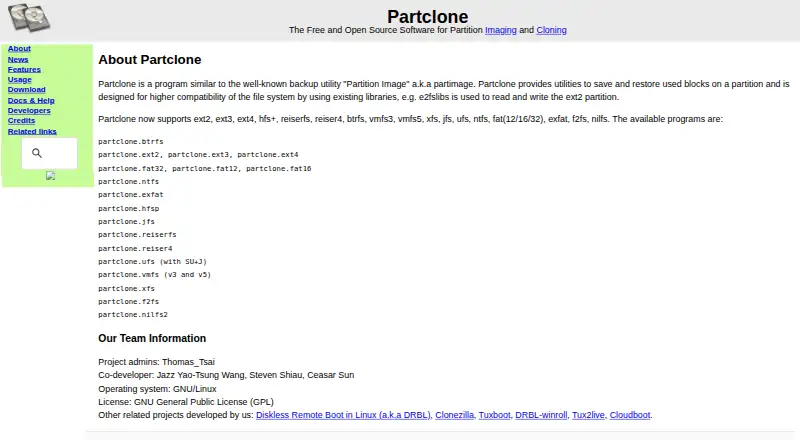
Partclone is a free, open-source command-line toolkit for saving and restoring used blocks on disk partitions. It is designed for system administrators and recovery workflows, with filesystem-aware imaging for Linux filesystems and several filesystems associated with Windows, macOS, FreeBSD, VMware, and MINIX. Its utilities can create image files, restore images to devices, copy directly between devices, inspect image metadata, and process data through standard input and output. Linux administrators who prefer lightweight tools and command-line control are the clearest audience.
The pricing model is straightforward: Partclone is free and open source, with no paid plan tiers described. Its feature set centers on practical partition operations rather than a broad desktop backup suite. Filesystem-aware imaging can preserve used blocks, while raw copying provides an option for unsupported filesystems. Rescue mode continues after disk read errors, and CRC32 verification plus image integrity checking add validation steps. The ncurses text interface and quiet mode offer different command-line operating styles, while piping supports workflows that connect Partclone with other utilities.
Partclone’s main trade-off is focus. It supports GNU/Linux, and its command-oriented design is better suited to administrators than to people seeking a consumer desktop interface. The published scope also excludes encryption and incremental imaging, and verified recovery media is not part of the stated capability set. Choose Partclone when filesystem-aware partition imaging, device copying, rescue behavior, and inspection tools matter more than guided workflows. Choose an alternative when you need encryption, incremental backups, verified recovery media, or a broader platform experience.
Your product? Our editors can test Partclone in depth and publish a review, labelled as paid · from $149/mo →
Partclone pricing
Partclone fact sheet
| Free plan | Yes |
|---|---|
| Paid from | Free |
| Bare-metal restore | Not verified |
| Bootable recovery media | Not verified |
| Incremental images | Not verified |
| Differential images | Not verified |
| Supported platforms | GNU/Linux |
| Image encryption | Not verified |
| Cloud image destination | Not verified |
| Deployment | Self-hosted |
| Platforms | Linux |
| Support | Email, Community, Docs |
| Built for | Solo, Small business, Mid-market, Enterprise (editorial estimate) |
| Pricing | Free plan |
| Website | partclone.org |
| Facts checked | 20 Sep 2026 |
Alternatives to Partclone
- ClonezillaA capable free imaging toolkit for technical users and multi-computer deployment.9.3
- Macrium ReflectA Windows-focused imaging suite for detailed backup and resilient recovery.9.1
- Acronis True ImageA broad personal backup suite with cloning, recovery, mobile coverage and ransomware monitoring.9.0



See all Partclone alternatives →
Also Ranked In
Partclone is ranked in 2 of our directories.
Used Partclone? Be the first to review it
The editor score above is our own research. What this page doesn't have yet is a reader's view — what you used Partclone for, what worked and what didn't. No stars are seeded and no review is paid for; an editor reads every one before it appears.
Write a reviewTwo minutes · verified accounts only · read by an editor before it appears
Featured on iTechGuides

Partclone is listed in our Disk Imaging Software directory. Add the badge to your site — it links back to this page.
<a href="https://www.itechguides.com/products/partclone/"><img src="https://www.itechguides.com/best/badge/partclone.svg" alt="Featured on iTechGuides" width="230" height="46"></a>
Reviewed by iTechGuides Editors · Editorial team · Updated Oct 2026
Advertiser disclosure: iTechGuides is reader-supported. Vendors can pay for top positions in our rankings and for a place on other products' pages, and we may earn a commission when you click some links. Bought places stand at the number bought; this page and our disclosure say so. Paying vendors may get a fuller, more detailed review from our editors, and that review can change their score. How we rank.
Last updated · How we research and update