OpenSuperClone
OpenSuperClone: A Linux-focused cloning utility for damaged drives, with resumable recovery and targeted extraction. Ranked #95 of 129 in Data Recovery Software by our editors (3.0/10); pricing: Free plan; best for linux users cloning failing drives for recovery.
At a glance
- Editor score3.0 / 10
- PricingFree plan
- Best forLinux users cloning failing drives for recovery
- Free planYes
- Paid fromFree
- Bootable recoveryYes
- Facts checked19 Sep 2026
Where it wins
- Creates sector-by-sector disk clones and images.
- Resumable multi-phase recovery uses logs to continue work.
- Virtual Disk Mode supports targeted extraction with compatible tools.
Where it doesn't
- Available for Linux only.
- Workflow centers on cloning and may not suit broader recovery needs.
- Documentation wiki is described as a work in progress.
Our verdict on OpenSuperClone
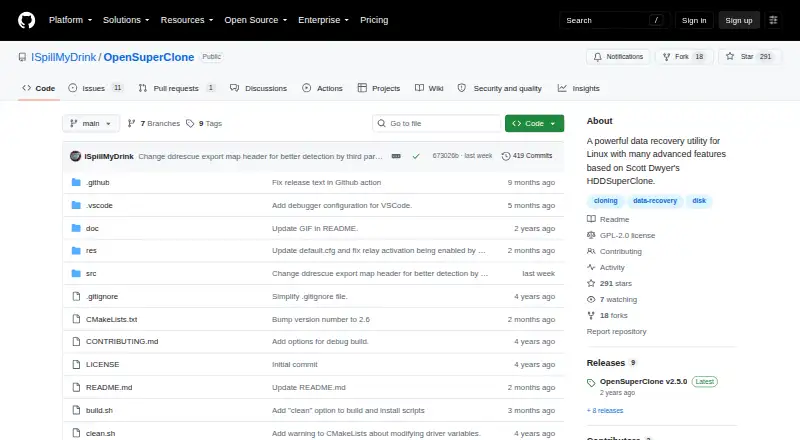
OpenSuperClone is an open-source Linux utility for cloning disks and recovering data from damaged or unstable media. It is aimed at Linux users who need to preserve a failing drive sector by sector before extracting files, rather than those looking for a general-purpose recovery workflow across operating systems. Its source options include files, block devices, and attached drives, and a Linux Live ISO provides a bootable recovery option.
The recovery process is organized into multiple phases and keeps resumable logs, which helps when work on unstable media needs to continue later. Virtual Disk Mode presents the recovery source as a block device while requested data is copied to a destination image, enabling targeted extraction with compatible software. OpenSuperClone integrates with DMDE, R-Studio, and UFS Explorer, making it a fit for users who want to pair cloning with a separate recovery tool. Hardware access options include ATA and SCSI passthrough, direct IDE, AHCI, USB, and USB ATA modes, plus USB relay control for automatic drive power cycling.
OpenSuperClone is free and open source, with DEB and RPM packages as well as source installation instructions. The project is actively maintained on GitHub, though its wiki is described as a work in progress. The cloning-centered approach and Linux-only support narrow its audience: choose it when preserving a failing drive and handing the result to compatible recovery software are central needs. Users seeking a broader, cross-platform file recovery application should consider another product.
Your product? Our editors can test OpenSuperClone in depth and publish a review, labelled as paid · from $149/mo →
OpenSuperClone pricing
OpenSuperClone fact sheet
| Free plan | Yes |
|---|---|
| Paid from | Free |
| Recovery sources | files; block devices; USB-attached drives; SATA-attached drives; PATA-connected drives; NVMe SSDs |
| Operating systems | Linux |
| Free recovery limit | Not verified |
| Memory card recovery | Not verified |
| RAID recovery | Not verified |
| Bootable recovery | Yes |
| File preview | Not verified |
| Deployment | Desktop |
| Platforms | Linux |
| Integrations | 3 integrations: DMDE, R-Studio, UFS Explorer |
| Pricing | Free plan |
| Website | github.com |
| Facts checked | 19 Sep 2026 |
OpenSuperClone integrations
OpenSuperClone lists 3 integrations on its own site.
- DMDE
- R-Studio
- UFS Explorer
Alternatives to OpenSuperClone
- R-StudioA broad recovery toolkit for professionals handling disks, RAID, images, and networks.9.3
- TestDiskA capable free choice for partition repair, filesystem recovery, and file undelete.9.1
- RecoveritA broad recovery toolkit with strong media repair and storage-device coverage.9.0


See all OpenSuperClone alternatives →
Also Ranked In
OpenSuperClone is ranked in 2 of our directories.
Used OpenSuperClone? Be the first to review it
The editor score above is our own research. What this page doesn't have yet is a reader's view — what you used OpenSuperClone for, what worked and what didn't. No stars are seeded and no review is paid for; an editor reads every one before it appears.
Write a reviewTwo minutes · verified accounts only · read by an editor before it appears
Featured on iTechGuides

OpenSuperClone is listed in our Data Recovery Software directory. Add the badge to your site — it links back to this page.
<a href="https://www.itechguides.com/products/opensuperclone/"><img src="https://www.itechguides.com/best/badge/opensuperclone.svg" alt="Featured on iTechGuides" width="230" height="46"></a>
Reviewed by iTechGuides Editors · Editorial team · Updated Oct 2026
Advertiser disclosure: iTechGuides is reader-supported. Vendors can pay for top positions in our rankings and for a place on other products' pages, and we may earn a commission when you click some links. Bought places stand at the number bought; this page and our disclosure say so. Paying vendors may get a fuller, more detailed review from our editors, and that review can change their score. How we rank.
Last updated · How we research and update