OpenRGB
OpenRGB: A free, multi-platform RGB controller with profiles, synchronization, plugins, and an SDK. Ranked #9 of 33 in RGB Lighting Software by our editors (7.9/10); pricing: Free plan; best for multi-brand RGB users and developers.
At a glance
- Editor score7.9 / 10
- PricingFree plan
- Best forMulti-brand RGB users and developers
- Free planYes
- Paid fromFree
- Device scopeBoth
- Founded2019
- Facts checked19 Sep 2026
Where it wins
- Controls supported RGB hardware from multiple manufacturers in one app
- Runs on Windows, Linux, and macOS, with command-line and headless options
- Offers profiles, synchronization, plugins, and a network-based SDK
Where it doesn't
- Hardware control is limited to supported devices
- Advanced extensions may require working with plugins or the SDK
- The breadth of controls may be more than a single-device setup needs
Our verdict on OpenRGB
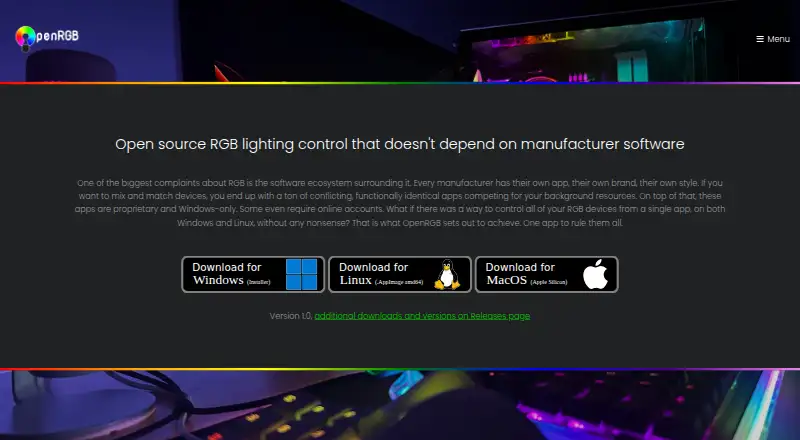
OpenRGB brings RGB hardware from multiple manufacturers under one application, with support for Windows, Linux, and macOS. Its scope includes components, peripherals, accessories, and lighting devices, so it suits people coordinating more than one brand as well as developers extending lighting control. It is free and open source under the GNU General Public License version 2, with no paid plan tier described.
Profiles and synchronization are central strengths: users can save and load lighting profiles, apply color and effect modes, and synchronize lighting across supported devices and multiple OpenRGB instances or PCs. Addressable RGB zone configuration, audio-reactive effects, and screen-matching effects add control beyond setting a static color. The plugin system extends the application with effects, visual mapping, scheduling, hardware-statistics synchronization, and third-party control. This breadth makes it a fit for customized setups; someone seeking only a simple single-device color control may not need the additional options.
The network-based SDK supports third-party applications, with listed integrations including Artemis, Aurora, Home Assistant, Keyboard Visualizer, and OpenRGB clients for Python, Node.js, and .NET. Command-line use and standalone or headless server operation provide options for developers and users who want control beyond the main application. Compatibility still depends on hardware being supported, and the range of extension points may involve more configuration than a narrow lighting utility. Choose OpenRGB for multi-brand control, synchronization, or integration work; consider a simpler tool if those capabilities are unnecessary.
Your product? Our editors can test OpenRGB in depth and publish a review, labelled as paid · from $149/mo →
OpenRGB pricing
All 1 OpenRGB plans and prices →
OpenRGB fact sheet
| Free plan | Yes |
|---|---|
| Paid from | Free |
| Device scope | Both |
| Addressable RGB control | Yes |
| Cross-device sync | Yes |
| Lighting profiles | Yes |
| Game lighting effects | Yes |
| Maximum profiles | Not verified |
| Deployment | Desktop |
| Platforms | Windows, Linux, macOS |
| Integrations | 8 integrations: Artemis, Aurora, Home Assistant, Keyboard Visualizer, OpenRGB Python Client, OpenRGB Node.js Client … |
| Pricing | Free plan (source) |
| Website | openrgb.org |
| Facts checked | 19 Sep 2026 |
OpenRGB integrations
OpenRGB lists 8 integrations on its own site.
- Artemis
- Aurora
- Home Assistant
- Keyboard Visualizer
- OpenRGB Python Client
- OpenRGB Node.js Client
- OpenRGB.NET
- OpenRGB SDK
Alternatives to OpenRGB
- Razer Chroma AppFree lighting control for Chroma devices, with effects, game links and per-LED control.8.9
- ASUS Aura Sync UtilityA free Windows utility for synchronized lighting on compatible ASUS hardware.7.9
- MSI Mystic LightFree Windows software for configuring and synchronizing lighting on compatible MSI devices.7.9

See all OpenRGB alternatives →
Used OpenRGB? Be the first to review it
The editor score above is our own research. What this page doesn't have yet is a reader's view — what you used OpenRGB for, what worked and what didn't. No stars are seeded and no review is paid for; an editor reads every one before it appears.
Write a reviewTwo minutes · verified accounts only · read by an editor before it appears
Featured on iTechGuides

OpenRGB is listed in our RGB Lighting Software directory. Add the badge to your site — it links back to this page.
<a href="https://www.itechguides.com/products/openrgb/"><img src="https://www.itechguides.com/best/badge/openrgb.svg" alt="Featured on iTechGuides" width="230" height="46"></a>
Reviewed by iTechGuides Editors · Editorial team · Updated Oct 2026
Advertiser disclosure: iTechGuides is reader-supported. Vendors can pay for top positions in our rankings and for a place on other products' pages, and we may earn a commission when you click some links. Bought places stand at the number bought; this page and our disclosure say so. Paying vendors may get a fuller, more detailed review from our editors, and that review can change their score. How we rank.
Last updated · How we research and update