
OpenKiosk
OpenKiosk: A capable, free Linux kiosk browser for self-hosted public-access terminals. Ranked #15 of 20 in Kiosk Browsers by our editors (7.4/10); pricing: Open source; best for open-source Linux kiosk deployments.
At a glance
- Editor score7.4 / 10
- PricingOpen source
- Best forOpen-source Linux kiosk deployments
- Paid fromFree
- Deployment modeSelf-hosted
- Facts checked20 Sep 2026
Where it wins
- Fullscreen browsing with URL filtering, timers, and session resets
- Remote management, dual displays, and configurable kiosk pages
- Open-source software with x86_64 and ARM64 support
Where it doesn't
- Current installation documentation requires Linux and describes a Debian 13 beta
- No verified signage support is described
- The product has no AI features
Our verdict on OpenKiosk
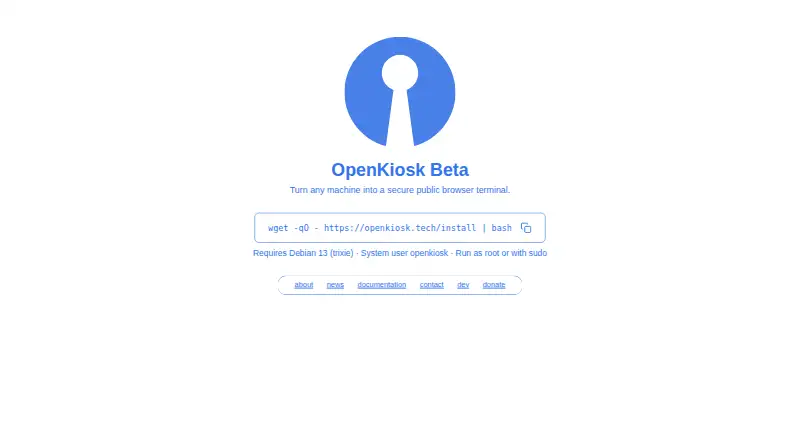
OpenKiosk is an open-source web browser based on Mozilla Firefox for public terminals and kiosk installations. It is aimed at organizations running public-access stations in libraries, schools, museums, hospitals, airports, hotels, government settings, and businesses. The browser supports fullscreen operation, configurable browser controls, URL filtering, session timers, manual resets, and local administration. Its self-hosted deployment model suits teams that want control over kiosk software and hardware rather than a hosted service.
As open-source software, OpenKiosk is free to use. The current installation documentation describes a Debian 13 beta requiring Linux hardware, with support for x86_64 and ARM64 systems, including Raspberry Pi 5. That makes the platform a practical fit for Linux-based deployments, but it narrows the hardware and operating-system choices for organizations standardizing on Windows or macOS. Remote management is available for one or more devices through a web interface, while local settings and keyboard shortcuts provide administrative control at the terminal.
The strongest part of OpenKiosk is its focused set of public-terminal controls. Administrators can manage allowlists and blocklists, browser toolbars, bookmarks, downloads, printing, home pages, attract pages, screensavers, on-screen keyboards, and dual displays. Session timers and resets help prepare a terminal for the next visitor. OpenKiosk should appeal to teams comfortable with self-hosted Linux software that need a configurable browser rather than a broader signage platform. Organizations seeking verified signage support, current multi-platform installation coverage, or AI features should choose an alternative aligned with those requirements.
Your product? Our editors can test OpenKiosk in depth and publish a review, labelled as paid · from $149/mo →
OpenKiosk pricing
OpenKiosk fact sheet
| Free plan | Not verified |
|---|---|
| Paid from | Free |
| Deployment mode | Self-hosted |
| Supported platforms | Linux |
| URL allowlisting | Yes |
| Remote management | Yes |
| Session reset | Yes |
| Digital signage support | Not verified |
| Browser engine | Gecko |
| Deployment | Self-hosted |
| Platforms | Linux |
| Support | Docs |
| Built for | Small business, Mid-market, Enterprise (editorial estimate) |
| Pricing | Open source |
| Website | openkiosk.tech |
| Facts checked | 20 Sep 2026 |
Alternatives to OpenKiosk
- SiteKioskA broad kiosk control suite for managed Windows and Android deployments.9.4
- KioWareA mature kiosk platform for multi-platform deployments with paid, per-device plans.9.1
- Hexnode Kiosk BrowserA paid, cross-platform kiosk browser with policy controls, resets, signage, and UEM management.8.9



See all OpenKiosk alternatives →
Also Ranked In
OpenKiosk is ranked in 2 of our directories.
Used OpenKiosk? Be the first to review it
The editor score above is our own research. What this page doesn't have yet is a reader's view — what you used OpenKiosk for, what worked and what didn't. No stars are seeded and no review is paid for; an editor reads every one before it appears.
Write a reviewTwo minutes · verified accounts only · read by an editor before it appears
Featured on iTechGuides

OpenKiosk is listed in our Kiosk Browsers directory. Add the badge to your site — it links back to this page.
<a href="https://www.itechguides.com/products/openkiosk/"><img src="https://www.itechguides.com/best/badge/openkiosk.svg" alt="Featured on iTechGuides" width="230" height="46"></a>
Reviewed by iTechGuides Editors · Editorial team · Updated Oct 2026
Advertiser disclosure: iTechGuides is reader-supported. Vendors can pay for top positions in our rankings and for a place on other products' pages, and we may earn a commission when you click some links. Bought places stand at the number bought; this page and our disclosure say so. Paying vendors may get a fuller, more detailed review from our editors, and that review can change their score. How we rank.
Last updated · How we research and update