
OpenCharts
OpenCharts: A presentation-focused workspace with useful AI, collaboration, and export tools. Ranked #32 of 32 in AI Diagram Generators by our editors (6.1/10); pricing: Free plan; best for presentation creators rather than diagram specialists.
At a glance
- Editor score6.1 / 10
- PricingFree plan
- Best forPresentation creators rather than diagram specialists
- Free planYes
- Paid from$9.99/mo
- Facts checked20 Sep 2026
Where it wins
- Generates editable slide decks, layouts, imagery, and brand themes from prompts.
- Exports editable PowerPoint, PDF, PNG, and Google Drive versions.
- Includes collaboration, presenter tools, rehearsal coaching, and live links.
Where it doesn't
- The Free Forever plan is limited to one presentation.
- Its feature set centers on presentations more than diagram generation.
- Teams pricing is charged per user per month.
Our verdict on OpenCharts
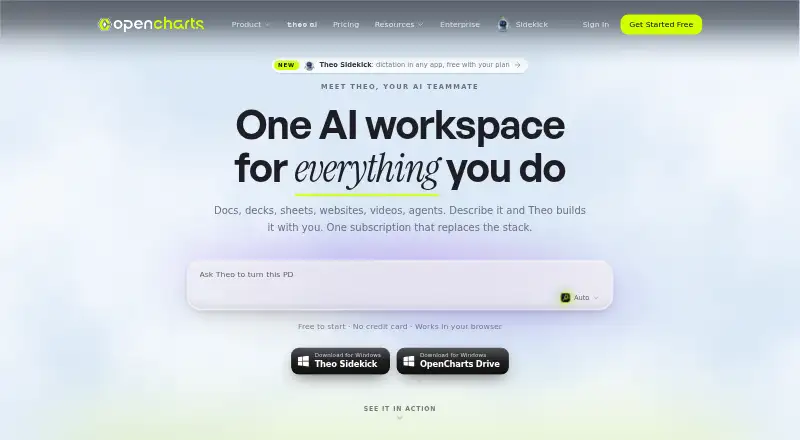
OpenCharts is a browser-based workspace for creating AI-assisted presentations alongside flowcharts, notes, whiteboards, sheets, and other project types. It is aimed at solo makers, teams, and regulated-industry organizations that need to turn prompts or a website URL into editable presentation material. The builder can generate slide content, layouts, imagery, and brand themes, while users can refine slide elements, add charts and tables, and share live presentation links. Presentation creators are the clearest fit; diagram specialists may find the product’s emphasis less aligned with their primary workflow.
Pricing follows a freemium structure. Free Forever costs nothing and includes one presentation, 500K AI credits, 10 GB of Drive storage, all export formats, and no credit card requirement. Starter costs $9.99 per month for side projects and solo makers, with 1M AI credits, 25 GB of Drive storage, and PNG and JSON export. Pro costs $24.99 per month and adds 5M AI credits, unlimited projects, every export format, and API access. Teams costs $14.99 per user per month and includes real-time collaboration, team chat, an organization workspace, and an admin dashboard.
The strongest depth is around presenting rather than diagramming: presenter view includes speaker notes and a teleprompter, while the rehearsal coach provides pacing and filler-word feedback. Charts and tables can use Theo Sheet data, and integrations include Google Drive, Zapier, Slack, HubSpot, Stripe, Notion, Google Sheets, Discord, Airtable, Calendly, Gmail, Linear, GitHub, and Typeform. Web, Windows, macOS, and Chrome extension access broaden its working environment. Choose OpenCharts for AI-assisted decks, collaborative review, and flexible exports; choose a more diagram-centered tool when diagram creation is the main requirement.
Your product? Our editors can test OpenCharts in depth and publish a review, labelled as paid · from $149/mo →
OpenCharts pricing
All 4 OpenCharts plans and prices →
OpenCharts fact sheet
| Free plan | Yes |
|---|---|
| Paid from | $9.99/mo |
| AI diagram limit | Not verified |
| Mermaid support | Not verified |
| Real-time collaboration | Not verified |
| Diagram import | Not verified |
| Platform | Not verified |
| Export formats | Not verified |
| Deployment | Cloud, Desktop, Browser extension |
| Platforms | Web, Windows, macOS, Chrome extension |
| Support | Email, Docs |
| Built for | Solo, Small business, Mid-market, Enterprise (editorial estimate) |
| Integrations | 30+ integrations: Google Drive, Theo Sheets, Zapier, Slack, HubSpot, Stripe … |
| Pricing | Free plan (source) |
| Website | opencharts.com |
| Facts checked | 20 Sep 2026 |
OpenCharts integrations
OpenCharts lists 30+ integrations on its own site — the 20 named here are the ones its pages call out.
- Google Drive
- Theo Sheets
- Zapier
- Slack
- HubSpot
- Stripe
- Notion
- Google Sheets
- Discord
- Airtable
- Calendly
- Gmail
- Linear
- GitHub
- Typeform
- Apollo
- Trello
- Monday
- Google Calendar
Alternatives to OpenCharts
- OpenFlowKitA flexible free diagramming workspace for technical teams that prefer editable, portable outputs.9.4
- EraserA broad diagram workspace combining AI, diagram-as-code, collaboration, and integrations.9.3
- ArchwayA broad architecture diagram generator with AI input, collaboration, APIs, and self-hosting.9.2



See all OpenCharts alternatives →
Also Ranked In
OpenCharts is ranked in 3 of our directories.
Used OpenCharts? Be the first to review it
The editor score above is our own research. What this page doesn't have yet is a reader's view — what you used OpenCharts for, what worked and what didn't. No stars are seeded and no review is paid for; an editor reads every one before it appears.
Write a reviewTwo minutes · verified accounts only · read by an editor before it appears
Featured on iTechGuides

OpenCharts is listed in our AI Diagram Generators directory. Add the badge to your site — it links back to this page.
<a href="https://www.itechguides.com/products/opencharts/"><img src="https://www.itechguides.com/best/badge/opencharts.svg" alt="Featured on iTechGuides" width="230" height="46"></a>
Reviewed by iTechGuides Editors · Editorial team · Updated Oct 2026
Advertiser disclosure: iTechGuides is reader-supported. Vendors can pay for top positions in our rankings and for a place on other products' pages, and we may earn a commission when you click some links. Bought places stand at the number bought; this page and our disclosure say so. Paying vendors may get a fuller, more detailed review from our editors, and that review can change their score. How we rank.
Last updated · How we research and update