
Archway
Archway: A broad architecture diagram generator with AI input, collaboration, APIs, and self-hosting. Ranked #3 of 32 in AI Diagram Generators by our editors (9.2/10); pricing: Free plan; best for developers and architecture teams.
At a glance
- Editor score9.2 / 10
- PricingFree plan
- Best forDevelopers and architecture teams
- Free planYes
- Paid from$12/mo
- Mermaid supportYes
- Facts checked20 Sep 2026
Where it wins
- Generates seven diagram types from text, repositories, and schemas
- Supports collaboration, version history, notes, embeds, and broad exports
- Offers REST API access and a self-hosted Docker Compose option
Where it doesn't
- Free is limited to 5 AI generations per month and 3 diagrams
- Free exports are limited to PNG and SVG
- Team and Team Pro use per-user monthly pricing
Our verdict on Archway
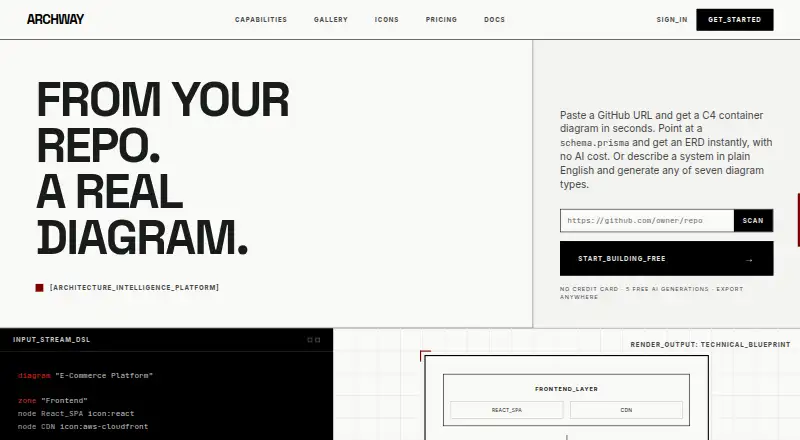
Archway is a web-based architecture diagramming platform for engineers, architects, and engineering teams. It generates cloud architecture, sequence, ERD, data-flow, flowchart, C4, and network diagrams from natural-language descriptions, GitHub repositories, and database schemas. Model-aware service and provider editing gives users a way to refine generated diagrams, while notes, embeds, exports, and version history support documentation workflows.
Pricing scales from a Free plan with 5 AI generations per month, 3 diagrams, all 7 diagram types, and PNG and SVG export. Pro costs $12 per month and adds 50 AI generations, unlimited diagrams, Markdown notes, embed codes, all export formats, version history, and a template library. Team costs $35 per user per month and adds 200 AI generations per user, real-time collaboration, team workspaces, admin controls, and everything in Pro. Team Pro costs $40 per user per month and adds 300 AI generations per user, audit logs, advanced permissions, dedicated onboarding, and a priority support SLA. Enterprise adds unlimited AI generations, SAML SSO, a self-hosted deployment option, consolidated invoicing, a custom SLA, and dedicated support.
Archway fits teams working across GitHub, AWS, Azure, GCP, Kubernetes, MongoDB Atlas, Vercel, and other listed integrations. Its REST API covers diagram creation, editing, generation, and export, while exports include Mermaid, PlantUML, D2, Draw.io XML, SVG, PNG, PDF, and Terraform HCL. Real-time collaboration uses CRDT synchronization. Developers and architecture teams should choose Archway when they need multiple diagram types, repository or schema parsing, and collaboration; simpler diagram needs may not justify its broader feature set or paid tiers.
Your product? Our editors can test Archway in depth and publish a review, labelled as paid · from $149/mo →
Archway pricing
All 5 Archway plans and prices →
Archway fact sheet
| Free plan | Yes |
|---|---|
| Paid from | $12/mo |
| AI diagram limit | 50 /mo |
| Mermaid support | Yes |
| Real-time collaboration | Yes |
| Diagram import | Not verified |
| Platform | Web |
| Export formats | Mermaid, PlantUML, D2, Draw.io XML, SVG, PNG, PDF, Terraform HCL |
| Money-back guarantee | 14 days |
| Deployment | Cloud, Self-hosted |
| Platforms | Web |
| Compliance & security | SSO/SAML |
| Support | Email, Docs |
| Built for | Solo, Small business, Mid-market, Enterprise (editorial estimate) |
| Integrations | 10 integrations: GitHub, AWS, Azure, GCP, Kubernetes, Anthropic Claude … |
| Pricing | Free plan (source) |
| Website | archdiagram.dev |
| Facts checked | 20 Sep 2026 |
Archway integrations
Archway lists 10 integrations on its own site.
- GitHub
- AWS
- Azure
- GCP
- Kubernetes
- Anthropic Claude
- MongoDB Atlas
- Vercel
- Dodo Payments
- Upstash Redis
Alternatives to Archway
- OpenFlowKitA flexible free diagramming workspace for technical teams that prefer editable, portable outputs.9.4
- EraserA broad diagram workspace combining AI, diagram-as-code, collaboration, and integrations.9.3
- LetDrawA low-cost technical diagramming workspace with AI, collaboration, and developer-friendly imports.9.1



See all Archway alternatives →
Archway vs the competition
- Archway vs OpenFlowKit
- Archway vs Eraser
- Archway vs LetDraw
- Archway vs sysdraw
- Archway vs Lucid Train
- Archway vs Mermaid Chart



Compare Archway with any tool side by side →
Used Archway? Be the first to review it
The editor score above is our own research. What this page doesn't have yet is a reader's view — what you used Archway for, what worked and what didn't. No stars are seeded and no review is paid for; an editor reads every one before it appears.
Write a reviewTwo minutes · verified accounts only · read by an editor before it appears
Featured on iTechGuides

Archway is listed in our AI Diagram Generators directory. Add the badge to your site — it links back to this page.
<a href="https://www.itechguides.com/products/archway/"><img src="https://www.itechguides.com/best/badge/archway.svg" alt="Featured on iTechGuides" width="230" height="46"></a>
Reviewed by iTechGuides Editors · Editorial team · Updated Oct 2026
Advertiser disclosure: iTechGuides is reader-supported. Vendors can pay for top positions in our rankings and for a place on other products' pages, and we may earn a commission when you click some links. Bought places stand at the number bought; this page and our disclosure say so. Paying vendors may get a fuller, more detailed review from our editors, and that review can change their score. How we rank.
Last updated · How we research and update