
Eraser
Eraser: A flexible diagram-as-code workspace for technical teams building with AI. Ranked #10 of 36 in Diagram Software by our editors (8.3/10); pricing: Free plan; best for technical teams using AI and diagram-as-code.
At a glance
- Editor score8.3 / 10
- PricingFree plan
- Best forTechnical teams using AI and diagram-as-code
- Free planYes
- Paid from$15/user/mo
- Real-time collaborationYes
- Facts checked20 Sep 2026
Where it wins
- AI generates diagrams from prompts, images, files, and code
- Diagram-as-code works alongside Markdown notes on an infinite canvas
- Exports, imports, integrations, APIs, and collaboration support technical workflows
Where it doesn't
- The Free plan is limited to 3 files and 3 AI diagrams
- Private files begin with the Starter plan
- SAML SSO is available on the Business plan
Our verdict on Eraser
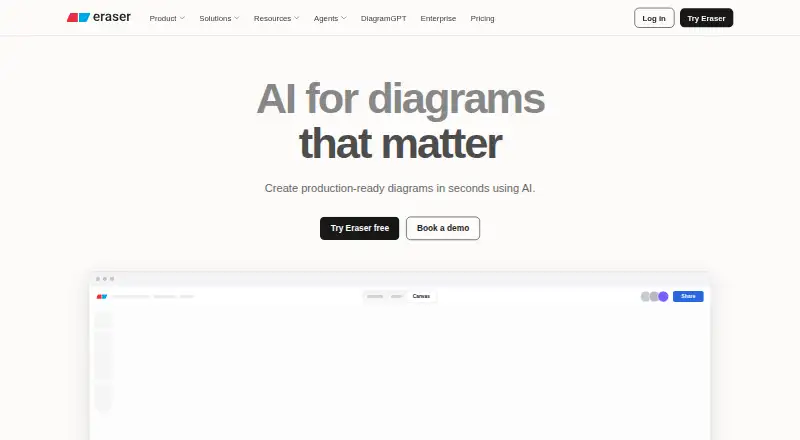
Eraser is a collaborative diagramming and documentation tool for engineering and technical teams. It combines AI diagram generation with diagram-as-code through Eraser DSL, supporting cloud architecture, flow charts, entity relationship, sequence, and BPMN diagrams. The workspace includes an infinite canvas for diagrams and Markdown notes, along with real-time collaboration, commenting, tagging, and version restore. It is best suited to teams that want diagrams connected to technical documentation and developer workflows.
The plan structure covers individual and team use. The Free plan provides 3 files, 3 AI diagrams, 7-day version history, unlimited guests, diagram-as-code, and Markdown notes. Starter costs $15 per member per month when billed annually and adds unlimited files, 40 AI diagrams, 90-day version history, private files, 20 custom icons, and API calls. Business costs $45 per member per month when billed annually, with 250 AI diagrams, unlimited version history, SAML SSO, 100 custom icons, and reference diagrams. Enterprise adds unlimited AI diagrams and version history, flexible deployments, a customer success manager, and usage reporting.
Eraser’s strongest fit is its connection to developer ecosystems. GitHub, Notion, Confluence, and VS Code integrations sit alongside a REST API and MCP server for diagram creation and management. Import support includes images, Markdown, HTML, draw.io, and Eraser content, while exports include PNG, SVG, PDF, BPMN, Visio, draw.io, and Markdown. These options help technical teams move diagrams between documentation, development, and presentation contexts. Teams seeking AI-assisted, collaborative, code-oriented diagramming should consider Eraser; those needing a simpler general-purpose canvas may find its technical focus less relevant.
Your product? Our editors can test Eraser in depth and publish a review, labelled as paid · from $149/mo →
Eraser pricing
All 4 Eraser plans and prices →
Eraser fact sheet
| Free plan | Yes |
|---|---|
| Paid from | $15/user/mo |
| Diagram types | Flow charts, entity-relationship diagrams, cloud architecture diagrams, sequence diagrams, BPMN diagrams |
| Real-time collaboration | Yes |
| Export formats | PNG, SVG, PDF, PowerPoint, Google Slides, BPMN, Visio, draw.io, Markdown |
| Import formats | PNG, JPEG, WebP, PDF, Word, Excel, PowerPoint, Draw.io, Visio |
| Desktop app | Not verified |
| Version history | Yes |
| Maximum editors | Not verified |
| Deployment | Cloud, Self-hosted |
| Platforms | Web |
| Compliance & security | SOC 2, SSO/SAML |
| Support | Community, Docs, Email |
| Built for | Solo, Small business, Mid-market, Enterprise (editorial estimate) |
| Integrations | 9 integrations: GitHub, Notion, Confluence, VS Code, Git repositories, AWS … See all → |
| Pricing | Free plan (source) |
| Website | eraser.io |
| Facts checked | 20 Sep 2026 |
Eraser integrations
Eraser lists 9 integrations on its own site.
- GitHub
- Notion
- Confluence
- VS Code
- Git repositories
- AWS
- Azure
- Google Cloud
- MCP clients
Alternatives to Eraser
- draw.ioA broad, flexible diagramming editor for teams that want free cross-platform coverage.9.4
- Visual ParadigmA broad modeling suite with collaboration, engineering tools, and a free plan.9.2
- LucidchartA broad, collaborative diagramming workspace with a free tier and web-only access.9.0


Also Ranked In
Eraser is ranked in 3 of our directories.
Used Eraser? Be the first to review it
The editor score above is our own research. What this page doesn't have yet is a reader's view — what you used Eraser for, what worked and what didn't. No stars are seeded and no review is paid for; an editor reads every one before it appears.
Write a reviewTwo minutes · verified accounts only · read by an editor before it appears
Featured on iTechGuides

Eraser is listed in our Diagram Software directory. Add the badge to your site — it links back to this page.
<a href="https://www.itechguides.com/products/eraser/"><img src="https://www.itechguides.com/best/badge/eraser.svg" alt="Featured on iTechGuides" width="230" height="46"></a>
Reviewed by iTechGuides Editors · Editorial team · Updated Oct 2026
Advertiser disclosure: iTechGuides is reader-supported. Vendors can pay for top positions in our rankings and for a place on other products' pages, and we may earn a commission when you click some links. Bought places stand at the number bought; this page and our disclosure say so. Paying vendors may get a fuller, more detailed review from our editors, and that review can change their score. How we rank.
Last updated · How we research and update