
draw.io
draw.io: A broad, flexible diagramming editor for teams that want free cross-platform coverage. Ranked #1 of 36 in Diagram Software by our editors (9.4/10); pricing: Free plan; best for free, broad diagramming across teams and platforms.
At a glance
- Editor score9.4 / 10
- PricingFree plan
- Best forFree, broad diagramming across teams and platforms
- Free planYes
- Paid fromFree
- Real-time collaborationYes
- Facts checked20 Sep 2026
Where it wins
- Supports technical, business, software, infrastructure, and process diagrams
- Runs on web, Windows, macOS, Linux, and Chrome Extension
- Offers extensive import, export, storage, and collaboration integrations
Where it doesn't
- Real-time collaboration depends on supported storage and integrations
- The core editor does not provide separately tiered paid plans
- Its broad feature set may be more than needed for simple diagrams
Our verdict on draw.io
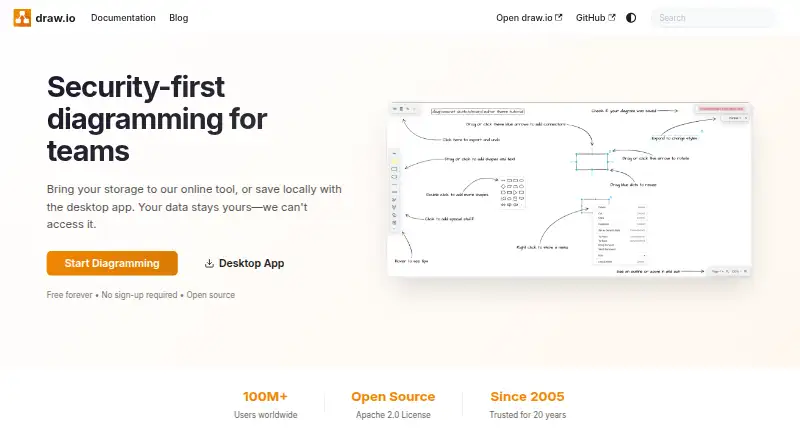
draw.io is a browser-based and desktop diagramming application for creating technical, business, software, infrastructure, and process diagrams. It suits teams and individuals that need broad diagram coverage without a core editor charge, including flowcharts, UML diagrams, org charts, mind maps, network diagrams, floor plans, infographics, Kanban boards, BPMN diagrams, ER diagrams, Gantt charts, and timelines. The editor is available on the web, Windows, macOS, Linux, and as a Chrome Extension, with an offline desktop application for the three desktop operating systems.
Its strongest fit is cross-platform work connected to existing storage and productivity systems. Integrations include Google Drive, Microsoft OneDrive, Dropbox, GitHub, GitLab, Atlassian Confluence, Atlassian Jira, Notion, Microsoft applications, and VS Code. Supported storage and integrations can provide real-time collaborative editing with shared cursors, while revision history and restore support are available when diagrams are stored on supported platforms. The editor also supports imports from draw.io, XML, Gliffy, VSDX, Lucidchart, PNG, SVG, and JPEG, plus exports to PNG, SVG, JPEG, WebP, PDF, HTML, XML, JSON, and URL formats.
The standout value is breadth without narrowing users to one diagram type or workflow. Shape libraries, templates, custom shapes, layers, tags, links, tooltips, metadata, automatic layouts, and diagram generation from Mermaid code, CSV data, SQL code, and text give teams multiple ways to create and maintain diagrams. The core editor is free forever and Apache 2.0 licensed. It is a strong choice for teams needing flexible, open-source diagramming across platforms; teams seeking a separately tiered paid editor should consider a product built around that model instead.
Your product? Our editors can test draw.io in depth and publish a review, labelled as paid · from $149/mo →
draw.io pricing
draw.io fact sheet
| Free plan | Yes |
|---|---|
| Paid from | Free |
| Diagram types | flow charts, mind maps, org charts, Venn diagrams, infographics, network diagrams, architecture diagrams, floor plans, electrical diagrams, rack diagrams, UML diagrams, BPMN diagrams, Kanban boards, ER diagrams, Mermaid diagrams, Gitflow diagrams, C4 models, threat models |
| Real-time collaboration | Yes |
| Export formats | PNG, SVG, JPEG, animated GIF, PDF, HTML, URL, XML, JSON |
| Import formats | draw.io, XML, Gliffy, VSDX, Lucidchart, PNG, SVG, JPEG |
| Desktop app | Yes |
| Version history | Yes |
| Maximum editors | Not verified |
| Deployment | Cloud, Self-hosted, Desktop, Mobile |
| Platforms | Web, Windows, macOS, Linux, iOS, Android |
| Support | Email, Community, Docs |
| Built for | Solo, Small business, Mid-market, Enterprise (editorial estimate) |
| Integrations | 13 integrations: Google Drive, Microsoft OneDrive, Dropbox, GitHub, GitLab, Atlassian Confluence Cloud … See all → |
| Pricing | Free plan |
| Website | drawio.com |
| Facts checked | 20 Sep 2026 |
draw.io integrations
draw.io lists 13 integrations on its own site.
- Google Drive
- Microsoft OneDrive
- Dropbox
- GitHub
- GitLab
- Atlassian Confluence Cloud
- Jira Cloud
- Google Workspace
- Microsoft Office 365
- Notion
- Nextcloud
- SharePoint
- Microsoft Teams
See all draw.io integrations →
Alternatives to draw.io
- Visual ParadigmA broad modeling suite with collaboration, engineering tools, and a free plan.9.2
- LucidchartA broad, collaborative diagramming workspace with a free tier and web-only access.9.0
- Microsoft VisioA broad, Microsoft-centric diagramming suite with strong desktop and data features.8.9


See all draw.io alternatives →
draw.io vs the competition
- draw.io vs Visual Paradigm
- draw.io vs Lucidchart
- draw.io vs Microsoft Visio
- draw.io vs EdrawMax
- draw.io vs ProcessOn
- draw.io vs SmartDraw



Compare draw.io with any tool side by side →
Also Ranked In
draw.io is ranked in 2 of our directories.
Used draw.io? Be the first to review it
The editor score above is our own research. What this page doesn't have yet is a reader's view — what you used draw.io for, what worked and what didn't. No stars are seeded and no review is paid for; an editor reads every one before it appears.
Write a reviewTwo minutes · verified accounts only · read by an editor before it appears
Featured on iTechGuides

draw.io is listed in our Diagram Software directory. Add the badge to your site — it links back to this page.
<a href="https://www.itechguides.com/products/draw-io/"><img src="https://www.itechguides.com/best/badge/draw-io.svg" alt="Featured on iTechGuides" width="230" height="46"></a>
Reviewed by iTechGuides Editors · Editorial team · Updated Oct 2026
Advertiser disclosure: iTechGuides is reader-supported. Vendors can pay for top positions in our rankings and for a place on other products' pages, and we may earn a commission when you click some links. Bought places stand at the number bought; this page and our disclosure say so. Paying vendors may get a fuller, more detailed review from our editors, and that review can change their score. How we rank.
Last updated · How we research and update