
ONLYOFFICE PDF Editor
ONLYOFFICE PDF Editor: A broad PDF editor for teams that need open-source or self-hosted collaboration. Ranked #7 of 102 in PDF Editors by our editors (8.8/10); pricing: Free plan; best for open-source and self-hosted collaboration.
At a glance
- Editor score8.8 / 10
- PricingFree plan
- Best forOpen-source and self-hosted collaboration
- Free planYes
- OCRYes
- Facts checked20 Sep 2026
Where it wins
- Open-source deployment with web, desktop, mobile, API, and self-hosted options
- Includes OCR, redaction, forms, conversion, annotations, and collaboration
- Connects with Box, Nextcloud, SharePoint, Jira, and other integrations
Where it doesn't
- The $20 Business rate applies per administrator per month
- Startup lists community support rather than professional support
- Enterprise is designed for on-premises deployment
Our verdict on ONLYOFFICE PDF Editor
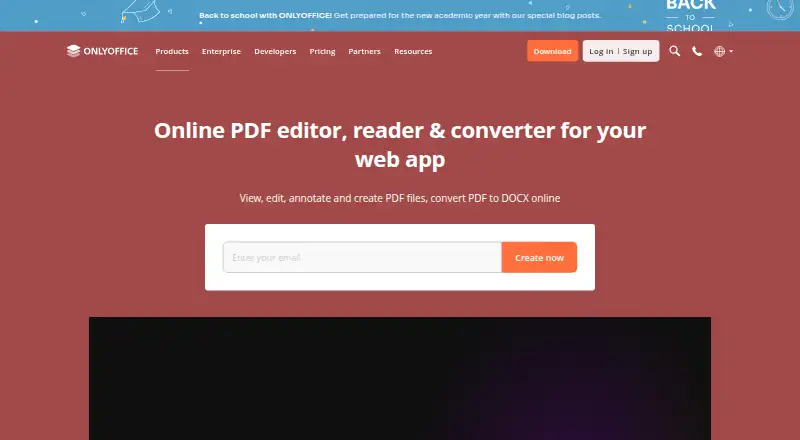
ONLYOFFICE PDF Editor is a web and desktop application for individuals, teams, and organizations that need to edit, annotate, convert, and collaborate on PDF files. It supports editing existing text and objects, comments, drawing, stamps, fillable forms, redaction, OCR extraction, and document viewing. Free desktop applications support Windows, Linux, and macOS, while mobile applications support iOS and Android. Its strongest fit is for organizations that want open-source deployment, self-hosting, or a PDF workflow connected to wider document collaboration.
Pricing depends on how the product is delivered. The Startup plan is a cloud solution for small teams with PDF files, fillable forms, and community support. The Business plan costs $20 USD per administrator per month on a monthly billing cycle and adds cloud document collaboration, third-party integrations, and professional support. The Enterprise plan supports on-premises deployment, third-party integrations, and enterprise-level support. The product is also available through free desktop applications, DocSpace cloud plans, integrations, and related self-hosted ONLYOFFICE products, so buyers should match the deployment model to their administration and support requirements.
The ecosystem is a major reason to consider it. Integrations include Box, Moodle, Nextcloud, Odoo, WordPress, Telegram, Dropbox, Confluence, SharePoint, ownCloud, Seafile, and Jira, while plugins and third-party add-ons extend its connections. Collaborative editing includes comments and chat, and offline desktop editing supports work outside the browser. Choose ONLYOFFICE PDF Editor when PDF tasks need to sit alongside collaboration, forms, OCR, redaction, and multiple deployment options. It is less suited to buyers seeking a narrowly focused standalone PDF license with a single delivery model.
Your product? Our editors can test ONLYOFFICE PDF Editor in depth and publish a review, labelled as paid · from $149/mo →
ONLYOFFICE PDF Editor pricing
All 3 ONLYOFFICE PDF Editor plans and prices →
ONLYOFFICE PDF Editor fact sheet
| Free plan | Yes |
|---|---|
| Paid from | Not verified |
| Text editing | Yes |
| Annotation tools | Yes |
| OCR | Yes |
| PDF conversion | Yes |
| Form creation | Yes |
| Supported platforms | web, Windows, Linux, macOS, iOS, Android, self-hosted |
| Deployment | Cloud, Self-hosted, Desktop, Mobile |
| Platforms | Web, Windows, macOS, Linux, iOS, Android |
| Compliance & security | GDPR, 2FA |
| Support | Email, Community, Docs |
| Built for | Solo, Small business, Mid-market, Enterprise (editorial estimate) |
| Integrations | 40+ integrations: Box, Moodle, Nextcloud, Odoo, WordPress, Telegram … See all → |
| Pricing | Free plan (source) |
| Website | onlyoffice.com |
| Facts checked | 20 Sep 2026 |
ONLYOFFICE PDF Editor integrations
ONLYOFFICE PDF Editor lists 40+ integrations on its own site — the 12 named here are the ones its pages call out.
- Box
- Moodle
- Nextcloud
- Odoo
- WordPress
- Telegram
- Dropbox
- Confluence
- SharePoint
- ownCloud
- Seafile
- Jira
See all ONLYOFFICE PDF Editor integrations →
Alternatives to ONLYOFFICE PDF Editor
- Foxit PDF EditorA mature PDF workspace with deep editing, OCR, forms, security, and integrations.9.3
- iLovePDFA broad PDF toolkit with free access, offline desktop processing, and cross-device apps.9.2
- SmallpdfA broad PDF toolkit for simple editing across web, Windows, mobile, and Chrome.9.1



See all ONLYOFFICE PDF Editor alternatives →
ONLYOFFICE PDF Editor vs the competition
- ONLYOFFICE PDF Editor vs Foxit PDF Editor
- ONLYOFFICE PDF Editor vs iLovePDF
- ONLYOFFICE PDF Editor vs Smallpdf
- ONLYOFFICE PDF Editor vs WPS PDF Editor
- ONLYOFFICE PDF Editor vs ABBYY FineReader PDF
- ONLYOFFICE PDF Editor vs Wondershare PDFelement


Compare ONLYOFFICE PDF Editor with any tool side by side →
Used ONLYOFFICE PDF Editor? Be the first to review it
The editor score above is our own research. What this page doesn't have yet is a reader's view — what you used ONLYOFFICE PDF Editor for, what worked and what didn't. No stars are seeded and no review is paid for; an editor reads every one before it appears.
Write a reviewTwo minutes · verified accounts only · read by an editor before it appears
Featured on iTechGuides

ONLYOFFICE PDF Editor is listed in our PDF Editors directory. Add the badge to your site — it links back to this page.
<a href="https://www.itechguides.com/products/onlyoffice-pdf-editor/"><img src="https://www.itechguides.com/best/badge/onlyoffice-pdf-editor.svg" alt="Featured on iTechGuides" width="230" height="46"></a>
Reviewed by iTechGuides Editors · Editorial team · Updated Oct 2026
Advertiser disclosure: iTechGuides is reader-supported. Vendors can pay for top positions in our rankings and for a place on other products' pages, and we may earn a commission when you click some links. Bought places stand at the number bought; this page and our disclosure say so. Paying vendors may get a fuller, more detailed review from our editors, and that review can change their score. How we rank.
Last updated · How we research and update