
OnlineOCR
OnlineOCR: A practical web OCR service with broad export options and API access. Ranked #10 of 40 in OCR Software by our editors (7.8/10); pricing: Free plan; best for simple web OCR and API access.
At a glance
- Editor score7.8 / 10
- PricingFree plan
- Best forSimple web OCR and API access
- Free planYes
- Paid from$29.95/mo
- Supported languages46 languages
- Facts checked23 Sep 2026
Where it wins
- Free OCR for scanned PDFs and images
- Exports to PDF, Word, Excel, RTF, HTML, and plain text
- Supports 46 languages, batch input, and SOAP/REST APIs
Where it doesn't
- Limited to web and API platforms
- Integration options focus on SOAP and REST
- Paid plans use page allowances and validity periods
Our verdict on OnlineOCR
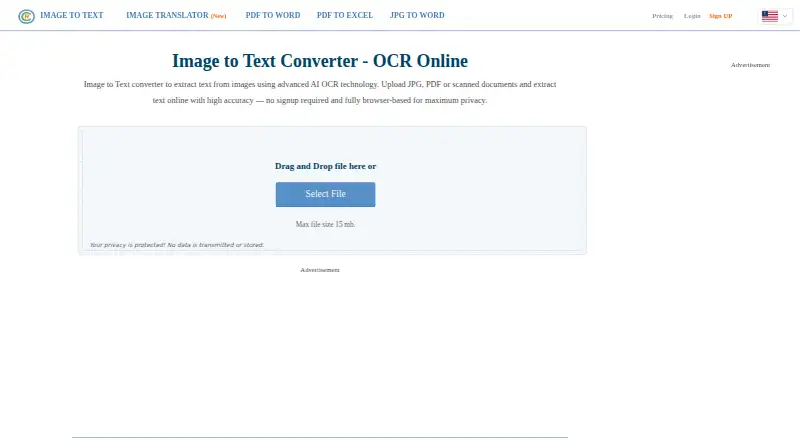
OnlineOCR is a browser-based optical character recognition service for converting scanned PDFs, photographs, faxes, and digital-camera images into editable or searchable documents. It suits individuals and teams that need straightforward document conversion without installing desktop software, as well as developers that want to connect OCR to websites or software through an API. Guest access, registered-user features, multipage processing, and multiple export formats make it useful for both occasional conversions and recurring document workflows.
The free plan provides OCR for PDFs and images, while paid access is organized around page allowances and validity periods. The Weekly Plan includes 2000 pages per week and 7-day validity. The Monthly Plan includes 10000 pages per month and 30-day validity. The Lifetime option provides 30000 pages with unlimited validity. All three paid plans include a 200 MB maximum file size, ZIP archive input, faster image processing, and multipage file support. These plans fit users who can estimate document volume in advance and prefer defined usage windows or a fixed page allocation.
OnlineOCR’s strongest feature set is its practical conversion breadth. It can create searchable PDFs, export to Microsoft Word, Excel, RTF, HTML, and plain text, recognize 46 languages, and process multipage PDFs. Automatic image rotation and full-page deskewing can help prepare scanned pages, while ZIP archive input supports batch-oriented workflows. The SOAP and REST OCR API adds an integration path for software teams, but the platform and ecosystem scope is narrower than services offering broader native integrations or more deployment choices. Choose OnlineOCR for simple browser OCR, varied exports, and API access; consider an alternative if your workflow requires a wider integration ecosystem or platforms beyond web and API.
Your product? Our editors can test OnlineOCR in depth and publish a review, labelled as paid · from $149/mo →
OnlineOCR pricing
All 3 OnlineOCR plans and prices →
OnlineOCR fact sheet
| Free plan | Yes |
|---|---|
| Paid from | $29.95/mo |
| Searchable PDF | Yes |
| Word export | Yes |
| Handwriting OCR | Not verified |
| Supported languages | 46 languages |
| Monthly page limit | Not verified |
| Primary platform | Web |
| Supported inputs | Both |
| Deployment | Cloud |
| Platforms | Web |
| Support | |
| Built for | Solo, Small business (editorial estimate) |
| Pricing | Free plan (source) |
| Website | onlineocr.net |
| Facts checked | 23 Sep 2026 |
Alternatives to OnlineOCR
- PaddleOCRA developer-focused OCR toolkit with multilingual, handwriting, and document parsing workflows.9.3
- Tesseract OCRA mature, developer-focused OCR engine with broad outputs and self-hosting flexibility.9.1
- ABBYY FineReader PDFA broad desktop PDF suite for OCR, editing, conversion, forms, and document control.9.0

See all OnlineOCR alternatives →
Used OnlineOCR? Be the first to review it
The editor score above is our own research. What this page doesn't have yet is a reader's view — what you used OnlineOCR for, what worked and what didn't. No stars are seeded and no review is paid for; an editor reads every one before it appears.
Write a reviewTwo minutes · verified accounts only · read by an editor before it appears
Featured on iTechGuides

OnlineOCR is listed in our OCR Software directory. Add the badge to your site — it links back to this page.
<a href="https://www.itechguides.com/products/onlineocr/"><img src="https://www.itechguides.com/best/badge/onlineocr.svg" alt="Featured on iTechGuides" width="230" height="46"></a>
Reviewed by iTechGuides Editors · Editorial team · Updated Oct 2026
Advertiser disclosure: iTechGuides is reader-supported. Vendors can pay for top positions in our rankings and for a place on other products' pages, and we may earn a commission when you click some links. Bought places stand at the number bought; this page and our disclosure say so. Paying vendors may get a fuller, more detailed review from our editors, and that review can change their score. How we rank.
Last updated · How we research and update