
ABBYY FineReader PDF
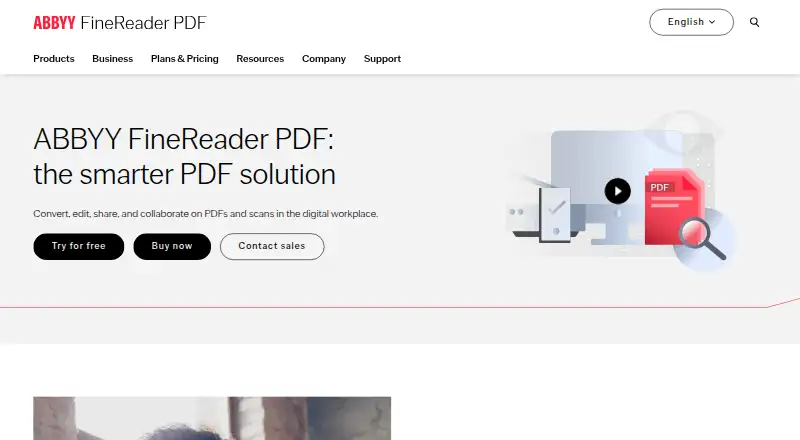
ABBYY FineReader PDF: A capable desktop PDF editor for OCR-heavy workflows, with broader features on Windows. Ranked #5 of 102 in PDF Editors by our editors (8.9/10); pricing: 7-day trial; best for OCR-heavy document editing.
At a glance
- Editor score8.9 / 10
- Pricing7-day trial
- Best forOCR-heavy document editing
- Free planNo
- OCRYes
- Founded1989 · Austin, Texas, USA
- Facts checked20 Sep 2026
Where it wins
- Strong OCR for scanned documents, paper documents, and images
- Converts PDFs into editable Word, Excel, and other formats
- Supports comparison, forms, redaction, signatures, and protection
Where it doesn't
- No free plan for the full PDF editor
- Mac has a limited PDF feature set compared with Windows editions
- Desktop availability is limited to Windows and macOS
Our verdict on ABBYY FineReader PDF
ABBYY FineReader PDF is desktop software for individuals, small businesses, and enterprises handling digital, scanned, and paper documents. Its core strength is combining OCR with PDF editing, page organization, annotations, conversion, forms, document comparison, protection, redaction, and digital signatures. That makes it a strong fit for teams that need to turn scans into searchable or editable files while still managing everyday PDF work. The Windows editions provide the broadest feature set, while the Mac edition focuses on OCR and offers fewer PDF capabilities.
The published plans show a paid product with a 7-day trial rather than a free plan for the full editor. FineReader PDF Standard covers PDF editing, protection, collaboration, creation and conversion, plus OCR for paper documents and scans. FineReader PDF Corporate adds document comparison and automated conversion of up to 5,000 pages per month through Hot Folder. FineReader PDF for Mac includes OCR for PDFs, paper documents, and images, along with searchable and editable conversion, but has a limited feature set compared with Windows editions. A separate FineReader PDF Viewer provides viewing, commenting, printing, searching, and form-filling.
Platform fit is centered on desktop workflows, with Microsoft Office and SharePoint integrations supporting document-based work across those ecosystems. The feature breadth suits users who need more than basic annotation or text edits, particularly when scanned documents, conversion, forms, or version comparison are central requirements. Windows users get the most complete package; Mac users should choose it mainly for OCR and conversion needs. Buyers looking for a free full editor, broader platform coverage, or the same feature depth on macOS should consider an alternative.
Your product? Our editors can test ABBYY FineReader PDF in depth and publish a review, labelled as paid · from $149/mo →
ABBYY FineReader PDF pricing
All 3 ABBYY FineReader PDF plans and prices →
ABBYY FineReader PDF fact sheet
| Free plan | No |
|---|---|
| Paid from | Not verified |
| Text editing | Yes |
| Annotation tools | Yes |
| OCR | Yes |
| PDF conversion | Yes |
| Form creation | Yes |
| Supported platforms | Windows, macOS, iOS |
| Free trial | 7 days · no card needed |
| Deployment | Desktop, Self-hosted, Mobile |
| Platforms | Windows, macOS, iOS |
| Compliance & security | SOC 2, ISO 27001, GDPR |
| Support | Tickets, Docs |
| Built for | Solo, Small business, Mid-market, Enterprise (editorial estimate) |
| Integrations | 4 integrations: Microsoft SharePoint, Google Drive, OneDrive, Dropbox |
| Pricing | 7-day trial (source) |
| Website | pdf.abbyy.com |
| Facts checked | 20 Sep 2026 |
ABBYY FineReader PDF integrations
ABBYY FineReader PDF lists 4 integrations on its own site.
- Microsoft SharePoint
- Google Drive
- OneDrive
- Dropbox
Alternatives to ABBYY FineReader PDF
- Foxit PDF EditorA mature PDF workspace with deep editing, OCR, forms, security, and integrations.9.3
- iLovePDFA broad PDF toolkit with free access, offline desktop processing, and cross-device apps.9.2
- SmallpdfA broad PDF toolkit for simple editing across web, Windows, mobile, and Chrome.9.1



See all ABBYY FineReader PDF alternatives →
ABBYY FineReader PDF vs the competition
- ABBYY FineReader PDF vs Foxit PDF Editor
- ABBYY FineReader PDF vs iLovePDF
- ABBYY FineReader PDF vs Smallpdf
- ABBYY FineReader PDF vs WPS PDF Editor
- ABBYY FineReader PDF vs ONLYOFFICE PDF Editor
- ABBYY FineReader PDF vs Wondershare PDFelement


Compare ABBYY FineReader PDF with any tool side by side →
Also Ranked In
ABBYY FineReader PDF is ranked in 5 of our directories.
Used ABBYY FineReader PDF? Be the first to review it
The editor score above is our own research. What this page doesn't have yet is a reader's view — what you used ABBYY FineReader PDF for, what worked and what didn't. No stars are seeded and no review is paid for; an editor reads every one before it appears.
Write a reviewTwo minutes · verified accounts only · read by an editor before it appears
Featured on iTechGuides

ABBYY FineReader PDF is listed in our PDF Editors directory. Add the badge to your site — it links back to this page.
<a href="https://www.itechguides.com/products/abbyy-finereader-pdf/"><img src="https://www.itechguides.com/best/badge/abbyy-finereader-pdf.svg" alt="Featured on iTechGuides" width="230" height="46"></a>
Reviewed by iTechGuides Editors · Editorial team · Updated Oct 2026
Advertiser disclosure: iTechGuides is reader-supported. Vendors can pay for top positions in our rankings and for a place on other products' pages, and we may earn a commission when you click some links. Bought places stand at the number bought; this page and our disclosure say so. Paying vendors may get a fuller, more detailed review from our editors, and that review can change their score. How we rank.
Last updated · How we research and update