PaddleOCR
PaddleOCR: A developer-focused OCR toolkit with multilingual, handwriting, and document parsing workflows. Ranked #1 of 40 in OCR Software by our editors (9.3/10); pricing: Free plan; best for developers needing advanced multilingual OCR.
At a glance
- Editor score9.3 / 10
- PricingFree plan
- Best forDevelopers needing advanced multilingual OCR
- Free planYes
- Paid fromFree
- Facts checked23 Sep 2026
Where it wins
- PP-OCRv6 supports multilingual OCR across 50 languages
- Parses tables, formulas, seals, images, and key information
- Supports web, API, Windows, Linux, and multiple inference runtimes
Where it doesn't
- Local Python and command-line workflows require developer implementation
- DOCX export applies only to supported document-parsing pipelines
- Its broad pipeline coverage may require selecting the right workflow
Our verdict on PaddleOCR
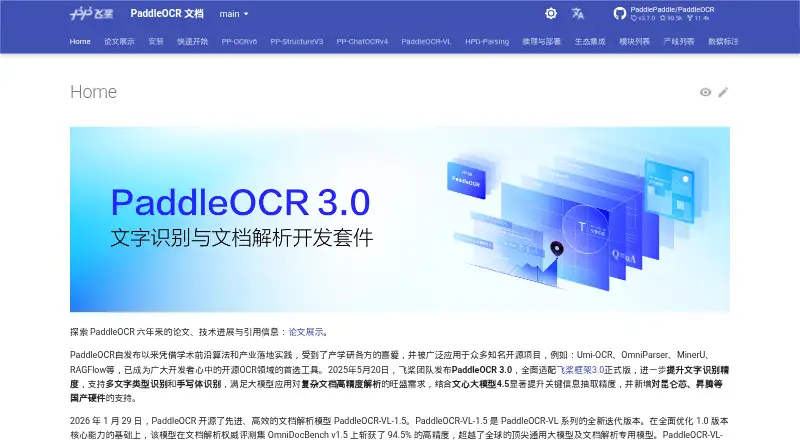
PaddleOCR is an open-source OCR and document parsing toolkit maintained by PaddlePaddle. It is aimed at developers building document digitization, information extraction, translation, and AI application workflows. The toolkit handles image documents and PDF input, combining text detection and recognition with multilingual models, handwriting recognition, document orientation classification, and text-image unwarping. It is a practical fit for teams that want OCR capabilities they can incorporate into local or API-based applications rather than a narrowly focused end-user scanning tool.
Its standout strength is the range of document-processing tasks covered beyond basic text recognition. PP-OCRv6 supports 50 languages, while PP-OCRv5 recognition models support handwriting. Document parsing extends to tables, formulas, seals, and images, and information extraction can identify names, dates, addresses, and amounts. Document translation pipelines, Markdown conversion, JSON output, and DOCX export for supported parsing pipelines give developers several ways to route processed content into downstream workflows. PaddleOCR also integrates with PaddlePaddle, Transformers, ONNX Runtime, OpenVINO, and TensorRT, supporting different inference environments.
The trade-off is that this breadth is presented through local Python and command-line pipelines, configurable inference engines, and separate processing capabilities. Developers need to choose and implement the workflows that match their documents and outputs. DOCX export is not presented as a universal output for every OCR path, and the toolkit is less suited to teams seeking a simple, no-configuration interface. Choose PaddleOCR for multilingual OCR, handwriting, structured document parsing, and adaptable runtime integration; consider a more narrowly focused alternative when the priority is a ready-to-use scanning workflow rather than developer control.
Your product? Our editors can test PaddleOCR in depth and publish a review, labelled as paid · from $149/mo →
PaddleOCR pricing
PaddleOCR fact sheet
| Free plan | Yes |
|---|---|
| Paid from | Free |
| Searchable PDF | Not verified |
| Word export | Yes |
| Handwriting OCR | Yes |
| Supported languages | Not verified |
| Monthly page limit | Not verified |
| Primary platform | Both |
| Supported inputs | Both |
| Deployment | Cloud, Self-hosted, Browser extension |
| Platforms | Web, Windows, macOS, Linux, Android |
| Support | Community, Docs |
| Built for | Small business, Mid-market, Enterprise (editorial estimate) |
| Integrations | 4 integrations: Dify, RAGFlow, Pathway, Cherry Studio |
| Pricing | Free plan |
| Website | paddleocr.ai |
| Facts checked | 23 Sep 2026 |
PaddleOCR integrations
PaddleOCR lists 4 integrations on its own site.
- Dify
- RAGFlow
- Pathway
- Cherry Studio
Alternatives to PaddleOCR
- Tesseract OCRA mature, developer-focused OCR engine with broad outputs and self-hosting flexibility.9.1
- ABBYY FineReader PDFA broad desktop PDF suite for OCR, editing, conversion, forms, and document control.9.0
- ABBYY Screenshot ReaderFocused Windows OCR for turning screen content into editable text and tables.8.7


See all PaddleOCR alternatives →
PaddleOCR vs the competition
- PaddleOCR vs Tesseract OCR
- PaddleOCR vs ABBYY FineReader PDF
- PaddleOCR vs ABBYY Screenshot Reader
- PaddleOCR vs OCRFeeder
- PaddleOCR vs GNU Ocrad
- PaddleOCR vs docTR

Compare PaddleOCR with any tool side by side →
Also Ranked In
PaddleOCR is ranked in 4 of our directories.
Used PaddleOCR? Be the first to review it
The editor score above is our own research. What this page doesn't have yet is a reader's view — what you used PaddleOCR for, what worked and what didn't. No stars are seeded and no review is paid for; an editor reads every one before it appears.
Write a reviewTwo minutes · verified accounts only · read by an editor before it appears
Featured on iTechGuides

PaddleOCR is listed in our OCR Software directory. Add the badge to your site — it links back to this page.
<a href="https://www.itechguides.com/products/paddleocr/"><img src="https://www.itechguides.com/best/badge/paddleocr.svg" alt="Featured on iTechGuides" width="230" height="46"></a>
Reviewed by iTechGuides Editors · Editorial team · Updated Oct 2026
Advertiser disclosure: iTechGuides is reader-supported. Vendors can pay for top positions in our rankings and for a place on other products' pages, and we may earn a commission when you click some links. Bought places stand at the number bought; this page and our disclosure say so. Paying vendors may get a fuller, more detailed review from our editors, and that review can change their score. How we rank.
Last updated · How we research and update