
Omnipeek
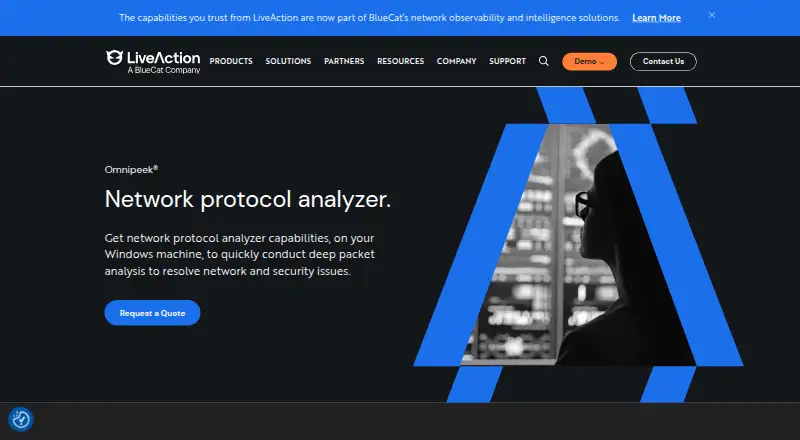
Omnipeek: A feature-rich Windows analyzer for teams investigating complex network and application issues. Ranked #27 of 30 in Network Protocol Analyzers by our editors (6.4/10); pricing: Pricing on request · 30-day trial; best for windows wireless and voice analysis.
At a glance
- Editor score6.4 / 10
- PricingPricing on request · 30-day trial
- Best forWindows wireless and voice analysis
- Free planNo
- DeploymentBoth
- Facts checked20 Sep 2026
Where it wins
- Combines local capture with remote monitoring through Capture Engines and LiveWire.
- Analyzes wireless, voice, video, flows, conversations, and application traffic.
- Supports SSL decryption with server private keys and multi-segment flow analysis.
Where it doesn't
- Runs on Windows only.
- Pricing requires contacting sales.
- No free plan is available.
Our verdict on Omnipeek
Omnipeek is a Windows-based network protocol analyzer for capturing, decoding, visualizing, and investigating network traffic. It is aimed at network and security teams working across application performance, wireless, voice, video, and broader network troubleshooting. The product supports local packet capture and analysis, while remote workflows extend through Capture Engines, LiveWire appliances, and virtual software. Its feature set covers packet-level inspection, real-time analytics, flow visualization, and expert analysis of common network problems.
For distributed environments, Omnipeek combines remote monitoring with multi-segment analysis of application flows. Integrations with LiveWire, Capture Engines, and LiveCapture support remote capture and monitoring workflows. Wireless analysis includes packet capture and multi-channel analysis, while voice and video capabilities add traffic analysis and call playback. SSL traffic decryption using server private keys can help teams inspect encrypted traffic where that approach fits their investigation and security requirements.
The published commercial model is contact sales, with a 30-day trial and no free plan. Omnipeek’s broad coverage suits teams that need one Windows-focused environment for wireless, voice, video, flow, and packet investigations. It is less suitable for organizations that require a non-Windows platform, a free ongoing tier, or publicly listed plan pricing. Teams evaluating it should also consider whether its Capture Engines, LiveWire integrations, and remote monitoring model match their existing network architecture.
Your product? Our editors can test Omnipeek in depth and publish a review, labelled as paid · from $149/mo →
Omnipeek pricing
Omnipeek fact sheet
| Free plan | No |
|---|---|
| Paid from | Not verified |
| Deployment | Both |
| Capture sources | Both |
| PCAP support | Not verified |
| Traffic decryption | Yes |
| CLI tools | Not verified |
| Remote capture | Yes |
| Flow analysis | Yes |
| Free trial | 30 days |
| Deployment | Cloud, Self-hosted, Desktop |
| Platforms | Windows |
| Support | Tickets, Community |
| Built for | Small business, Mid-market, Enterprise (editorial estimate) |
| Integrations | 3 integrations: LiveWire, Capture Engines, LiveCapture |
| Pricing | Pricing on request · 30-day trial |
| Website | liveaction.com |
| Facts checked | 20 Sep 2026 |
Omnipeek integrations
Omnipeek lists 3 integrations on its own site.
- LiveWire
- Capture Engines
- LiveCapture
Alternatives to Omnipeek
- WiresharkA broad, free desktop analyzer for live captures, PCAP files, filtering, and protocol inspection.9.4
- TSharkA free, scriptable Wireshark-based analyzer for live captures, PCAP files, and protocol workflows.9.2
- ScapyA free, programmable toolkit for crafting, capturing, decoding, and analyzing packets.9.0


See all Omnipeek alternatives →
Also Ranked In
Omnipeek is ranked in 4 of our directories.
Used Omnipeek? Be the first to review it
The editor score above is our own research. What this page doesn't have yet is a reader's view — what you used Omnipeek for, what worked and what didn't. No stars are seeded and no review is paid for; an editor reads every one before it appears.
Write a reviewTwo minutes · verified accounts only · read by an editor before it appears
Featured on iTechGuides

Omnipeek is listed in our Network Protocol Analyzers directory. Add the badge to your site — it links back to this page.
<a href="https://www.itechguides.com/products/omnipeek/"><img src="https://www.itechguides.com/best/badge/omnipeek.svg" alt="Featured on iTechGuides" width="230" height="46"></a>
Reviewed by iTechGuides Editors · Editorial team · Updated Oct 2026
Advertiser disclosure: iTechGuides is reader-supported. Vendors can pay for top positions in our rankings and for a place on other products' pages, and we may earn a commission when you click some links. Bought places stand at the number bought; this page and our disclosure say so. Paying vendors may get a fuller, more detailed review from our editors, and that review can change their score. How we rank.
Last updated · How we research and update