
OfficeTimer
OfficeTimer: A capable free timesheet tool for small project teams, with limited ecosystem breadth. Ranked #41 of 77 in Time Tracking Software by our editors (4.7/10); pricing: Free plan; best for small teams wanting free project timesheets.
At a glance
- Editor score4.7 / 10
- PricingFree plan
- Best forSmall teams wanting free project timesheets
- Free planYes
- Desktop appNo
- Founded2014 · Bengaluru, Karnataka, India
- Facts checked20 Sep 2026
Where it wins
- Free plan includes unlimited users, projects, tracking, and reports
- Supports approvals, billable rates, invoicing, expenses, and exports
- Web, iOS, and Android access covers time and attendance workflows
Where it doesn't
- No dedicated desktop application
- Integrations are not part of the listed ecosystem
- Advanced permissions and approval controls require paid tiers
Our verdict on OfficeTimer
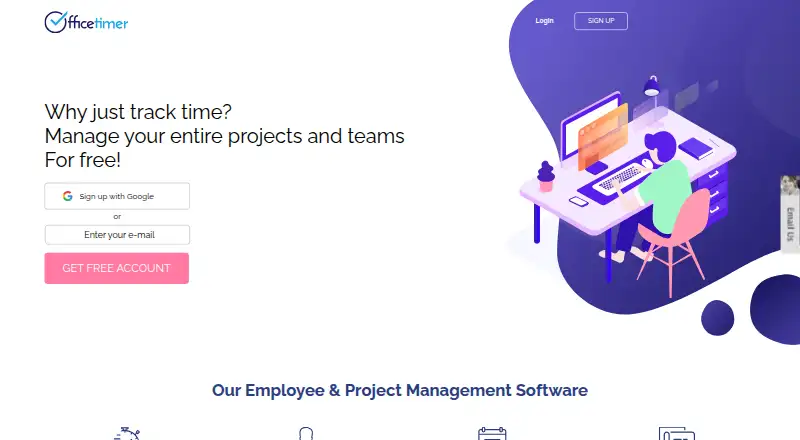
OfficeTimer is a cloud-based time tracking and workforce-management application for organizations and project-based teams. It combines timesheet entry, project and task tracking, billable and non-billable time, attendance, leave, expenses, reporting, invoicing, and project costing. Small teams that need shared project timesheets without an upfront subscription can use the Free plan, which includes unlimited users, tracking, projects, and reports, along with email and chat support.
The published plans separate basic tracking from administrative controls and broader project management. The Free plan supports project timesheets, submissions, approvals, reporting, exports, and mobile access. Premium adds user permissions, timesheet locking and validations, employee, role, and task rates, audits, and approval hierarchies. Enterprise adds Kanban cards, planned-versus-actual work, task reminders, attachments, client approvers, and custom fields and reports. This structure makes OfficeTimer suitable for teams that can start with core timesheets and add governance or planning features as their requirements grow.
OfficeTimer also offers practical reporting and operational coverage. Reports can be exported to Excel, PDF, CSV, XML, and Google Sheets, while billing rates can be assigned by employee, role, project, or task. Attendance, leave, expenses, and invoicing extend it beyond a basic timer. Access is provided through the web, iOS, and Android, but the listed platform coverage does not include a dedicated desktop application, and integrations are not part of the product’s stated ecosystem. Choose OfficeTimer for free project timesheets with approvals and business reporting; teams requiring desktop tracking or broader integrations should consider an alternative.
Your product? Our editors can test OfficeTimer in depth and publish a review, labelled as paid · from $149/mo →
OfficeTimer pricing
All 3 OfficeTimer plans and prices →
OfficeTimer fact sheet
| Free plan | Yes |
|---|---|
| Paid from | Not verified |
| Project tracking | Yes |
| Billable time | Yes |
| Timesheet approvals | Yes |
| Mobile apps | Both |
| Desktop app | No |
| Offline tracking | Not verified |
| Data export | Yes |
| Deployment | Cloud, Mobile |
| Platforms | Web, iOS, Android |
| Compliance & security | GDPR |
| Support | Email, Live chat, Docs |
| Built for | Small business, Mid-market, Enterprise (editorial estimate) |
| Pricing | Free plan (source) |
| Website | officetimer.com |
| Facts checked | 20 Sep 2026 |
Alternatives to OfficeTimer
- Toggl TrackA mature time tracker with strong reporting, approvals, estimates, and integrations.9.2
- RescueTimeA broad automatic tracker for productivity, billable work, focus, and team timesheets.9.0
- Deltek RepliconA broad enterprise time-tracking suite for compliance-heavy project organizations.8.9



See all OfficeTimer alternatives →
Used OfficeTimer? Be the first to review it
The editor score above is our own research. What this page doesn't have yet is a reader's view — what you used OfficeTimer for, what worked and what didn't. No stars are seeded and no review is paid for; an editor reads every one before it appears.
Write a reviewTwo minutes · verified accounts only · read by an editor before it appears
Featured on iTechGuides

OfficeTimer is listed in our Time Tracking Software directory. Add the badge to your site — it links back to this page.
<a href="https://www.itechguides.com/products/officetimer/"><img src="https://www.itechguides.com/best/badge/officetimer.svg" alt="Featured on iTechGuides" width="230" height="46"></a>
Reviewed by iTechGuides Editors · Editorial team · Updated Oct 2026
Advertiser disclosure: iTechGuides is reader-supported. Vendors can pay for top positions in our rankings and for a place on other products' pages, and we may earn a commission when you click some links. Bought places stand at the number bought; this page and our disclosure say so. Paying vendors may get a fuller, more detailed review from our editors, and that review can change their score. How we rank.
Last updated · How we research and update