OCRInvoice.ai
OCRInvoice.ai: An affordable OCR option for small teams that need exports more than workflow controls. Ranked #26 of 30 in Invoice Processing Software by our editors (5.5/10); pricing: Free plan; best for small teams needing inexpensive OCR and exports.
At a glance
- Editor score5.5 / 10
- PricingFree plan
- Best forSmall teams needing inexpensive OCR and exports
- Free planYes
- Paid from$29/mo
- OCR or AI extractionYes
- Facts checked19 Sep 2026
Where it wins
- Free allocation plus a $29/month Standard plan
- Extracts line items, taxes, totals, and custom fields
- Accepts PDFs, scans, photos, email, cloud drives, and handwritten documents
Where it doesn't
- Standard is limited to 100 pages per month and one user
- Scale requires $7,000 annually for expanded capacity and access
- Enterprise features such as custom ERP integrations start at $30,000 annually
Our verdict on OCRInvoice.ai
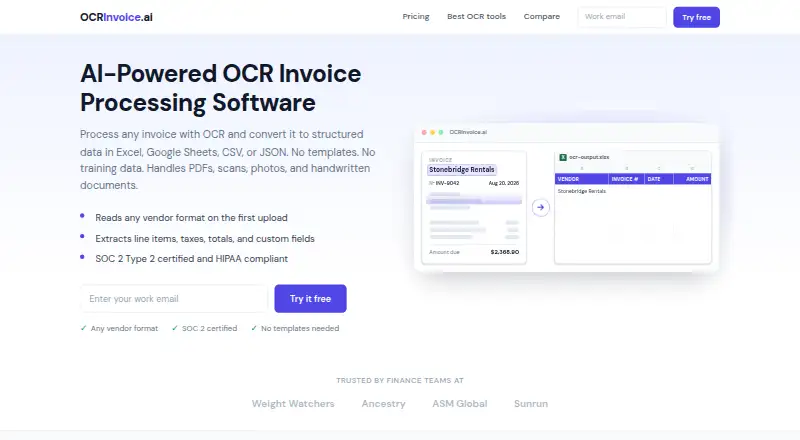
OCRInvoice.ai is an AI-powered invoice processing tool for finance and accounts-payable teams that need to turn varied invoice documents into structured data. It extracts invoice numbers, dates, vendors, taxes, totals, line items, and custom fields from PDFs, scans, photos, email attachments, and handwritten documents. Intake is available through email forwarding, Google Drive, and OneDrive, while outputs can be sent to Excel, Google Sheets, CSV, or JSON. A 50-page free allocation makes it approachable for small teams evaluating basic OCR needs.
The published plans show a clear progression in capacity and access. Standard costs $29 per month and includes 100 pages per month, one user, OCR for any invoice format, Excel and CSV export, and email auto-forwarding. Scale costs $7,000 per year and raises capacity to 42,000 pages per year, supports up to 10 users, and adds API and workflow access plus priority email and chat support. Enterprise costs $30,000 per year and adds custom ERP integrations, a dedicated US-based account manager, live onboarding and support, and BAA signing for HIPAA. The large increase between Standard and Scale makes the product more suitable for defined volume requirements than gradual team expansion.
Its strongest fit is document intake and extraction rather than a broad accounts-payable workflow. The REST API returns structured JSON and confidence scores, and the Power Automate connector extends automation options. No-template, no-training-data processing can help teams handle changing invoice formats, while Gmail, Outlook, cloud-drive, spreadsheet, and automation integrations support common intake and export paths. Small teams should choose OCRInvoice.ai when inexpensive extraction and flexible exports are the priority. Teams seeking deeper approval, purchase-order, or duplicate-control workflows should consider a product designed around those processes instead.
Your product? Our editors can test OCRInvoice.ai in depth and publish a review, labelled as paid · from $149/mo →
OCRInvoice.ai pricing
All 3 OCRInvoice.ai plans and prices →
OCRInvoice.ai fact sheet
| Free plan | Yes |
|---|---|
| Paid from | $29/mo |
| OCR or AI extraction | Yes |
| Line-item extraction | Yes |
| PO matching | Not verified |
| Approval routing | Not verified |
| Accounting integrations | Yes |
| Duplicate detection | Not verified |
| Included invoices | 100 /mo |
| Deployment | Cloud |
| Platforms | Web |
| Integrations | 8 integrations: Gmail, Outlook, Google Drive, OneDrive, Excel, Google Sheets … |
| Pricing | Free plan (source) |
| Website | ocrinvoice.ai |
| Facts checked | 19 Sep 2026 |
OCRInvoice.ai integrations
OCRInvoice.ai lists 8 integrations on its own site.
- Gmail
- Outlook
- Google Drive
- OneDrive
- Excel
- Google Sheets
- Power Automate
- REST API
Alternatives to OCRInvoice.ai
- DocuClipper Invoice ProcessingBroad invoice automation with a low entry price and accounting-ready workflows.9.7
- ABBYY FlexiCapture for InvoicesA broad invoice-processing suite for organizations that need on-premises deployment and structured controls.9.1
- Dext PrepareA mobile-first capture and extraction tool for SMB invoice workflows.8.8



See all OCRInvoice.ai alternatives →
Used OCRInvoice.ai? Be the first to review it
The editor score above is our own research. What this page doesn't have yet is a reader's view — what you used OCRInvoice.ai for, what worked and what didn't. No stars are seeded and no review is paid for; an editor reads every one before it appears.
Write a reviewTwo minutes · verified accounts only · read by an editor before it appears
Featured on iTechGuides

OCRInvoice.ai is listed in our Invoice Processing Software directory. Add the badge to your site — it links back to this page.
<a href="https://www.itechguides.com/products/ocrinvoice-ai/"><img src="https://www.itechguides.com/best/badge/ocrinvoice-ai.svg" alt="Featured on iTechGuides" width="230" height="46"></a>
Reviewed by iTechGuides Editors · Editorial team · Updated Sep 2026
Advertiser disclosure: iTechGuides is reader-supported. Vendors can pay for top positions in our rankings and for a place on other products' pages, and we may earn a commission when you click some links. Bought places stand at the number bought; this page and our disclosure say so. Paying vendors may get a fuller, more detailed review from our editors, and that review can change their score. How we rank.
Last updated · How we research and update