NWinfo
NWinfo: A broad Windows hardware inspector with GUI, CLI, scripting, and structured exports. Ranked #24 of 33 in System Information Software by our editors (6.3/10); pricing: Free plan; best for open-source Windows hardware reporting.
At a glance
- Editor score6.3 / 10
- PricingFree plan
- Best forOpen-source Windows hardware reporting
- Free planYes
- Paid fromFree
- Operating systemsWindows
- Facts checked20 Sep 2026
Where it wins
- Collects SMBIOS, UEFI, SMART, PCI, SPD, EDID, and sensor data
- Supports GUI, CLI, PowerShell reporting, and multiple export formats
- Free, open-source, and available as a portable Windows utility
Where it doesn't
- Runs on Windows rather than across multiple operating systems
- Software inventory is limited beside its hardware reporting depth
- GUI and CLI support different minimum Windows versions
Our verdict on NWinfo
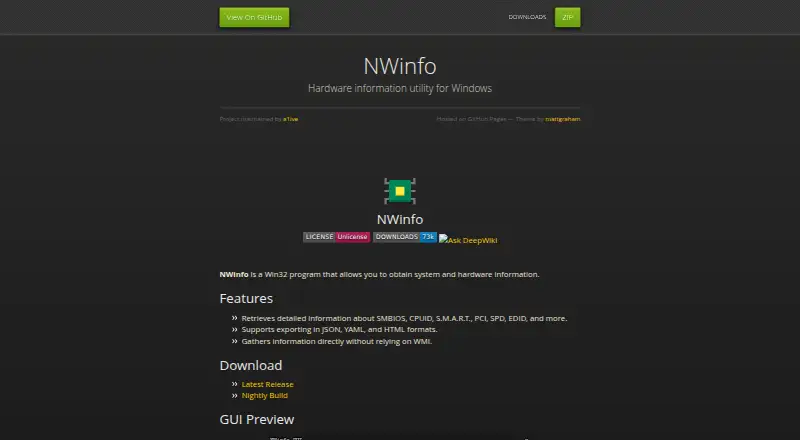
NWinfo is an open-source Windows Win32 utility for collecting detailed system and hardware information. It is aimed at administrators, technicians, developers, and technically minded users who need low-level visibility into a Windows machine. The product covers SMBIOS, CPUID, S.M.A.R.T., PCI, SPD, EDID, UEFI, disks, networks, displays, GPU sensors, and other hardware components. It provides both a graphical interface and a command-line interface, with a PowerShell hardware and system reporting script for repeatable reporting tasks.
Its strongest area is collection depth. NWinfo can inspect UEFI information and variables alongside firmware, memory, storage, display, network, and GPU details, giving it a wider hardware focus than a basic system summary tool. Output can be produced in JSON, YAML, HTML, LUA, or TREE formats, which supports both human-readable reports and structured processing. The combination of GUI, CLI, scripting, and a portable version also makes it suitable for different diagnostic and documentation workflows.
NWinfo’s pricing model is straightforward: it is free and open-source. The published platform details show GUI support for Windows 7 and later, while the CLI supports Windows XP and later. That makes the command-line component useful for older Windows environments, although the separate version ranges add a compatibility point to check before standardizing deployments. NWinfo is a strong choice when hardware, firmware, and sensor visibility matter most. Organizations seeking detailed software inventory or support for operating systems beyond Windows should choose a different system information product.
Your product? Our editors can test NWinfo in depth and publish a review, labelled as paid · from $149/mo →
NWinfo pricing
NWinfo fact sheet
| Free plan | Yes |
|---|---|
| Paid from | Free |
| Operating systems | Windows |
| Firmware details | Yes |
| Installed software | Not verified |
| Portable version | Yes |
| Report export | Html |
| Command-line interface | Yes |
| Deployment | Desktop |
| Platforms | Windows |
| Support | Docs |
| Built for | Solo, Small business (editorial estimate) |
| Pricing | Free plan |
| Website | a1ive.github.io |
| Facts checked | 20 Sep 2026 |
Alternatives to NWinfo
- AIDA64A deep monitoring and diagnostics suite for users who need benchmarks, alerts, and stress tests.9.2
- CPU-ZA focused, free utility for detailed CPU, memory, motherboard, and Android device information.8.9
- SpeccyA low-cost Windows utility for specifications, temperatures, drive health, and exports.8.7


Used NWinfo? Be the first to review it
The editor score above is our own research. What this page doesn't have yet is a reader's view — what you used NWinfo for, what worked and what didn't. No stars are seeded and no review is paid for; an editor reads every one before it appears.
Write a reviewTwo minutes · verified accounts only · read by an editor before it appears
Featured on iTechGuides

NWinfo is listed in our System Information Software directory. Add the badge to your site — it links back to this page.
<a href="https://www.itechguides.com/products/nwinfo/"><img src="https://www.itechguides.com/best/badge/nwinfo.svg" alt="Featured on iTechGuides" width="230" height="46"></a>
Reviewed by iTechGuides Editors · Editorial team · Updated Oct 2026
Advertiser disclosure: iTechGuides is reader-supported. Vendors can pay for top positions in our rankings and for a place on other products' pages, and we may earn a commission when you click some links. Bought places stand at the number bought; this page and our disclosure say so. Paying vendors may get a fuller, more detailed review from our editors, and that review can change their score. How we rank.
Last updated · How we research and update