CPU-Z
CPU-Z: A focused, free utility for detailed CPU, memory, motherboard, and Android device information. Ranked #2 of 33 in System Information Software by our editors (8.9/10); pricing: Free plan; best for free cross-device CPU and component details.
At a glance
- Editor score8.9 / 10
- PricingFree plan
- Best forFree cross-device CPU and component details
- Free planYes
- Paid fromFree
- Operating systemsOther
- Facts checked20 Sep 2026
Where it wins
- Detailed processor, motherboard, memory, SPD, and frequency reporting
- Free coverage across Windows and Android
- Portable ZIP edition, reports, validation, and command-line support
Where it doesn't
- Does not report installed software
- Narrower scope than full inventory suites
- Android version includes advertisements unless removed by purchase
Our verdict on CPU-Z
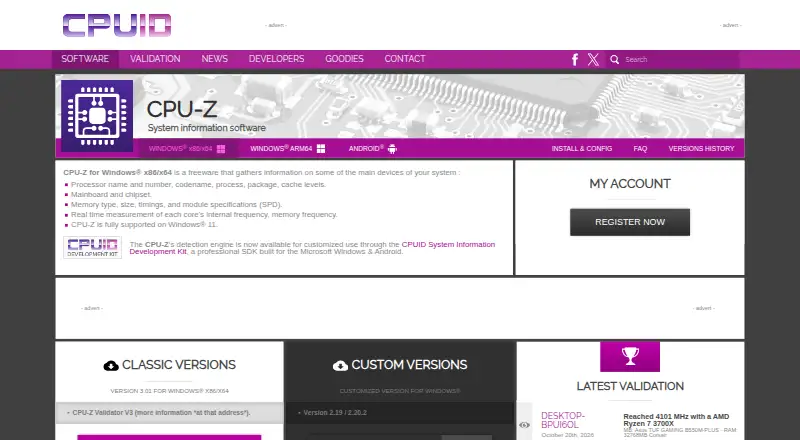
CPU-Z is a focused system information utility from CPUID for people who need detailed hardware and device specifications rather than broad asset inventory. On Windows, it covers the processor, motherboard, chipset, memory, SPD modules, and real-time CPU and memory frequencies. Its Android edition extends the product to SoC, device, display, memory, storage, battery, and sensor information. The product is free on Windows and Android, making it suitable for personal diagnostics, component identification, and quick hardware reference across devices.
Its strongest practical advantage is the depth of its component reporting. CPU-Z identifies processor name, codename, process, package, and cache levels, while also presenting mainboard, chipset, memory type, size, timings, and SPD specifications. Real-time frequency measurement adds a live view of each CPU core and memory frequency. Online validation provides a way to validate collected system information, and documented application parameters can generate text or HTML reports. Windows users can choose an installer or a standalone ZIP version, which supports a portable workflow.
CPU-Z is less suitable when the goal is complete software or organization-wide inventory. The published capabilities focus on hardware and device details, and installed software is outside its stated scope. Its reporting and command-line options are useful for structured collection, but the product remains narrower than full inventory suites. Android users should also account for advertisements in the application, with an optional in-app purchase available to remove them. Choose CPU-Z for free, detailed processor and component information on Windows or Android; choose a broader inventory product when software discovery or wider asset management is central.
Your product? Our editors can test CPU-Z in depth and publish a review, labelled as paid · from $149/mo →
CPU-Z pricing
CPU-Z fact sheet
| Free plan | Yes |
|---|---|
| Paid from | Free |
| Operating systems | Other |
| Firmware details | Yes |
| Installed software | No |
| Portable version | Yes |
| Report export | Html |
| Command-line interface | Yes |
| Deployment | Desktop, Mobile |
| Platforms | Windows, Android |
| Support | Email, Docs |
| Built for | Solo, Small business, Mid-market, Enterprise (editorial estimate) |
| Pricing | Free plan |
| Website | cpuid.com |
| Facts checked | 20 Sep 2026 |
Alternatives to CPU-Z
- AIDA64A deep monitoring and diagnostics suite for users who need benchmarks, alerts, and stress tests.9.2
- SpeccyA low-cost Windows utility for specifications, temperatures, drive health, and exports.8.7
- SIWA broad Windows inventory tool for IT support, audits, and system administration.8.6



CPU-Z vs the competition


Compare CPU-Z with any tool side by side →
Used CPU-Z? Be the first to review it
The editor score above is our own research. What this page doesn't have yet is a reader's view — what you used CPU-Z for, what worked and what didn't. No stars are seeded and no review is paid for; an editor reads every one before it appears.
Write a reviewTwo minutes · verified accounts only · read by an editor before it appears
Featured on iTechGuides

CPU-Z is listed in our System Information Software directory. Add the badge to your site — it links back to this page.
<a href="https://www.itechguides.com/products/cpu-z/"><img src="https://www.itechguides.com/best/badge/cpu-z.svg" alt="Featured on iTechGuides" width="230" height="46"></a>
Reviewed by iTechGuides Editors · Editorial team · Updated Oct 2026
Advertiser disclosure: iTechGuides is reader-supported. Vendors can pay for top positions in our rankings and for a place on other products' pages, and we may earn a commission when you click some links. Bought places stand at the number bought; this page and our disclosure say so. Paying vendors may get a fuller, more detailed review from our editors, and that review can change their score. How we rank.
Last updated · How we research and update