
Norton Password Manager
Norton Password Manager: A free, cross-device vault with strong everyday autofill and unlock options. Ranked #64 of 90 in Password Managers by our editors (6.0/10); pricing: Free plan; best for free basic password management across devices.
At a glance
- Editor score6.0 / 10
- PricingFree plan
- Best forFree basic password management across devices
- Free planYes
- Paid fromFree
- Facts checked20 Sep 2026
Where it wins
- Free encrypted vault with synchronization across supported devices
- Autofills passwords, payment details, usernames, and forms
- Offers biometrics, two-factor authentication, and passwordless unlock
Where it doesn't
- No verified password sharing
- No passkey support
- No business controls or integrations
Our verdict on Norton Password Manager
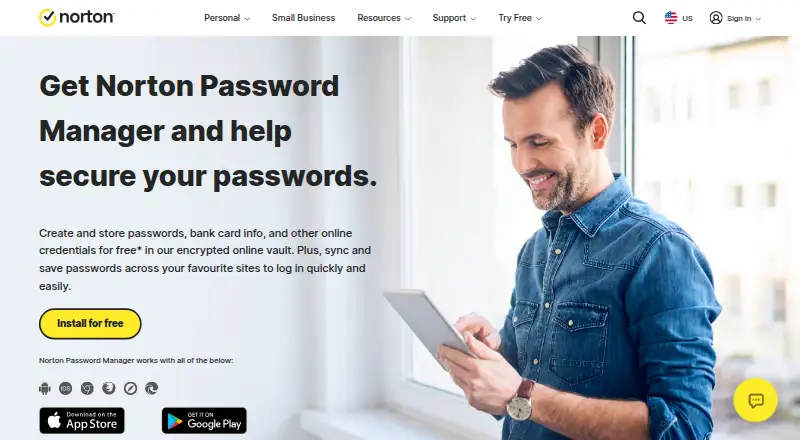
Norton Password Manager is a free password manager for individuals who want to store credentials, payment details, and other information in an encrypted cloud-based vault. It supports Windows, macOS, iOS, Android, and a Chrome extension, with synchronization across supported PC and mobile devices. Autofill covers usernames, passwords, payment details, and forms, while the password generator creates strong passwords and PINs.
The pricing structure is straightforward: the standalone Password Manager is free. Selected Norton security subscriptions bundle the service with broader Norton products, but the published paid prices apply to those bundles rather than to separate Password Manager plans. For everyday access, the platform coverage is practical across desktop and mobile, and the Chrome extension adds browser access. The product also includes a vault access recovery key, which provides an additional account-recovery option.
Its strongest area is flexible vault access. Users can protect the vault with two-factor authentication, Face ID, Touch ID, or Android fingerprint authentication, and Passwordless Vault Unlock allows desktop access approval from a registered mobile device. That combination suits individuals prioritizing basic credential storage and convenient access without a subscription. However, Norton Password Manager is a narrower choice for teams or households that need verified sharing, business controls, passkeys, or integrations. Buyers seeking those capabilities should consider a product that is designed around collaboration or broader ecosystem connections instead.
Questions about Norton Password Manager
Does Norton Password Manager have a free plan? Yes, there is a free plan.
What does Norton Password Manager run on? Windows, macOS, iOS, Android and Chrome extension. It runs in the cloud, as a mobile app and as a browser extension.
Who is Norton Password Manager built for? Solo users and small businesses (our editorial estimate).
Your product? Our editors can test Norton Password Manager in depth and publish a review, labelled as paid · from $149/mo →
Norton Password Manager pricing
All 1 Norton Password Manager plans and prices →
Norton Password Manager fact sheet
| Free plan | Yes |
|---|---|
| Paid from | Free |
| Passkey support | Not verified |
| Secure sharing | No |
| Business admin controls | Not verified |
| Supported platforms | Windows, macOS, iOS, Android, Chrome, Microsoft Edge, Firefox, Safari |
| Family plan | Not verified |
| Passwordless account login | Not verified |
| Deployment | Cloud, Mobile, Browser extension |
| Platforms | Windows, macOS, iOS, Android, Chrome extension |
| Compliance & security | 2FA |
| Support | Docs, Community · 24/7 |
| Built for | Solo, Small business (editorial estimate) |
| Pricing | Free plan (source) |
| Website | us.norton.com |
| Facts checked | 20 Sep 2026 |
Alternatives to Norton Password Manager
- Proton PassA broad free password manager with passkeys, sharing, and apps across major platforms.9.4
- 1PasswordBroad vault, passkey, sharing, and administration features, with no free plan.9.2
- NordPassA broad password manager with a capable free plan and clear business tiers.9.0


See all Norton Password Manager alternatives →
Used Norton Password Manager? Be the first to review it
The editor score above is our own research. What this page doesn't have yet is a reader's view — what you used Norton Password Manager for, what worked and what didn't. No stars are seeded and no review is paid for; an editor reads every one before it appears.
Write a reviewTwo minutes · verified accounts only · read by an editor before it appears
Featured on iTechGuides

Norton Password Manager is listed in our Password Managers directory. Add the badge to your site — it links back to this page.
<a href="https://www.itechguides.com/products/norton-password-manager/"><img src="https://www.itechguides.com/best/badge/norton-password-manager.svg" alt="Featured on iTechGuides" width="230" height="46"></a>
Reviewed by iTechGuides Editors · Editorial team · Updated Nov 2026
Advertiser disclosure: iTechGuides is reader-supported. Vendors can pay for top positions in our rankings and for a place on other products' pages, and we may earn a commission when you click some links. Bought places stand at the number bought; this page and our disclosure say so. Paying vendors may get a fuller, more detailed review from our editors, and that review can change their score. How we rank.
Last updated · How we research and update