
NolaPro
NolaPro: A low-cost accounting suite with broad coverage across finance, inventory, payroll, and ERP. Ranked #13 of 74 in Bookkeeping Software by our editors (8.1/10); pricing: Free plan · 30-day trial; best for low-cost businesses needing broad accounting tools.
At a glance
- Editor score8.1 / 10
- PricingFree plan · 30-day trial
- Best forLow-cost businesses needing broad accounting tools
- Free planYes
- Paid from$6/user/mo
- Bank feedsYes
- Founded1973 · Cleveland, Ohio, United States
- Facts checked20 Sep 2026
Where it wins
- Free single-user plan plus a $6 monthly Starter tier
- Covers accounting, invoicing, inventory, payroll, and permissions
- Supports cloud, self-hosted, web, mobile, API, and third-party integrations
Where it doesn't
- The free plan is limited to one user and local stand-alone use
- Pricing varies by plan and user count, complicating budget comparisons
- Open-source deployment is not available
Our verdict on NolaPro
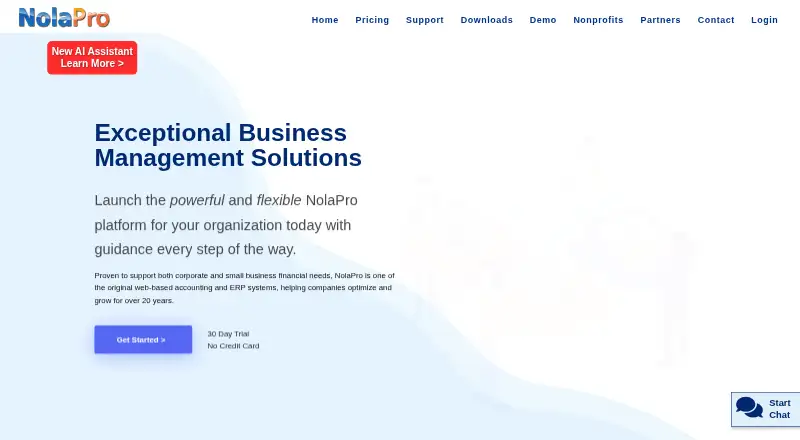
NolaPro is a customizable accounting and enterprise resource planning platform for small businesses, mid-sized companies, nonprofits, and corporate users. It brings accounts payable, accounts receivable, general ledger, invoicing, payment processing, inventory, payroll, order management, reporting, bank transaction imports, and user permissions into one product. Its broad coverage makes it a fit for businesses that need more than basic bookkeeping, especially those managing inventory, employees, or multiple operating locations.
Pricing is structured around distinct use cases. NolaPro Single-User is free for a home business and runs as a local stand-alone version. NolaPro Starter costs USD 6 per user per month and targets small businesses with cloud or local deployment and web access. NolaPro Enterprise and NolaPro Nonprofits cost USD 12 per user per month, with Enterprise aimed at mid-size businesses and Nonprofits adding fund-based accounting. NolaPro ERP is positioned for corporate-level use, with cloud or local deployment and web access. A 30-day free trial is also listed. The tier structure gives low-cost businesses a clear entry point, although organizations should compare plan scope and user requirements carefully.
Platform flexibility is a central strength. NolaPro supports web, Windows, Linux, iOS, Android, and API access, alongside cloud hosting or self-hosted Windows and Linux deployment. Integrations include Plaid, Shopify, DocuSign, and Avalara, while the built-in AI assistant adds another workflow option. Businesses choosing NolaPro should value breadth, deployment choice, inventory controls, payroll, and permission management. It is less suitable for teams specifically seeking open-source software or a narrowly focused bookkeeping tool with minimal configuration.
Your product? Our editors can test NolaPro in depth and publish a review, labelled as paid · from $149/mo →
NolaPro pricing
All 5 NolaPro plans and prices →
NolaPro fact sheet
| Free plan | Yes |
|---|---|
| Paid from | $6/user/mo |
| Bank feeds | Yes |
| Automated reconciliation | Yes |
| Invoice creation | Yes |
| Receipt capture | Not verified |
| Inventory tracking | Yes |
| Accountant access | Not verified |
| Mobile platforms | Ios and android |
| Free trial | 30 days · no card needed |
| Deployment | Cloud, Self-hosted, Desktop, Mobile |
| Platforms | Web, Windows, Linux, iOS, Android |
| Compliance & security | PCI DSS, 2FA |
| Support | Email, Live chat, Tickets, Docs |
| Built for | Solo, Small business, Mid-market, Enterprise (editorial estimate) |
| Integrations | 4 integrations: Plaid, Shopify, DocuSign, Avalara |
| Pricing | Free plan · 30-day trial (source) |
| Website | nolapro.com |
| Facts checked | 20 Sep 2026 |
NolaPro integrations
NolaPro lists 4 integrations on its own site.
- Plaid
- Shopify
- DocuSign
- Avalara
Alternatives to NolaPro
- Zoho BooksA broad bookkeeping suite with a capable free plan and scalable paid tiers.9.4
- Xero BillsA paid bookkeeping platform with strong bill management, reconciliation, and payment tools.9.3
- QuickBooks Desktop EnterpriseA Windows-based accounting suite built for inventory-heavy, multi-company operations.9.2

See all NolaPro alternatives →
Used NolaPro? Be the first to review it
The editor score above is our own research. What this page doesn't have yet is a reader's view — what you used NolaPro for, what worked and what didn't. No stars are seeded and no review is paid for; an editor reads every one before it appears.
Write a reviewTwo minutes · verified accounts only · read by an editor before it appears
Featured on iTechGuides

NolaPro is listed in our Bookkeeping Software directory. Add the badge to your site — it links back to this page.
<a href="https://www.itechguides.com/products/nolapro/"><img src="https://www.itechguides.com/best/badge/nolapro.svg" alt="Featured on iTechGuides" width="230" height="46"></a>
Reviewed by iTechGuides Editors · Editorial team · Updated Oct 2026
Advertiser disclosure: iTechGuides is reader-supported. Vendors can pay for top positions in our rankings and for a place on other products' pages, and we may earn a commission when you click some links. Bought places stand at the number bought; this page and our disclosure say so. Paying vendors may get a fuller, more detailed review from our editors, and that review can change their score. How we rank.
Last updated · How we research and update