niri
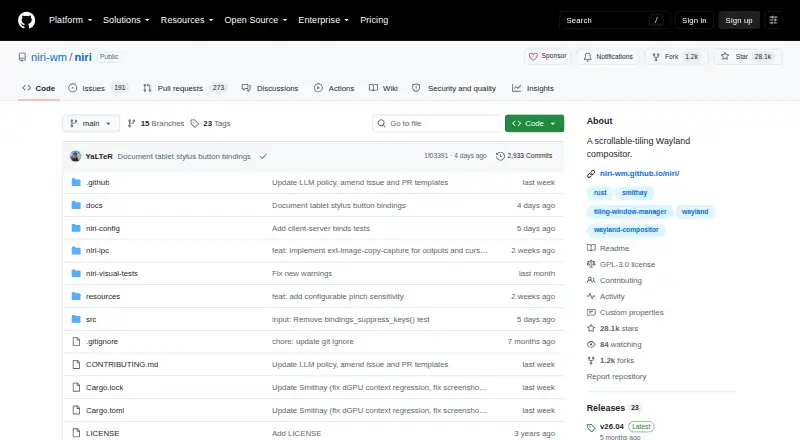
niri: A free, open-source Linux compositor built around horizontally scrolling tiled columns. Ranked #16 of 65 in Window Management Software by our editors (7.8/10); pricing: Free plan; best for linux users who like scrollable tiling.
At a glance
- Editor score7.8 / 10
- PricingFree plan
- Best forLinux users who like scrollable tiling
- Free planYes
- Paid fromFree
- Facts checked19 Sep 2026
Where it wins
- Scrollable columns keep new windows from resizing existing ones.
- Monitor-specific workspaces, tabs, overview, and application window rules.
- Live-reloading configuration plus built-in screenshot and screencasting controls.
Where it doesn't
- Linux-only, and it does not provide a complete desktop environment.
- No documented named or persistent window groups.
- No documented reusable saved window-layout presets.
Our verdict on niri
niri is a free, open-source Wayland compositor for Linux, designed for people who want a keyboard-driven tiling workflow organized around horizontally scrolling columns. Opening a new window adds to the arrangement rather than resizing existing windows. Dynamic and named workspaces, monitor-specific workspaces, and an overview help users navigate across windows and displays. It is a focused window-management component, not a complete desktop environment, so it suits Linux users comfortable choosing and configuring a compositor as part of their desktop setup.
Its standout idea is scrollable tiling, backed by controls for column tabs, configurable gaps, borders, struts, window sizes, animations, and effects. Application-specific rules can control placement, sizing, floating, maximization, and fullscreen behavior. Touchpad and mouse gestures provide another navigation path, while built-in screenshot UI and screencasting controls cover capture tasks. Configuration can reload live, which can make iterative changes less disruptive. The documented integrations include xdg-desktop-portal-gnome and xwayland-satellite.
There is no paid tier: niri is free and open source. The trade-off is scope and grouping: although it supports tabs, its documentation does not describe named or persistent window groups, nor reusable saved window-layout presets. Choose niri if scrollable columns and per-monitor workspace control are more important than a packaged desktop environment or saved layouts. Users looking for a complete desktop environment, or for documented persistent groups and reusable layouts, should consider a different fit.
Your product? Our editors can test niri in depth and publish a review, labelled as paid · from $149/mo →
niri pricing
niri fact sheet
| Free plan | Yes |
|---|---|
| Paid from | Free |
| Platforms | linux |
| Maximum displays | Not verified |
| Layout presets | Not verified |
| Application rules | Yes |
| Window grouping | No |
| Virtual desktop controls | Yes |
| Deployment | Desktop |
| Platforms | Linux |
| Integrations | 2 integrations: xdg-desktop-portal-gnome, xwayland-satellite |
| Pricing | Free plan |
| Website | github.com |
| Facts checked | 19 Sep 2026 |
niri integrations
niri lists 2 integrations on its own site.
- xdg-desktop-portal-gnome
- xwayland-satellite
Alternatives to niri
- i3A configurable X11 window manager for Linux users who want precise tiling and workspace control.9.4
- SwayA free, open-source Wayland compositor for configurable window layouts and i3 users.9.3
- HyprlandA flexible Linux building block for users who want to configure their own desktop.9.2



Also Ranked In
niri is ranked in 2 of our directories.
Used niri? Be the first to review it
The editor score above is our own research. What this page doesn't have yet is a reader's view — what you used niri for, what worked and what didn't. No stars are seeded and no review is paid for; an editor reads every one before it appears.
Write a reviewTwo minutes · verified accounts only · read by an editor before it appears
Featured on iTechGuides

niri is listed in our Window Management Software directory. Add the badge to your site — it links back to this page.
<a href="https://www.itechguides.com/products/niri/"><img src="https://www.itechguides.com/best/badge/niri.svg" alt="Featured on iTechGuides" width="230" height="46"></a>
Reviewed by iTechGuides Editors · Editorial team · Updated Oct 2026
Advertiser disclosure: iTechGuides is reader-supported. Vendors can pay for top positions in our rankings and for a place on other products' pages, and we may earn a commission when you click some links. Bought places stand at the number bought; this page and our disclosure say so. Paying vendors may get a fuller, more detailed review from our editors, and that review can change their score. How we rank.
Last updated · How we research and update