
Network Activity Indicator
Network Activity Indicator: A focused, free Windows utility for seeing incoming and outgoing packet activity. Ranked #29 of 33 in System Information Software by our editors (6.0/10); pricing: Free plan; best for free Windows network activity visibility.
At a glance
- Editor score6.0 / 10
- PricingFree plan
- Best forFree Windows network activity visibility
- Free planYes
- Paid fromFree
- Operating systemsWindows
- Facts checked20 Sep 2026
Where it wins
- Shows incoming and outgoing packets from the system tray
- Monitors all available network interfaces
- Free Windows downloads in 32-bit and 64-bit versions
Where it doesn't
- Focused on network activity rather than general system information
- Windows-only platform support
- Settings are available through the tray icon context menu
Our verdict on Network Activity Indicator
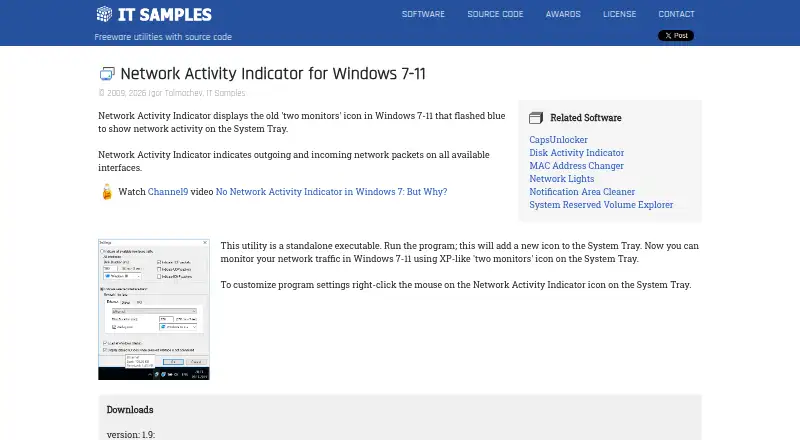
Network Activity Indicator is a Windows utility for people who want a compact visual indication of network traffic without opening a larger monitoring application. It restores an XP-style, two-monitor network icon to the system tray and shows incoming and outgoing packet activity across all available network interfaces. The product is distributed as freeware under stated licensing conditions and is identified for Windows 7-11. It is best suited to users who want a simple, persistent network activity signal on a Windows desktop.
Its standout feature is the tray-based activity indicator. The icon presents separate visual cues for outgoing and incoming network packets, while the utility monitors available interfaces rather than requiring a single interface selection. Configuration is handled through the tray icon's right-click context menu, keeping the product's controls close to its main function. IT Samples provides both 32-bit and 64-bit downloads, with ZIP and self-installing options, giving users a choice between a portable-style archive and an installer-based download. Multiple interface languages are supported through language files.
The product's narrow focus is also its main boundary. It indicates packet activity, but its published scope does not extend to general system information, detailed traffic analysis, or broader system monitoring. Users who want a lightweight Windows tray indicator should find the feature set aligned with that need, while anyone looking for a wider system-information utility should choose a more comprehensive alternative. Network Activity Indicator fits users who value a free, focused display of network activity and do not need a broader dashboard.
Your product? Our editors can test Network Activity Indicator in depth and publish a review, labelled as paid · from $149/mo →
Network Activity Indicator pricing
Network Activity Indicator fact sheet
| Free plan | Yes |
|---|---|
| Paid from | Free |
| Operating systems | Windows |
| Firmware details | Not verified |
| Installed software | Not verified |
| Portable version | Not verified |
| Report export | Not verified |
| Command-line interface | Not verified |
| Deployment | Desktop |
| Platforms | Windows |
| Support | |
| Built for | Solo, Small business (editorial estimate) |
| Pricing | Free plan |
| Website | itsamples.com |
| Facts checked | 20 Sep 2026 |
Alternatives to Network Activity Indicator
- AIDA64A deep monitoring and diagnostics suite for users who need benchmarks, alerts, and stress tests.9.2
- CPU-ZA focused, free utility for detailed CPU, memory, motherboard, and Android device information.8.9
- SpeccyA low-cost Windows utility for specifications, temperatures, drive health, and exports.8.7



See all Network Activity Indicator alternatives →
Used Network Activity Indicator? Be the first to review it
The editor score above is our own research. What this page doesn't have yet is a reader's view — what you used Network Activity Indicator for, what worked and what didn't. No stars are seeded and no review is paid for; an editor reads every one before it appears.
Write a reviewTwo minutes · verified accounts only · read by an editor before it appears
Featured on iTechGuides

Network Activity Indicator is listed in our System Information Software directory. Add the badge to your site — it links back to this page.
<a href="https://www.itechguides.com/products/network-activity-indicator/"><img src="https://www.itechguides.com/best/badge/network-activity-indicator.svg" alt="Featured on iTechGuides" width="230" height="46"></a>
Reviewed by iTechGuides Editors · Editorial team · Updated Oct 2026
Advertiser disclosure: iTechGuides is reader-supported. Vendors can pay for top positions in our rankings and for a place on other products' pages, and we may earn a commission when you click some links. Bought places stand at the number bought; this page and our disclosure say so. Paying vendors may get a fuller, more detailed review from our editors, and that review can change their score. How we rank.
Last updated · How we research and update