
Names & Faces
Names & Faces: A visual directory with flexible profiles and org charts, starting at $1.50 per employee monthly. Ranked #4 of 43 in Employee Directory Software by our editors (7.9/10); pricing: Free plan; best for budget-conscious teams prioritizing visual profiles.
At a glance
- Editor score7.9 / 10
- PricingFree plan
- Best forBudget-conscious teams prioritizing visual profiles
- Free planYes
- Paid from$1.50/user/mo
- Org chartYes
- Facts checked23 Sep 2026
Where it wins
- Search profiles by name, role, department, location or skill.
- Interactive org charts offer multiple views and downloadable charts.
- Custom fields, layouts and mobile offline access support flexible browsing.
Where it doesn't
- The listed integrations are limited to ADP, Paychex, Paylocity and Google Sheets.
- Starter, Growth and Enterprise use manual data management via Sheets or file upload.
- Email is the only listed support channel.
Our verdict on Names & Faces
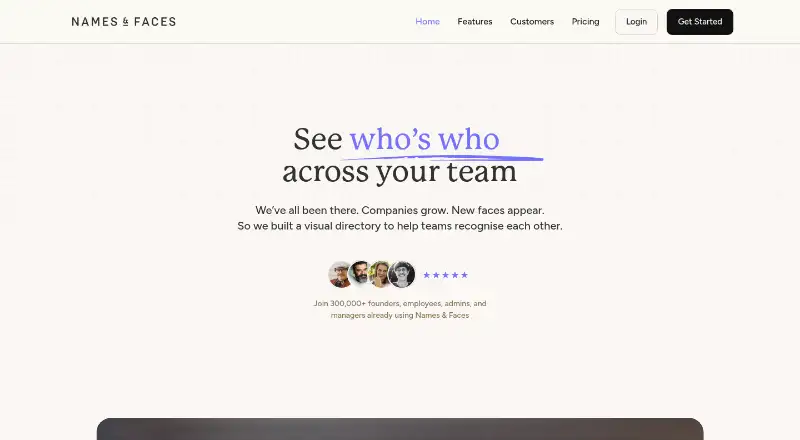
Names & Faces is a visual employee directory for organisations that want colleagues to find and recognise one another. Searchable profiles include filters for name, role, department, location or skill, while interactive org charts provide multiple views. It suits teams that value a people-focused directory, custom profile layouts and mobile access, including offline browsing. Administrators can import employee information, add people manually, and ask employees to update details or provide photos. Weekly email digests cover new joiners, birthdays and work anniversaries.
Pricing offers a free plan and several paid options. According to the vendor's pricing page, Integrated Pricing starts at $1.50 per employee per month and includes automated HR-system sync, imported custom fields, web and mobile access, exportable org charts and custom branding. Starter is $129 per month, Growth is $249 per month, and Enterprise is $389 per month; each lists web and iOS/Android access, exportable org charts, custom branding, and data management through Google Sheets or file upload. The Founder plan lists those same features, but no price. The paid tiers provide access and directory-management options; the clearest listed distinction is that Integrated Pricing adds automated HR sync and field import.
Integration fit is a key consideration: named connections are ADP, Paychex, Paylocity and Google Sheets. HR imports, spreadsheets, files and manual entry give teams other ways to bring in data, but organisations seeking a broad integration ecosystem may prefer another directory. Email is the listed support channel. Choose Names & Faces if visual profiles, org charts and flexible layouts matter more than extensive connectivity. It is less suited to teams that need many named integrations or a support channel beyond email.
Your product? Our editors can test Names & Faces in depth and publish a review, labelled as paid · from $149/mo →
Names & Faces pricing
All 5 Names & Faces plans and prices →
Names & Faces fact sheet
| Free plan | Yes |
|---|---|
| Paid from | $1.50/user/mo |
| Org chart | Yes |
| Custom fields | Yes |
| Location views | Yes |
| Employee limit | 100 employees |
| Mobile apps | Both |
| SSO | Not verified |
| API access | Yes |
| Deployment | Cloud, Desktop, Mobile |
| Platforms | Web, Windows, macOS, iOS, Android |
| Compliance & security | GDPR |
| Support | |
| Built for | Solo, Small business, Mid-market, Enterprise (editorial estimate) |
| Integrations | 4 integrations: ADP, Paychex, Paylocity, Google Sheets |
| Pricing | Free plan (source) |
| Website | namesandfaces.com |
| Facts checked | 23 Sep 2026 |
Names & Faces integrations
Names & Faces lists 4 integrations on its own site.
- ADP
- Paychex
- Paylocity
- Google Sheets
Alternatives to Names & Faces
- GoProfilesAn affordable people directory with AI search, org charts, and HRIS sync.8.9
- SiftA searchable employee directory with configurable profiles and automatically updated org charts.8.8
- OneDirectoryA Microsoft-focused directory with detailed search, custom profiles, and org charts.8.6



See all Names & Faces alternatives →
Names & Faces vs the competition
- Names & Faces vs GoProfiles
- Names & Faces vs Sift
- Names & Faces vs OneDirectory
- Names & Faces vs Organimi
- Names & Faces vs Workleap Pingboard
- Names & Faces vs SharePoint Smart Org Chart & Directory



Compare Names & Faces with any tool side by side →
Used Names & Faces? Be the first to review it
The editor score above is our own research. What this page doesn't have yet is a reader's view — what you used Names & Faces for, what worked and what didn't. No stars are seeded and no review is paid for; an editor reads every one before it appears.
Write a reviewTwo minutes · verified accounts only · read by an editor before it appears
Featured on iTechGuides

Names & Faces is listed in our Employee Directory Software directory. Add the badge to your site — it links back to this page.
<a href="https://www.itechguides.com/products/names-faces/"><img src="https://www.itechguides.com/best/badge/names-faces.svg" alt="Featured on iTechGuides" width="230" height="46"></a>
Reviewed by iTechGuides Editors · Editorial team · Updated Oct 2026
Advertiser disclosure: iTechGuides is reader-supported. Vendors can pay for top positions in our rankings and for a place on other products' pages, and we may earn a commission when you click some links. Bought places stand at the number bought; this page and our disclosure say so. Paying vendors may get a fuller, more detailed review from our editors, and that review can change their score. How we rank.
Last updated · How we research and update