My Network Consultant
My Network Consultant: A free browser analyzer for detailed PCAP diagnostics, flow review, and protocol troubleshooting. Ranked #17 of 30 in Network Protocol Analyzers by our editors (7.5/10); pricing: Free plan; best for simple browser-based PCAP diagnostics.
At a glance
- Editor score7.5 / 10
- PricingFree plan
- Best forSimple browser-based PCAP diagnostics
- Free planYes
- Paid fromFree
- DeploymentServer
- Facts checked20 Sep 2026
Where it wins
- Analyzes PCAP and PCAPNG files without requiring an account
- Combines TCP, DNS, TLS, flow, and Layer 7 protocol analysis
- Adds automated findings, timelines, and shareable analysis links
Where it doesn't
- Requires uploaded captures rather than live network capture
- Web-only access limits deployment flexibility
- Encrypted traffic is analyzed primarily through metadata and timing
Our verdict on My Network Consultant
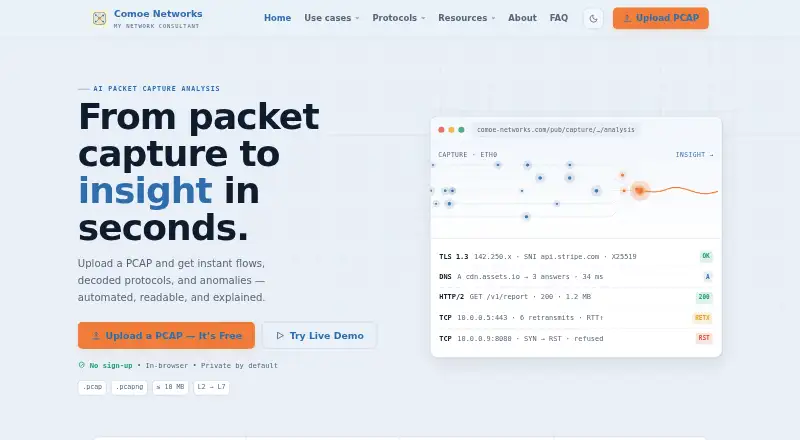
My Network Consultant is a browser-based network protocol analyzer from Comoe Networks for NOC and SOC triage, incident response, performance analysis, and network troubleshooting. It accepts PCAP and PCAPNG files and presents decoded protocols, flows, conversations, timelines, anomalies, and troubleshooting findings. Users can upload captures without creating an account, making it suited to teams that need a direct way to inspect recorded traffic rather than a continuously deployed monitoring system.
Its strongest area is the breadth of diagnostics available within a capture review. The analyzer covers Layer 7 protocol decoding and supports focused analysis for TCP, DNS, TLS, IP, UDP, SIP, LDAP, and SMB. TCP views include retransmission, RTT, RTO, and window analysis, while DNS analysis addresses latency, failures, fallbacks, and tunneling. TLS inspection covers handshakes, certificates, ciphers, SNI, and ALPN. Automated connectivity, performance, and security findings, alongside interactive visual timelines and capture navigation, can help organize investigation work. AI features are also included in the product positioning.
The main trade-off is its capture workflow and deployment model. My Network Consultant is delivered through the web and uses a server deployment, while the listed capture source is local; the product is therefore focused on analyzing files brought to it, not collecting traffic directly from a live network. Encrypted traffic is primarily assessed through metadata, handshakes, and timing, so it is better suited to connection and negotiation diagnostics than to inspecting encrypted payloads. The analyzer is presented as free to use. Choose it for straightforward browser-based PCAP investigation and shareable analysis; choose another tool if live capture, broader deployment options, or decrypted-content inspection is central to the workflow.
Your product? Our editors can test My Network Consultant in depth and publish a review, labelled as paid · from $149/mo →
My Network Consultant pricing
My Network Consultant fact sheet
| Free plan | Yes |
|---|---|
| Paid from | Free |
| Deployment | Server |
| Capture sources | Local |
| PCAP support | Yes |
| Traffic decryption | Not verified |
| CLI tools | Not verified |
| Remote capture | Not verified |
| Flow analysis | Yes |
| Deployment | Cloud |
| Platforms | Web |
| Support | Docs |
| Built for | Small business, Mid-market, Enterprise (editorial estimate) |
| Pricing | Free plan |
| Website | comoe-networks.com |
| Facts checked | 20 Sep 2026 |
Alternatives to My Network Consultant
- WiresharkA broad, free desktop analyzer for live captures, PCAP files, filtering, and protocol inspection.9.4
- TSharkA free, scriptable Wireshark-based analyzer for live captures, PCAP files, and protocol workflows.9.2
- ScapyA free, programmable toolkit for crafting, capturing, decoding, and analyzing packets.9.0


See all My Network Consultant alternatives →
Used My Network Consultant? Be the first to review it
The editor score above is our own research. What this page doesn't have yet is a reader's view — what you used My Network Consultant for, what worked and what didn't. No stars are seeded and no review is paid for; an editor reads every one before it appears.
Write a reviewTwo minutes · verified accounts only · read by an editor before it appears
Featured on iTechGuides

My Network Consultant is listed in our Network Protocol Analyzers directory. Add the badge to your site — it links back to this page.
<a href="https://www.itechguides.com/products/my-network-consultant/"><img src="https://www.itechguides.com/best/badge/my-network-consultant.svg" alt="Featured on iTechGuides" width="230" height="46"></a>
Reviewed by iTechGuides Editors · Editorial team · Updated Oct 2026
Advertiser disclosure: iTechGuides is reader-supported. Vendors can pay for top positions in our rankings and for a place on other products' pages, and we may earn a commission when you click some links. Bought places stand at the number bought; this page and our disclosure say so. Paying vendors may get a fuller, more detailed review from our editors, and that review can change their score. How we rank.
Last updated · How we research and update