
MultiStream
MultiStream: A free, open-source OBS-style option for direct multistreaming across major platforms. Ranked #29 of 43 in Multistreaming Software by our editors (6.1/10); pricing: Free plan; best for open-source OBS-style multistreaming.
At a glance
- Editor score6.1 / 10
- PricingFree plan
- Best forOpen-source OBS-style multistreaming
- Free planYes
- Paid fromFree
- Simultaneous destinations8 destinations
- Facts checked20 Sep 2026
Where it wins
- Streams to up to 8 destinations with custom RTMP/RTMPS support
- Per-destination bitrate controls and automatic reconnect
- Includes scenes, audio mixing, recording, and virtual camera output
Where it doesn't
- No guest support for bringing remote participants into broadcasts
- Technical limits depend on hardware and upload bandwidth
- Free-only model may not suit teams seeking paid production tiers
Our verdict on MultiStream
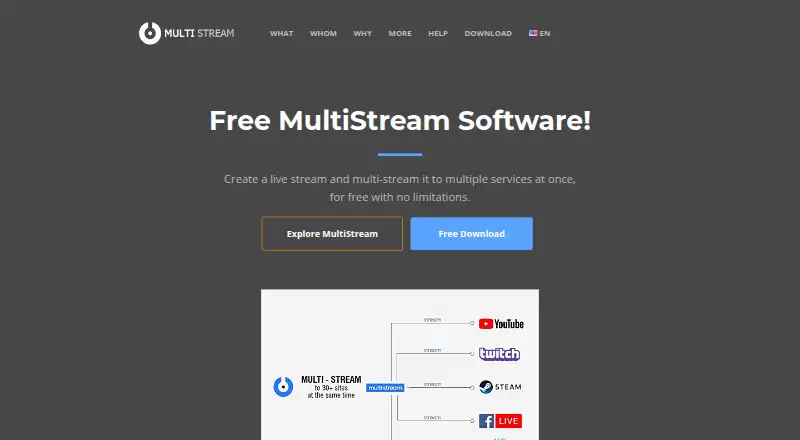
MultiStream is free, open-source live-streaming software for creators, presenters, gamers, and other broadcasters who want to send one broadcast to multiple destinations. It supports simultaneous streaming to Twitch, YouTube, Facebook, Kick, TikTok, X, LinkedIn, Instagram, Discord, Telegram, WhatsApp, and custom RTMP endpoints. The published platform list includes Windows, macOS, iOS, and Android, while the product positioning also identifies Linux support. Core production tools include screen sharing and capture, an audio mixer, titles and text, scene composition, virtual camera output, video recording, and tip notifications.
Its strongest fit is direct multistreaming with granular output control. MultiStream can send a stream to up to 8 destinations comfortably, with technical limits depending on hardware and upload bandwidth. Per-destination bitrate controls let broadcasters set separate quality parameters for each output, while automatic reconnect helps restore dropped destinations. Custom RTMP and RTMPS support also extends its reach beyond the named platform integrations. These controls make it more suitable for broadcasters who want an OBS-style workflow and control over individual outputs rather than a simplified one-click streaming tool.
The Free plan includes multistreaming, screen sharing, an audio mixer, titles and text, virtual webcam output, and video recording. There is no guest support, so productions built around remote participants may need another tool or workflow. MultiStream is a strong choice for individual creators and broadcasters who want free, open-source software with broad destination support and local production controls. Teams seeking hosted collaboration, remote guest workflows, or a more managed production environment should consider alternatives designed around those needs.
Your product? Our editors can test MultiStream in depth and publish a review, labelled as paid · from $149/mo →
MultiStream pricing
All 1 MultiStream plans and prices →
MultiStream fact sheet
| Free plan | Yes |
|---|---|
| Paid from | Free |
| Simultaneous destinations | 8 destinations |
| Custom RTMP | Yes |
| Supported destinations | Twitch, YouTube, Facebook, Kick, TikTok, X, LinkedIn, Instagram, Discord, Telegram, WhatsApp, Custom RTMP |
| Guest support | None |
| Stream recording | Yes |
| Maximum video quality | Not verified |
| Deployment | Desktop, Mobile |
| Platforms | Windows, macOS, iOS, Android |
| Support | Community, Docs |
| Built for | Solo, Small business, Mid-market (editorial estimate) |
| Integrations | 84+ integrations |
| Pricing | Free plan (source) |
| Website | multi-stream.io |
| Facts checked | 20 Sep 2026 |
Alternatives to MultiStream
- Streamlabs MultistreamA flexible cloud-forwarding option for creators targeting major platforms and custom RTMP.9.2
- RestreamA broad multistreaming platform with browser production, scheduling, chat, analytics, and recordings.8.8
- SplitCam MultistreamA capable free encoder for creators who want direct multistreaming without a cloud relay.8.7



See all MultiStream alternatives →
Used MultiStream? Be the first to review it
The editor score above is our own research. What this page doesn't have yet is a reader's view — what you used MultiStream for, what worked and what didn't. No stars are seeded and no review is paid for; an editor reads every one before it appears.
Write a reviewTwo minutes · verified accounts only · read by an editor before it appears
Featured on iTechGuides

MultiStream is listed in our Multistreaming Software directory. Add the badge to your site — it links back to this page.
<a href="https://www.itechguides.com/products/multistream/"><img src="https://www.itechguides.com/best/badge/multistream.svg" alt="Featured on iTechGuides" width="230" height="46"></a>
Reviewed by iTechGuides Editors · Editorial team · Updated Oct 2026
Advertiser disclosure: iTechGuides is reader-supported. Vendors can pay for top positions in our rankings and for a place on other products' pages, and we may earn a commission when you click some links. Bought places stand at the number bought; this page and our disclosure say so. Paying vendors may get a fuller, more detailed review from our editors, and that review can change their score. How we rank.
Last updated · How we research and update