MremoteGO
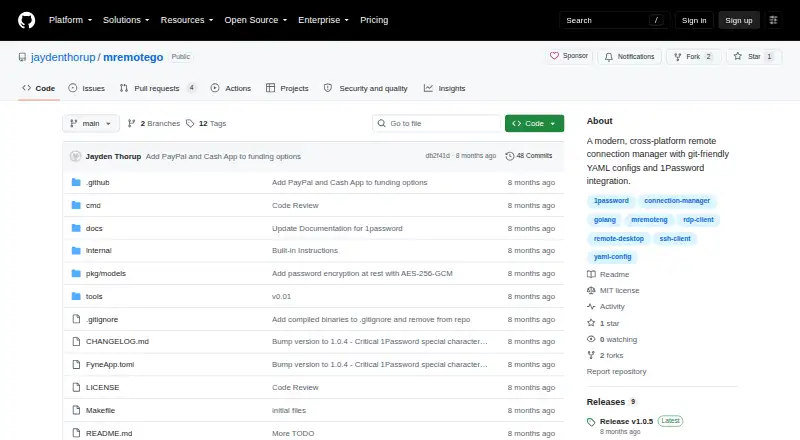
MremoteGO: A free, open-source desktop manager for teams handling varied remote connections. Ranked #15 of 29 in Remote Connection Manager Software by our editors (7.3/10); pricing: Free plan; best for small teams wanting a lightweight open-source manager.
At a glance
- Editor score7.3 / 10
- PricingFree plan
- Best forSmall teams wanting a lightweight open-source manager
- Free planYes
- Paid fromFree
- Supported protocolsSSH, RDP, VNC, HTTP/HTTPS, Telnet
- Facts checked21 Sep 2026
Where it wins
- Supports SSH, RDP, VNC, HTTP/HTTPS, and Telnet
- YAML configuration supports Git-based workflows
- AES-256-GCM encryption with master-password protection
Where it doesn't
- No session recording
- No mobile apps
- Latest listed release is v2.0.5-alpha
Our verdict on MremoteGO
MremoteGO is an open-source remote connection manager for small teams that need one desktop application for organizing and launching connections. It runs on Windows, Linux, and macOS, with support for SSH, RDP, VNC, HTTP/HTTPS, and Telnet. Its graphical interface provides a connection tree, folders, search filtering, and quick actions, while CLI mode supports listing, adding, editing, exporting, and deleting connections. Team sharing is supported, and mRemoteNG XML import can help with existing configurations.
Its strongest distinction is the configuration model. MremoteGO stores connections in YAML files designed for Git workflows, giving teams a file-based way to manage and share configuration. The application also combines GUI and CLI access, which suits users who prefer visual organization as well as command-line operations. Credential handling includes AES-256-GCM password encryption and master-password protection. Optional 1Password integration uses op:// references, but the listed integration scope is focused rather than broad.
MremoteGO is a practical choice for teams that value open-source software, cross-platform desktop support, structured connection management, and Git-friendly configuration. It is less suitable for organizations that require session recording or mobile access. The latest listed release, v2.0.5-alpha, also makes release maturity an important consideration for buyers evaluating operational stability. Choose MremoteGO when protocol coverage, local organization, and configuration control matter most; consider an alternative when recording, mobile workflows, or a wider integration ecosystem are central requirements.
Your product? Our editors can test MremoteGO in depth and publish a review, labelled as paid · from $149/mo →
MremoteGO pricing
MremoteGO fact sheet
| Free plan | Yes |
|---|---|
| Paid from | Free |
| Supported protocols | SSH, RDP, VNC, HTTP/HTTPS, Telnet |
| Desktop platforms | Windows, Linux, macOS |
| Stored connections | Not verified |
| Team connection sharing | Yes |
| Credential vault | Yes |
| Session recording | No |
| Mobile apps | No |
| Deployment | Desktop |
| Platforms | Windows, macOS, Linux |
| Support | Community, Docs |
| Built for | Solo, Small business (editorial estimate) |
| Integrations | 1 integrations: 1Password |
| Pricing | Free plan |
| Website | github.com |
| Facts checked | 21 Sep 2026 |
MremoteGO integrations
MremoteGO lists 1 integrations on its own site.
- 1Password
Alternatives to MremoteGO
- Devolutions Remote Desktop ManagerA broad connection manager for governed IT access across desktop and mobile platforms.9.4
- RustConnA broad, free desktop connection manager for technical teams that need protocol and credential flexibility.9.0
- BURSU Connection ManagerA capable free manager for mixed protocols, embedded sessions, and mobile access.8.8


See all MremoteGO alternatives →
Used MremoteGO? Be the first to review it
The editor score above is our own research. What this page doesn't have yet is a reader's view — what you used MremoteGO for, what worked and what didn't. No stars are seeded and no review is paid for; an editor reads every one before it appears.
Write a reviewTwo minutes · verified accounts only · read by an editor before it appears
Featured on iTechGuides

MremoteGO is listed in our Remote Connection Manager Software directory. Add the badge to your site — it links back to this page.
<a href="https://www.itechguides.com/products/mremotego/"><img src="https://www.itechguides.com/best/badge/mremotego.svg" alt="Featured on iTechGuides" width="230" height="46"></a>
Reviewed by iTechGuides Editors · Editorial team · Updated Oct 2026
Advertiser disclosure: iTechGuides is reader-supported. Vendors can pay for top positions in our rankings and for a place on other products' pages, and we may earn a commission when you click some links. Bought places stand at the number bought; this page and our disclosure say so. Paying vendors may get a fuller, more detailed review from our editors, and that review can change their score. How we rank.
Last updated · How we research and update