
Mountain Duck
Mountain Duck: A capable desktop client for mounting, syncing, editing, and sharing remote storage. Ranked #19 of 31 in SFTP Client Software by our editors (7.4/10); pricing: 14-day trial; best for users wanting remote storage mounted locally.
At a glance
- Editor score7.4 / 10
- Pricing14-day trial
- Best forUsers wanting remote storage mounted locally
- Free planNo
- Supported platformsmacOS, Windows
- Facts checked20 Sep 2026
Where it wins
- Mounts SFTP, cloud, and network storage as local volumes
- Supports offline files, background uploads, and local app editing
- Includes key authentication, sharing, locking, and encryption
Where it doesn't
- No free plan is available
- Supports Windows and macOS only
- Provides no automation features
Our verdict on Mountain Duck
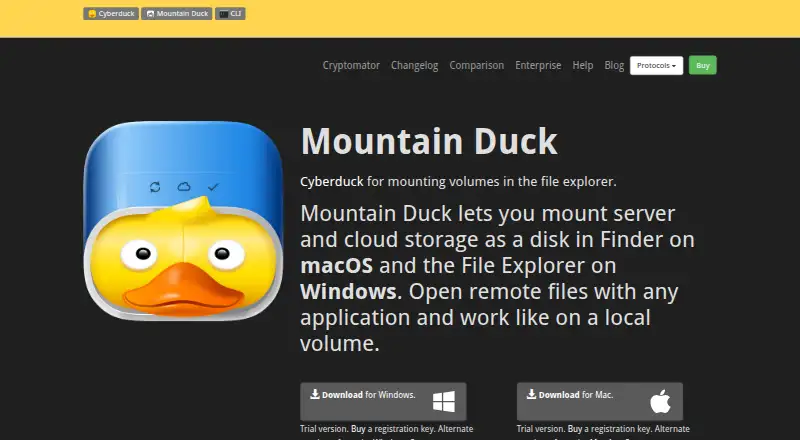
Mountain Duck is a desktop client for mounting remote servers and cloud storage as volumes in macOS Finder and Windows File Explorer. It is aimed at users who want remote storage to behave more like local storage, including people working with SFTP, FTP, WebDAV, SMB, object storage, and cloud-storage services. The product supports individual users, teams, and enterprise deployments, with licenses sold per seat for a specific major version.
Its strongest point is the local-volume workflow. Users can open remote files with local applications, synchronize selected files for offline access, and upload changes in the background. Integrated Connect Mode uses native file-provider APIs, while search works through Spotlight and Windows Search. SSH public-key authentication and SSH-agent support suit SFTP workflows, and file locking is available for supported servers. File versioning, custom versioning, and Cryptomator-compatible client-side encryption add controls for shared or sensitive files.
Mountain Duck also fits environments that move between multiple storage systems. Integrations include Amazon S3, Backblaze B2, Box, Dropbox, Google Cloud Storage, Google Drive, Microsoft Azure, Microsoft OneDrive, Microsoft SharePoint, OpenStack Swift, WebDAV, SMB, SFTP, FTP, and DRACOON. Remote sharing supports signed or temporary URLs. The product is paid and includes a 14-day free trial, with the purchase model based on per-seat licenses tied to a major version. It is a strong choice for users who value Finder or File Explorer access across remote storage services. Those needing Linux support, a free plan, or built-in automation should consider another client.
Mountain Duck pricing
Mountain Duck fact sheet
| Free plan | No |
|---|---|
| Paid from | Not verified |
| Supported protocols | FTP, FTP over TLS, SFTP, WebDAV, SMB, OpenStack Swift, Amazon S3, Google Cloud Storage, Microsoft Azure, Backblaze B2 |
| Supported platforms | macOS, Windows |
| Folder synchronization | Yes |
| SSH key authentication | Yes |
| Remote file editing | Yes |
| Automation support | None |
| Free trial | 14 days |
| Deployment | Cloud, Desktop |
| Platforms | Windows, macOS |
| Support | Email, Community, Docs |
| Built for | Solo, Small business, Mid-market, Enterprise (editorial estimate) |
| Integrations | 17 integrations: Amazon S3, Backblaze B2, Box, Dropbox, Google Cloud Storage, Google Drive … See all → |
| Pricing | 14-day trial (source) |
| Website | mountainduck.io |
| Facts checked | 20 Sep 2026 |
Mountain Duck integrations
Mountain Duck lists 17 integrations on its own site.
- Amazon S3
- Backblaze B2
- Box
- Dropbox
- Google Cloud Storage
- Google Drive
- Microsoft Azure
- Microsoft OneDrive
- Microsoft SharePoint
- OpenStack Swift
- WebDAV
- SMB
- SFTP
- FTP
- DRACOON
- Files.com
- iRODS
See all Mountain Duck integrations →
Alternatives to Mountain Duck
- WinSCPA capable free SFTP client for Windows users who need scripting and synchronization.9.4
- CyberduckA versatile, open-source SFTP client for cross-platform file transfers and cloud connections.9.2
- FileZilla ClientA capable free SFTP client for cross-platform file transfers and remote file management.9.0



See all Mountain Duck alternatives →
Also listed in
Used Mountain Duck? Be the first to review it
The editor score above is our own research. What this page doesn't have yet is a reader's view — what you used Mountain Duck for, what worked and what didn't. No stars are seeded and no review is paid for; an editor reads every one before it appears.
Write a reviewTwo minutes · verified accounts only · read by an editor before it appears
Featured on iTechGuides

Mountain Duck is listed in our SFTP Client Software directory. Add the badge to your site — it links back to this page.
<a href="https://www.itechguides.com/products/mountain-duck/"><img src="https://www.itechguides.com/best/badge/mountain-duck.svg" alt="Featured on iTechGuides" width="230" height="46"></a>
Guides on SFTP client software
Reviewed by iTechGuides Editors · Editorial team · Updated Oct 2026
Advertiser disclosure: iTechGuides is reader-supported. We may earn a commission when you click some links. How we rank.
Last updated · How we research and update