
Mount Image Pro
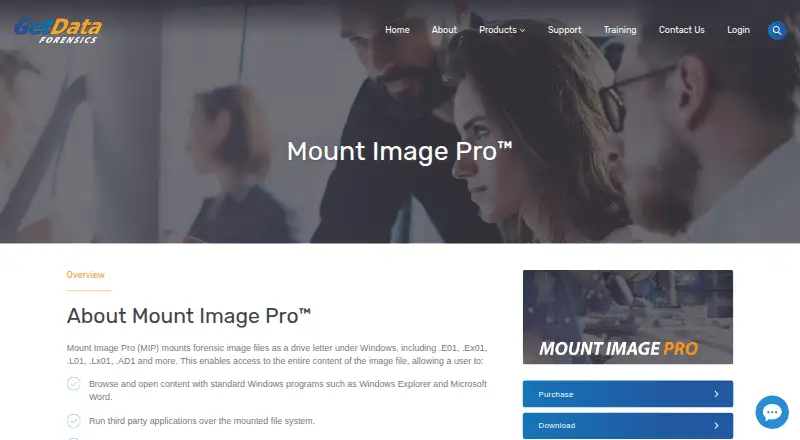
Mount Image Pro: A Windows forensic mounter with broad format support and investigation-focused controls. Ranked #20 of 24 in Virtual Drive Software by our editors (7.2/10); pricing: 30-day trial; best for forensic investigators mounting diverse evidence images.
At a glance
- Editor score7.2 / 10
- Pricing30-day trial
- Best forForensic investigators mounting diverse evidence images
- Free planNo
- Facts checked20 Sep 2026
Where it wins
- Supports a wide range of forensic, optical, and virtual-disk formats
- Shows deleted files, system files, and unallocated clusters
- Offers read-only mounting, cached writes, CLI, and batch processing
Where it doesn't
- Windows-only software
- No free plan; evaluation access is limited to 30 days
- The perpetual license includes support and maintenance for 12 months
Our verdict on Mount Image Pro
Mount Image Pro is Windows software for forensic examiners, investigators, and lawyers who need to mount evidence images as drive letters or file-system views. It supports browsing through Windows Explorer, third-party forensic tools, file exports, and access to deleted or unallocated content. The product is designed for evidence examination rather than general-purpose virtual drive management, making it a focused choice for investigations involving varied disk and file-system formats.
Its standout strength is breadth combined with forensic-specific handling. Mount Image Pro supports AD1, DMG, E01, Ex01, L01, Lx01, AFF, AFF4, ISO, VHD, VHDX, MFS01, SMART, DD, RAW, VMDK, and CTR images. It can mount NTFS, FAT, FAT16, FAT32, HFS, APFS, and EXT2/3/4 file systems, while BitLocker and FileVault drives are supported when the password is known. Read-only mounting helps preserve the original view, and simulated writes can be directed to a cache file. Command-line and batch-processing support also suits repeatable or higher-volume workflows.
The licensing model is a paid perpetual license that does not expire and includes 12 months of software maintenance and support. A 30-day evaluation key is available, but there is no free plan. Remote physical or logical disks can be securely mounted through the GetData servlet, adding an option for remote evidence access. Choose Mount Image Pro when format coverage, deleted-content visibility, cached write simulation, and automation matter more than broad platform availability. Organizations seeking a free tool or software for non-Windows systems should consider alternatives.
Your product? Our editors can test Mount Image Pro in depth and publish a review, labelled as paid · from $149/mo →
Mount Image Pro pricing
All 1 Mount Image Pro plans and prices →
Mount Image Pro fact sheet
| Free plan | No |
|---|---|
| Paid from | Not verified |
| Image formats | AD1, DMG, E01, Ex01, L01, Lx01, AFF, AFF4, ISO, VHD, VHDX, MFS01, ProDiscover, SMART, DD, RAW, VMDK, CTR |
| Max virtual drives | Not verified |
| Virtual disk files | Yes |
| Optical image mounting | Yes |
| Write images | Not verified |
| Supported platforms | Windows 7-10 |
| Persistent mounts | Not verified |
| Free trial | 30 days |
| Deployment | Desktop |
| Platforms | Windows |
| Support | Email, Phone, Tickets, Docs |
| Built for | Small business, Mid-market, Enterprise (editorial estimate) |
| Pricing | 30-day trial (source) |
| Website | getdataforensics.com |
| Facts checked | 20 Sep 2026 |
Alternatives to Mount Image Pro
- DAEMON Tools LiteA broad Windows virtual-drive toolkit with a capable free license and four-device limit.9.3
- WinCDEmuA flexible, free Windows utility for mounting and managing optical-image files.9.2
- ImDiskA free, flexible Windows driver for mounting images and creating virtual disks.9.1



See all Mount Image Pro alternatives →
Used Mount Image Pro? Be the first to review it
The editor score above is our own research. What this page doesn't have yet is a reader's view — what you used Mount Image Pro for, what worked and what didn't. No stars are seeded and no review is paid for; an editor reads every one before it appears.
Write a reviewTwo minutes · verified accounts only · read by an editor before it appears
Featured on iTechGuides

Mount Image Pro is listed in our Virtual Drive Software directory. Add the badge to your site — it links back to this page.
<a href="https://www.itechguides.com/products/mount-image-pro/"><img src="https://www.itechguides.com/best/badge/mount-image-pro.svg" alt="Featured on iTechGuides" width="230" height="46"></a>
Reviewed by iTechGuides Editors · Editorial team · Updated Oct 2026
Advertiser disclosure: iTechGuides is reader-supported. Vendors can pay for top positions in our rankings and for a place on other products' pages, and we may earn a commission when you click some links. Bought places stand at the number bought; this page and our disclosure say so. Paying vendors may get a fuller, more detailed review from our editors, and that review can change their score. How we rank.
Last updated · How we research and update