
Monect PC Remote Play
Monect PC Remote Play: A flexible mobile remote-control app for personal PC access, gaming, and presentations. Ranked #110 of 134 in Remote Desktop Software by our editors (5.4/10); pricing: Free plan; best for mobile users controlling PCs for play and presentation.
At a glance
- Editor score5.4 / 10
- PricingFree plan
- Best forMobile users controlling PCs for play and presentation
- Free planYes
- Access modeAttended
- Facts checked20 Sep 2026
Where it wins
- Supports mobile mouse, keyboard, and custom game-controller layouts
- Offers file transfer, camera sharing, and up to four virtual displays
- Connects over local Wi-Fi, internet Wi-Fi, USB, or Bluetooth
Where it doesn't
- Focused on attended, consumer-oriented access rather than IT administration
- Does not include stated recording, device-management, or integration features
- Premium pricing and feature limits vary by platform and region
Our verdict on Monect PC Remote Play
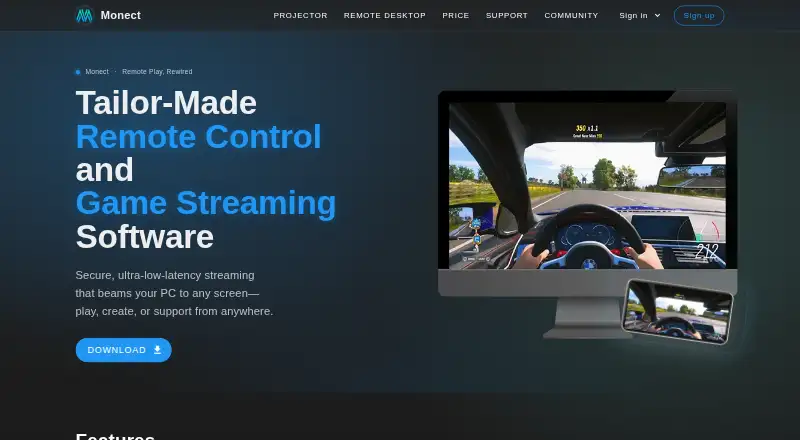
Monect PC Remote Play lets Android and iOS users control Windows and macOS computers from a mobile device. Its focus is personal PC access, gaming, work, media projection, and presentations rather than enterprise IT administration. The feature set covers remote desktop screen control, mobile mouse and keyboard input, custom game-controller layouts, screen and camera sharing, virtual-camera use, file transfer, and up to four virtual displays. Web access is also supported alongside Windows, macOS, Android, and iOS platforms.
Pricing follows a freemium model. The Free plan provides core PC remote-control features. Premium adds an ad-free experience and higher feature limits, with a published starting price of 1.99; pricing may vary by region. This structure suits users who want to start with basic remote control and pay for a less restricted experience. The central value is breadth for personal use: one product combines desktop control, game-oriented input, file movement, camera functions, and display support instead of concentrating on a single remote-access task.
Connection options include local Wi-Fi, internet Wi-Fi, USB, and Bluetooth, depending on the device and feature. That range gives mobile users several ways to connect a computer for play, presentation, or general access. The trade-off is its attended, consumer-oriented positioning. It is not aimed at device management or broader business workflows, and its stated feature set does not include recording or integrations. Choose Monect PC Remote Play when mobile control, game layouts, file transfer, and display or camera sharing matter most. Choose another category option when centralized administration or enterprise-focused remote support is the priority.
Your product? Our editors can test Monect PC Remote Play in depth and publish a review, labelled as paid · from $149/mo →
Monect PC Remote Play pricing
All 2 Monect PC Remote Play plans and prices →
Monect PC Remote Play fact sheet
| Free plan | Yes |
|---|---|
| Paid from | Not verified |
| Access mode | Attended |
| Supported platforms | Windows, macOS, Android, iOS, web browser |
| File transfer | Yes |
| Session recording | Not verified |
| Managed devices | Not verified |
| Mobile apps | Yes |
| Deployment | Desktop, Mobile |
| Platforms | Web, Windows, macOS, iOS, Android |
| Support | Email, Docs |
| Built for | Solo, Small business (editorial estimate) |
| Pricing | Free plan (source) |
| Website | monect.com |
| Facts checked | 20 Sep 2026 |
Alternatives to Monect PC Remote Play
- StarDeskA remote desktop app: reach your own Windows PC or Mac from Windows, macOS, Android or iOS.9.7
- TeamViewer RemoteA mature remote support platform with broad coverage, integrations, and AI features.9.4
- SplashtopA paid remote-access suite with low entry pricing, broad platforms, and deep integrations.9.2

See all Monect PC Remote Play alternatives →
Also Ranked In
Monect PC Remote Play is ranked in 2 of our directories.
Used Monect PC Remote Play? Be the first to review it
The editor score above is our own research. What this page doesn't have yet is a reader's view — what you used Monect PC Remote Play for, what worked and what didn't. No stars are seeded and no review is paid for; an editor reads every one before it appears.
Write a reviewTwo minutes · verified accounts only · read by an editor before it appears
Featured on iTechGuides

Monect PC Remote Play is listed in our Remote Desktop Software directory. Add the badge to your site — it links back to this page.
<a href="https://www.itechguides.com/products/monect-pc-remote-play/"><img src="https://www.itechguides.com/best/badge/monect-pc-remote-play.svg" alt="Featured on iTechGuides" width="230" height="46"></a>
Reviewed by iTechGuides Editors · Editorial team · Updated Oct 2026
Advertiser disclosure: iTechGuides is reader-supported. Vendors can pay for top positions in our rankings and for a place on other products' pages, and we may earn a commission when you click some links. Bought places stand at the number bought; this page and our disclosure say so. Paying vendors may get a fuller, more detailed review from our editors, and that review can change their score. How we rank.
Last updated · How we research and update