
Mirroring360
Mirroring360: A broad mirroring tool with browser viewing, recording, and cross-subnet discovery. Ranked #12 of 30 in Screen Sharing Software by our editors (7.8/10); pricing: 7-day trial; best for cross-platform mirroring with browser viewing.
At a glance
- Editor score7.8 / 10
- Pricing7-day trial
- Best forCross-platform mirroring with browser viewing
- Free planNo
- Founded2006 · Cupertino, California, United States
- Facts checked20 Sep 2026
Where it wins
- Mirrors iOS, Android, Chromebook, Windows, and Mac screens
- Browser viewing without downloads or plug-ins
- Includes recording, web links, and cross-subnet discovery
Where it doesn't
- No perpetual free plan; access is paid after the trial
- Web-link broadcasting is available for Windows computer screens
- Large deployments require a separate deployment-oriented plan
Our verdict on Mirroring360
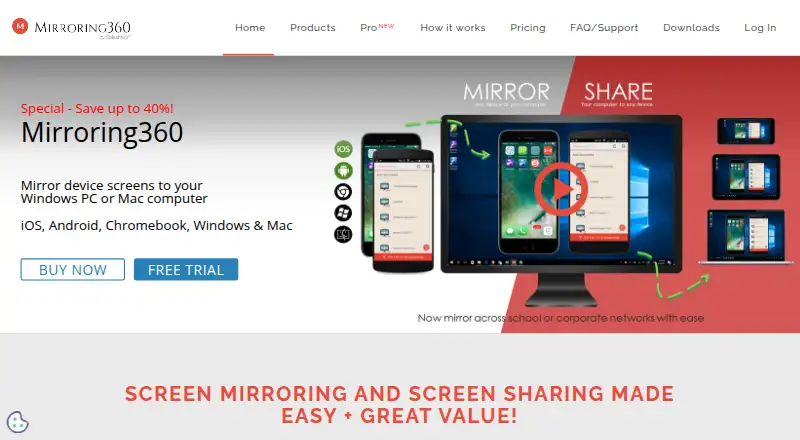
Mirroring360 is screen-mirroring software for sharing iPhone, iPad, Android, Chromebook, Windows, and Mac screens with a Windows or Mac computer. It is suited to individual users, schools, businesses, classrooms, presentations, demonstrations, and larger education or corporate deployments. Wireless mirroring, screen recording, and browser-based viewing cover both local presentation needs and remote audience access.
The product uses a paid model with a seven-day free trial rather than a perpetual free plan. The Standard License includes mirroring to a Windows or Mac computer, unlimited cross-device mirroring, and one license move to a new computer. Pro Subscription includes the Standard features, adds Windows screen sharing through a web link for up to 40 viewers, phone support, and unlimited license moves between computers. Large Deployment adds an .msi installation option, license transfers between computers, and deployment across a school, district, company, or enterprise.
Its platform coverage is a central strength: Mirroring360 handles AirPlay from iPhone and iPad, Android phones and tablets, Chromebook and PC mirroring through Chrome, and Mac computers. Viewers can watch shared Windows screens in a browser without installing software, while Mirroring Assist supports discovery across subnets. That makes it a practical choice when a mixed-device environment matters. It is less suitable for buyers seeking a perpetual free option or a tool centered on broad operating-system screen broadcasting beyond the Windows web-link workflow. Choose it for cross-platform mirroring with recording and browser viewing; consider another option if free access is essential.
Your product? Our editors can test Mirroring360 in depth and publish a review, labelled as paid · from $149/mo →
Mirroring360 pricing
All 3 Mirroring360 plans and prices →
Mirroring360 fact sheet
| Free plan | No |
|---|---|
| Paid from | Not verified |
| Maximum participants | Not verified |
| Session duration limit | Not verified |
| Screen recording | Yes |
| Annotation tools | Not verified |
| Mobile screen sharing | Yes |
| Sharing mode | Browser and desktop |
| Free trial | 7 days · no card needed |
| Deployment | Desktop, Mobile, Browser extension |
| Platforms | Web, Windows, macOS, iOS, Android, Chrome extension |
| Compliance & security | GDPR |
| Support | Email, Phone, Docs |
| Built for | Solo, Small business, Mid-market, Enterprise (editorial estimate) |
| Pricing | 7-day trial (source) |
| Website | mirroring360.com |
| Facts checked | 20 Sep 2026 |
Alternatives to Mirroring360
- ScreenleapA flexible browser-first meeting tool with useful paid upgrades and clear free-plan limits.9.4
- AirDroid CastA budget-friendly choice for mirroring phones and computers across many device types.9.2
- CrankWheelA sales-focused screen-sharing platform with engagement tracking, recording, and CRM integrations.8.9



See all Mirroring360 alternatives →
Used Mirroring360? Be the first to review it
The editor score above is our own research. What this page doesn't have yet is a reader's view — what you used Mirroring360 for, what worked and what didn't. No stars are seeded and no review is paid for; an editor reads every one before it appears.
Write a reviewTwo minutes · verified accounts only · read by an editor before it appears
Featured on iTechGuides

Mirroring360 is listed in our Screen Sharing Software directory. Add the badge to your site — it links back to this page.
<a href="https://www.itechguides.com/products/mirroring360/"><img src="https://www.itechguides.com/best/badge/mirroring360.svg" alt="Featured on iTechGuides" width="230" height="46"></a>
Reviewed by iTechGuides Editors · Editorial team · Updated Oct 2026
Advertiser disclosure: iTechGuides is reader-supported. Vendors can pay for top positions in our rankings and for a place on other products' pages, and we may earn a commission when you click some links. Bought places stand at the number bought; this page and our disclosure say so. Paying vendors may get a fuller, more detailed review from our editors, and that review can change their score. How we rank.
Last updated · How we research and update