
AirDroid Cast
AirDroid Cast: A budget-friendly choice for mirroring phones and computers across many device types. Ranked #2 of 30 in Screen Sharing Software by our editors (9.2/10); pricing: Free plan · 3-day trial; best for broad device mirroring on a budget.
At a glance
- Editor score9.2 / 10
- PricingFree plan · 3-day trial
- Best forBroad device mirroring on a budget
- Free planYes
- Paid from$19.99/yr
- Founded2011 · Singapore
- Facts checked20 Sep 2026
Where it wins
- Covers Windows, macOS, iOS, Android, web, and Android TV
- Supports QR code, cast code, USB, AirPlay, and remote casting
- Adds Android and iOS device control plus session recording
Where it doesn't
- Free casting is limited to devices on the same WLAN
- Device control starts with the Standard plan
- The trial requires a payment method
Our verdict on AirDroid Cast
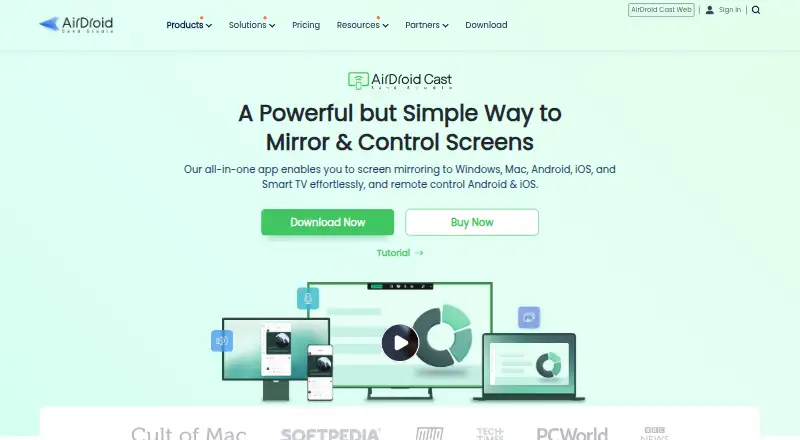
AirDroid Cast is screen-sharing software for mirroring Android, iOS, Windows, and macOS screens to computers, mobile devices, TVs, or web browsers. It is aimed at individual and business users handling presentations, teaching, meetings, entertainment, and remote casting. The platform supports both browser-based and desktop receiving, giving users several ways to display a device screen.
Pricing is structured around a free plan and paid tiers. Free supports casting under the same WLAN. Basic costs $19.99 per year with annual billing or $2.49 per month with monthly billing, adding local and remote casting, USB connection, and AirPlay casting. Standard costs $29.99 per year or $3.49 per month and adds Android and iOS device control. Team costs $359.99 per year and includes Standard features, member account management, priority customer service, and business use. The annual starting price is $1.67 per month, and the free trial lasts 3 days. Basic supports up to five simultaneous wireless device screens.
Its main strength is breadth: AirDroid Cast combines mobile and computer mirroring with QR-code or cast-code connections, USB, AirPlay reception, browser receiving, Android TV casting, recording, and remote casting. That range suits households, educators, presenters, and teams that need to work across different operating systems. The trade-off is that the free plan is limited to same-WLAN casting, while device control requires Standard and business-oriented account management is reserved for Team. Choose AirDroid Cast when broad device coverage and flexible connection methods matter more than a narrowly focused meeting workflow. It is less suitable for users who only need basic local casting or who do not want a payment method required for a trial.
Your product? Our editors can test AirDroid Cast in depth and publish a review, labelled as paid · from $149/mo →
AirDroid Cast pricing
All 4 AirDroid Cast plans and prices →
AirDroid Cast fact sheet
| Free plan | Yes |
|---|---|
| Paid from | $19.99/yr |
| Maximum participants | Not verified |
| Session duration limit | Not verified |
| Screen recording | Yes |
| Annotation tools | Not verified |
| Mobile screen sharing | Yes |
| Sharing mode | Browser and desktop |
| Free trial | 3 days |
| Deployment | Cloud, Desktop, Mobile |
| Platforms | Web, Windows, macOS, iOS, Android |
| Support | Tickets, Docs |
| Built for | Solo, Small business, Mid-market (editorial estimate) |
| Pricing | Free plan · 3-day trial (source) |
| Website | airdroid.com |
| Facts checked | 20 Sep 2026 |
Alternatives to AirDroid Cast
- ScreenleapA flexible browser-first meeting tool with useful paid upgrades and clear free-plan limits.9.4
- CrankWheelA sales-focused screen-sharing platform with engagement tracking, recording, and CRM integrations.8.9
- Dead Simple Screen SharingA free, no-login meeting tool with unlimited sharing and participant capacity.8.7


See all AirDroid Cast alternatives →
AirDroid Cast vs the competition
- AirDroid Cast vs Screenleap
- AirDroid Cast vs CrankWheel
- AirDroid Cast vs Dead Simple Screen Sharing
- AirDroid Cast vs LetsView
- AirDroid Cast vs ScreenBeam
- AirDroid Cast vs Extron ShareLink Pro



Compare AirDroid Cast with any tool side by side →
Used AirDroid Cast? Be the first to review it
The editor score above is our own research. What this page doesn't have yet is a reader's view — what you used AirDroid Cast for, what worked and what didn't. No stars are seeded and no review is paid for; an editor reads every one before it appears.
Write a reviewTwo minutes · verified accounts only · read by an editor before it appears
Featured on iTechGuides

AirDroid Cast is listed in our Screen Sharing Software directory. Add the badge to your site — it links back to this page.
<a href="https://www.itechguides.com/products/airdroid-cast/"><img src="https://www.itechguides.com/best/badge/airdroid-cast.svg" alt="Featured on iTechGuides" width="230" height="46"></a>
Reviewed by iTechGuides Editors · Editorial team · Updated Oct 2026
Advertiser disclosure: iTechGuides is reader-supported. Vendors can pay for top positions in our rankings and for a place on other products' pages, and we may earn a commission when you click some links. Bought places stand at the number bought; this page and our disclosure say so. Paying vendors may get a fuller, more detailed review from our editors, and that review can change their score. How we rank.
Last updated · How we research and update