Microsoft Code Coverage
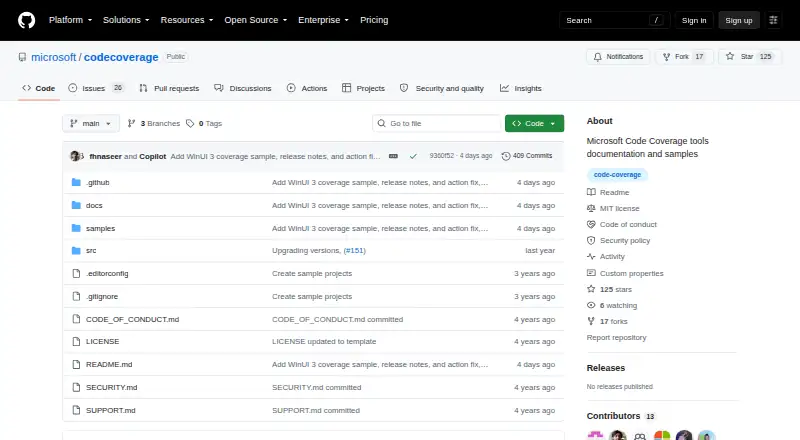
Microsoft Code Coverage: A free, flexible coverage toolset for Microsoft-stack teams across three desktop platforms. Ranked #16 of 27 in Test Coverage Tools by our editors (7.5/10); pricing: Free; best for microsoft stack teams needing free collection.
At a glance
- Editor score7.5 / 10
- PricingFree
- Best forMicrosoft stack teams needing free collection
- Paid fromFree
- Coverage typesline, block, assembly, class, procedure, managed CLR, unmanaged native
- Facts checked20 Sep 2026
Where it wins
- Collects managed CLR and native C++ coverage
- Supports static, dynamic, and command-line collection
- Merges reports, applies rules, and supports coverage thresholds
Where it doesn't
- Visual Studio licensing varies by workflow
- Focused on C# and C++ coverage collection
- Closed-source tooling limits source-level customization
Our verdict on Microsoft Code Coverage
Microsoft Code Coverage is a free toolset for measuring how much managed .NET and native C++ code is exercised by tests or other application runs. It is suited to teams working with C# and C++ projects across Windows, macOS, and Linux. The tooling is distributed through Microsoft testing packages, dotnet-coverage, Microsoft.CodeCoverage.Console, and Visual Studio integrations, with workflows covering test projects, console applications, ASP.NET applications, and C++ binaries.
Its collection and reporting capabilities are the main strengths. Microsoft Code Coverage supports both static and dynamic instrumentation, along with managed CLR and unmanaged native coverage. Coverage can be collected from the command line through dotnet-coverage and Microsoft.CodeCoverage.Console. Teams can configure inclusion and exclusion rules with runsettings, XML, or JSON, then merge or convert reports for further use. Output includes coverage, XML, and Cobertura formats, while supported coverage types include line, block, assembly, class, and procedure coverage.
The toolset also supports coverage thresholds in Microsoft.Testing.Platform, making it suitable for teams that want coverage gates alongside collection. The command-line options provide a practical fit for automated workflows, while Visual Studio integrations offer another route for Microsoft-oriented development environments. Visual Studio licensing and edition requirements vary by workflow, so teams should distinguish those requirements from the separately documented command-line tooling. Microsoft Code Coverage is a strong choice for free coverage collection across .NET and C++ projects, but teams needing broader language support or an open-source implementation should choose an alternative.
Your product? Our editors can test Microsoft Code Coverage in depth and publish a review, labelled as paid · from $149/mo →
Microsoft Code Coverage pricing
Microsoft Code Coverage fact sheet
| Free plan | Not verified |
|---|---|
| Paid from | Free |
| Coverage types | line, block, assembly, class, procedure, managed CLR, unmanaged native |
| Supported languages | C#, C++ |
| Report formats | coverage, XML, Cobertura |
| Pull-request annotations | Not verified |
| Self-hosted option | Not verified |
| Historical trends | Not verified |
| Coverage gates | Yes |
| Deployment | Desktop |
| Platforms | Windows, macOS, Linux |
| Support | Docs, Community |
| Built for | Solo, Small business, Mid-market, Enterprise (editorial estimate) |
| Pricing | Free |
| Website | github.com |
| Facts checked | 20 Sep 2026 |
Alternatives to Microsoft Code Coverage
- CodecovA broad CI coverage platform with strong pull-request checks, analytics, and integrations.9.4
- CoverallsA mature coverage service for multi-language teams needing CI and pull-request visibility.9.1
- ReportGeneratorA flexible command-line coverage reporter with strong aggregation and history features.8.9



See all Microsoft Code Coverage alternatives →
Used Microsoft Code Coverage? Be the first to review it
The editor score above is our own research. What this page doesn't have yet is a reader's view — what you used Microsoft Code Coverage for, what worked and what didn't. No stars are seeded and no review is paid for; an editor reads every one before it appears.
Write a reviewTwo minutes · verified accounts only · read by an editor before it appears
Featured on iTechGuides

Microsoft Code Coverage is listed in our Test Coverage Tools directory. Add the badge to your site — it links back to this page.
<a href="https://www.itechguides.com/products/microsoft-code-coverage/"><img src="https://www.itechguides.com/best/badge/microsoft-code-coverage.svg" alt="Featured on iTechGuides" width="230" height="46"></a>
Reviewed by iTechGuides Editors · Editorial team · Updated Oct 2026
Advertiser disclosure: iTechGuides is reader-supported. Vendors can pay for top positions in our rankings and for a place on other products' pages, and we may earn a commission when you click some links. Bought places stand at the number bought; this page and our disclosure say so. Paying vendors may get a fuller, more detailed review from our editors, and that review can change their score. How we rank.
Last updated · How we research and update