MicMixer
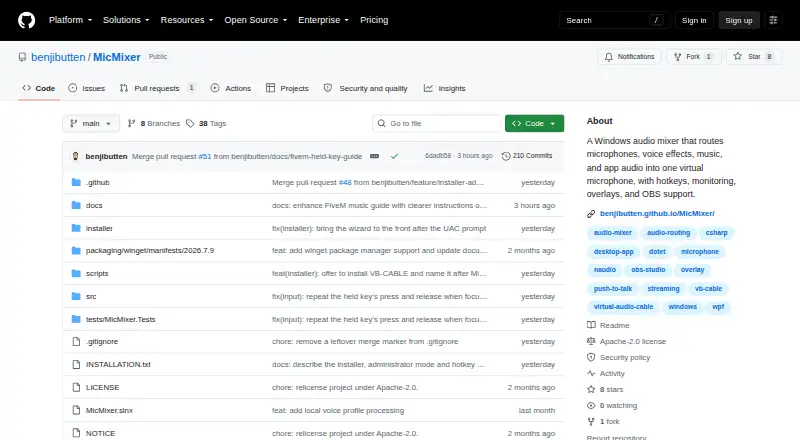
MicMixer: A free Windows mixer for routing microphone, music, and voice effects into one virtual microphone. Ranked #21 of 30 in Audio Enhancement Software by our editors (6.9/10); pricing: Free plan; best for windows streamers mixing microphone audio.
At a glance
- Editor score6.9 / 10
- PricingFree plan
- Best forWindows streamers mixing microphone audio
- Free planYes
- Paid fromFree
- Noise reductionNo
- Facts checked20 Sep 2026
Where it wins
- Free, open-source software under Apache License 2.0
- Routes microphone, music, and app audio into one virtual microphone
- Supports OBS Studio, Streamlabs Desktop, hotkeys, and overlays
Where it doesn't
- Available only for Windows 10 and Windows 11 x64
- Does not include noise reduction or EQ
- Designed around a single virtual microphone output
Our verdict on MicMixer
MicMixer is a free, open-source Windows audio mixer for combining microphone input, music, voice effects, and external application audio into one virtual microphone. It is aimed at streamers, gamers, voice-chat users, and recording users whose applications accept a single microphone input. The feature set includes push-to-talk, hotkey-based microphone switching, configurable noise gating, release delays, local monitoring, a secondary output, playlists, and overlays.
Its strongest area is routing and control during live use. MicMixer can send microphone audio through a virtual audio cable, provide independent monitoring device and volume controls, and create a secondary output for streaming or recording. Push-to-talk and hotkey controls support quick changes between normal and modified microphone states. Music playback includes MP3 support, queues, music folders, playlist search, and transport controls. Desktop and browser-source overlays extend the workflow for streaming layouts, while integrations include VB-CABLE, Voicemod, OBS Studio, and Streamlabs Desktop.
MicMixer is a focused choice for Windows users who need to assemble several audio sources before sending them to chat, games, streaming software, or recording applications. Its free, open-source distribution and Apache License 2.0 make it suitable for buyers who want a configurable mixer without a paid tier. The tradeoff is audio-processing depth: noise gating is available, but noise reduction and EQ are not. Users who need advanced cleanup or equalization should choose a product centered on those tools instead. MicMixer fits best when routing, hotkeys, monitoring, music control, and overlays matter more than detailed signal processing.
Your product? Our editors can test MicMixer in depth and publish a review, labelled as paid · from $149/mo →
MicMixer pricing
MicMixer fact sheet
| Free plan | Yes |
|---|---|
| Paid from | Free |
| Noise reduction | No |
| Equalizer | Not verified |
| Virtual surround | Not verified |
| Audio routing | Yes |
| App-specific profiles | Not verified |
| Supported platforms | windows |
| Equalizer bands | Not verified |
| Deployment | Desktop |
| Platforms | Windows |
| Integrations | 4 integrations: VB-CABLE, Voicemod, OBS Studio, Streamlabs Desktop |
| Pricing | Free plan |
| Website | github.com |
| Facts checked | 20 Sep 2026 |
MicMixer integrations
MicMixer lists 4 integrations on its own site.
- VB-CABLE
- Voicemod
- OBS Studio
- Streamlabs Desktop
Alternatives to MicMixer
- SteelSeries SonarA capable free Windows audio suite for gamers and streamers who want detailed control.9.4
- VoicemeeterA deep Windows audio router with free tiers for mixing, effects, and network audio.9.2
- Elgato Wave LinkA free mixer for creators who need flexible routing, multiple mixes, and plugin effects.9.1


See all MicMixer alternatives →
Used MicMixer? Be the first to review it
The editor score above is our own research. What this page doesn't have yet is a reader's view — what you used MicMixer for, what worked and what didn't. No stars are seeded and no review is paid for; an editor reads every one before it appears.
Write a reviewTwo minutes · verified accounts only · read by an editor before it appears
Featured on iTechGuides

MicMixer is listed in our Audio Enhancement Software directory. Add the badge to your site — it links back to this page.
<a href="https://www.itechguides.com/products/micmixer/"><img src="https://www.itechguides.com/best/badge/micmixer.svg" alt="Featured on iTechGuides" width="230" height="46"></a>
Reviewed by iTechGuides Editors · Editorial team · Updated Oct 2026
Advertiser disclosure: iTechGuides is reader-supported. Vendors can pay for top positions in our rankings and for a place on other products' pages, and we may earn a commission when you click some links. Bought places stand at the number bought; this page and our disclosure say so. Paying vendors may get a fuller, more detailed review from our editors, and that review can change their score. How we rank.
Last updated · How we research and update