MemTest64
MemTest64: A portable, no-reboot Windows memory tester with configurable coverage and automatic error detection. Ranked #19 of 26 in Hardware Diagnostic Software by our editors (6.6/10); pricing: Free plan; best for portable free Windows memory testing.
At a glance
- Editor score6.6 / 10
- PricingFree plan
- Best forPortable free Windows memory testing
- Free planYes
- Paid fromFree
- Stress testingYes
- Facts checked20 Sep 2026
Where it wins
- Runs without installation, registry changes, rebooting, or DOS mode
- Uses multiple algorithms and physical-memory test patterns
- Supports modern Intel Core and AMD Ryzen processors
Where it doesn't
- Windows-only utility
- Focuses on memory rather than storage or graphics diagnostics
- Does not provide bootable media or reports
Our verdict on MemTest64
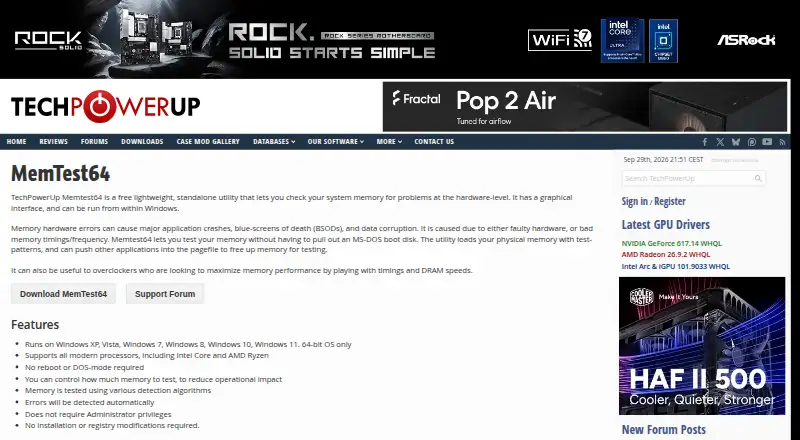
MemTest64 is a free, standalone Windows utility for checking system memory for hardware-level problems. It is aimed at Windows users who need a portable way to examine memory stability, including people tuning memory timings or DRAM speeds. The utility runs inside Windows and supports 64-bit versions of Windows XP through Windows 11. Its portable operation also suits situations where installing software or changing system settings is undesirable.
The core diagnostic workflow centers on physical-memory test patterns, multiple detection algorithms, automatic error detection, and a configurable amount of memory to test. MemTest64 can run without rebooting, DOS mode, administrator privileges, installation, or registry changes. That combination keeps the tool focused on direct memory checks while allowing users to control the scope of a test. Support for modern Intel Core and AMD Ryzen processors further aligns it with current Windows systems. Buyers choosing MemTest64 should be looking specifically for memory stability diagnostics rather than a broader hardware test suite.
MemTest64 is a practical fit for users who want a free Windows memory tester with minimal setup and no paid tier to evaluate. Its narrow scope is also its main boundary: it does not address storage or graphics diagnostics, provide bootable media, or produce reports. Users who need those capabilities should choose a product built around broader hardware coverage or formal reporting. For portable, in-Windows memory checking, MemTest64 offers a concentrated feature set; for multi-component diagnostics or workflows that require bootable testing, it is not the right choice.
Your product? Our editors can test MemTest64 in depth and publish a review, labelled as paid · from $149/mo →
MemTest64 pricing
MemTest64 fact sheet
| Free plan | Yes |
|---|---|
| Paid from | Free |
| Platform support | Windows |
| Stress testing | Yes |
| Memory testing | Yes |
| Disk health checks | Not verified |
| GPU testing | Not verified |
| Bootable diagnostic media | Not verified |
| Diagnostic reports | Not verified |
| Deployment | Desktop |
| Platforms | Windows |
| Support | Community |
| Built for | Solo, Small business, Mid-market, Enterprise (editorial estimate) |
| Pricing | Free plan |
| Website | techpowerup.com |
| Facts checked | 20 Sep 2026 |
Alternatives to MemTest64
- HP PC Hardware DiagnosticsFree Windows and UEFI diagnostics with stress tests, logs, and failure IDs.9.3
- Blackwire Hardware DiagnosticsBroad bootable hardware diagnostics with a free plan and optional reporting tiers.9.2
- PC-Doctor ToolboxA broad Windows diagnostic toolkit for technicians, with a low-cost commercial tier.9.0

See all MemTest64 alternatives →
Used MemTest64? Be the first to review it
The editor score above is our own research. What this page doesn't have yet is a reader's view — what you used MemTest64 for, what worked and what didn't. No stars are seeded and no review is paid for; an editor reads every one before it appears.
Write a reviewTwo minutes · verified accounts only · read by an editor before it appears
Featured on iTechGuides

MemTest64 is listed in our Hardware Diagnostic Software directory. Add the badge to your site — it links back to this page.
<a href="https://www.itechguides.com/products/memtest64/"><img src="https://www.itechguides.com/best/badge/memtest64.svg" alt="Featured on iTechGuides" width="230" height="46"></a>
Reviewed by iTechGuides Editors · Editorial team · Updated Oct 2026
Advertiser disclosure: iTechGuides is reader-supported. Vendors can pay for top positions in our rankings and for a place on other products' pages, and we may earn a commission when you click some links. Bought places stand at the number bought; this page and our disclosure say so. Paying vendors may get a fuller, more detailed review from our editors, and that review can change their score. How we rank.
Last updated · How we research and update