PC-Doctor Toolbox
PC-Doctor Toolbox: A broad Windows diagnostic toolkit for technicians, with a low-cost commercial tier. Ranked #3 of 26 in Hardware Diagnostic Software by our editors (9.0/10); pricing: Free plan; best for windows technicians needing many tests.
At a glance
- Editor score9.0 / 10
- PricingFree plan
- Best forWindows technicians needing many tests
- Free planYes
- Stress testingYes
- Founded1993 · Reno, Nevada, USA
- Facts checked20 Sep 2026
Where it wins
- More than 300 tests across major PC hardware categories
- Includes stress testing, monitoring, inventory, history, and reports
- Commercial license listed at $19.99 one-time
Where it doesn't
- Windows-only platform support
- Personal plan requires a Toolbox Remote account
- Commercial use requires a separate license
Our verdict on PC-Doctor Toolbox
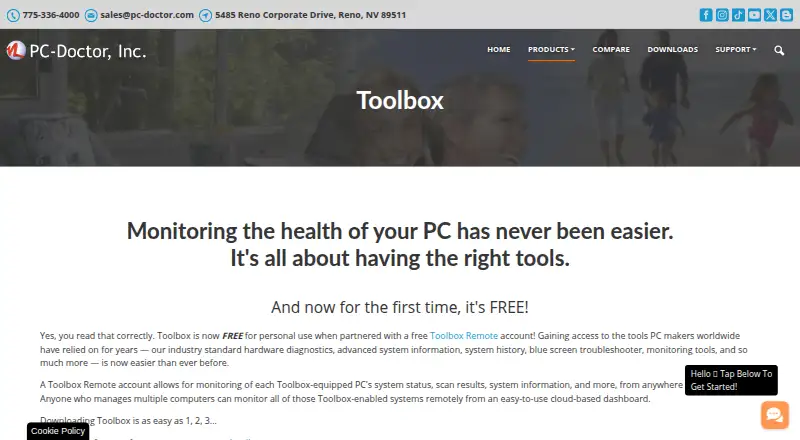
PC-Doctor Toolbox is Windows software for diagnosing hardware problems and monitoring PC health. It is aimed at individuals, families, home-office workers, technicians, and small system builders, with particular value for Windows technicians who need a broad set of checks in one application. The product covers storage, graphics, memory, CPU, networking, audio, system boards, and peripherals. It also provides system information, component inventory, system history, notifications, Blue Screen Troubleshooter features, and a cloud-based Toolbox Remote dashboard.
Pricing is divided between Personal and Commercial plans. The free Personal version is for personal use, supports up to five Windows systems, and includes hardware diagnostics and system monitoring. It requires a Toolbox Remote account, with opt-in technical and interaction data sharing. The Commercial plan is listed at $19.99 one-time and adds a commercial use license, while allowing Toolbox use without a free Toolbox Remote account. Volume discounts are available. For technicians and small system builders, the commercial plan is the relevant option because personal-use terms do not cover commercial work.
The main strength is breadth: more than 300 tests are paired with quick, full, and stress testing, real-time monitoring, failed-test and system-issue notifications, change history, and diagnostic reports. That combination supports both targeted troubleshooting and wider PC health reviews. The Windows-only scope narrows its fit for mixed-platform environments, and the Personal plan’s account requirement adds an onboarding step. Choose PC-Doctor Toolbox when extensive Windows hardware coverage and ongoing system visibility matter; choose another tool when cross-platform support or a personal plan without a Toolbox Remote account is essential.
Your product? Our editors can test PC-Doctor Toolbox in depth and publish a review, labelled as paid · from $149/mo →
PC-Doctor Toolbox pricing
All 2 PC-Doctor Toolbox plans and prices →
PC-Doctor Toolbox fact sheet
| Free plan | Yes |
|---|---|
| Paid from | Not verified |
| Platform support | Windows |
| Stress testing | Yes |
| Memory testing | Yes |
| Disk health checks | Yes |
| GPU testing | Yes |
| Bootable diagnostic media | Not verified |
| Diagnostic reports | Yes |
| Deployment | Cloud, Desktop |
| Platforms | Windows |
| Support | Email, Phone, Tickets, Docs |
| Built for | Solo, Small business, Mid-market (editorial estimate) |
| Pricing | Free plan (source) |
| Website | pc-doctor.com |
| Facts checked | 20 Sep 2026 |
Alternatives to PC-Doctor Toolbox
- HP PC Hardware DiagnosticsFree Windows and UEFI diagnostics with stress tests, logs, and failure IDs.9.3
- Blackwire Hardware DiagnosticsBroad bootable hardware diagnostics with a free plan and optional reporting tiers.9.2
- BurnInTestA broad burn-in toolkit for teams diagnosing multiple hardware components.8.8


See all PC-Doctor Toolbox alternatives →
PC-Doctor Toolbox vs the competition
- PC-Doctor Toolbox vs HP PC Hardware Diagnostics
- PC-Doctor Toolbox vs Blackwire Hardware Diagnostics
- PC-Doctor Toolbox vs BurnInTest
- PC-Doctor Toolbox vs Eurosoft Pc-Check
- PC-Doctor Toolbox vs Ultimate Boot CD
- PC-Doctor Toolbox vs Hard Disk Sentinel



Compare PC-Doctor Toolbox with any tool side by side →
Used PC-Doctor Toolbox? Be the first to review it
The editor score above is our own research. What this page doesn't have yet is a reader's view — what you used PC-Doctor Toolbox for, what worked and what didn't. No stars are seeded and no review is paid for; an editor reads every one before it appears.
Write a reviewTwo minutes · verified accounts only · read by an editor before it appears
Featured on iTechGuides

PC-Doctor Toolbox is listed in our Hardware Diagnostic Software directory. Add the badge to your site — it links back to this page.
<a href="https://www.itechguides.com/products/pc-doctor-toolbox/"><img src="https://www.itechguides.com/best/badge/pc-doctor-toolbox.svg" alt="Featured on iTechGuides" width="230" height="46"></a>
Reviewed by iTechGuides Editors · Editorial team · Updated Oct 2026
Advertiser disclosure: iTechGuides is reader-supported. Vendors can pay for top positions in our rankings and for a place on other products' pages, and we may earn a commission when you click some links. Bought places stand at the number bought; this page and our disclosure say so. Paying vendors may get a fuller, more detailed review from our editors, and that review can change their score. How we rank.
Last updated · How we research and update