Mail Backup X
Mail Backup X: A capable desktop backup tool for mixed email sources and flexible restore needs. Ranked #15 of 31 in Email Backup Software by our editors (7.9/10); pricing: 15-day trial; best for individuals and small teams backing up mixed email.
At a glance
- Editor score7.9 / 10
- Pricing15-day trial
- Best forIndividuals and small teams backing up mixed email
- Free planNo
- Facts checked20 Sep 2026
Where it wins
- Backs up desktop clients, IMAP, and Microsoft Exchange
- Searchable archives with selective or full email restoration
- Supports local, cloud, FTP, USB, encryption, and common exports
Where it doesn't
- Personal Edition is limited to 5 mail profiles
- Runs only on Windows and macOS
- No permanent free plan; trial lasts 15 days
Our verdict on Mail Backup X
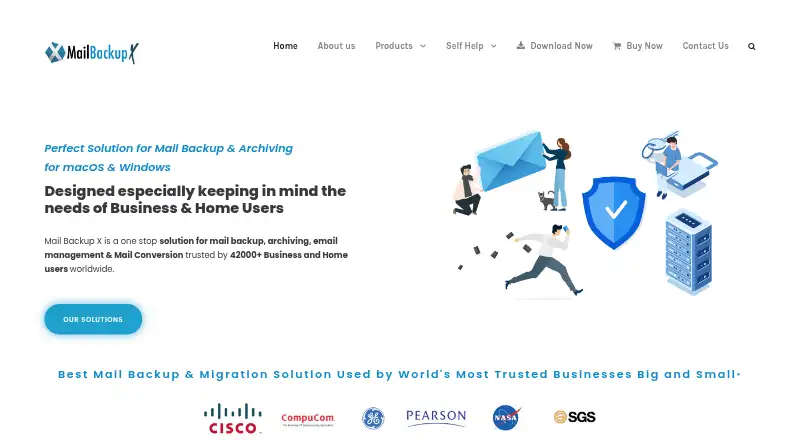
Mail Backup X is desktop software for individuals, home users, teams, and small businesses that need to preserve email from varied sources. It runs on Windows and macOS and supports desktop mail clients, IMAP services, and Microsoft Exchange. Automated incremental backups, searchable archives, selective restoration, format conversion, compression, encryption, and USB synchronization give it a broad role across backup and archiving workflows. Supported providers include Gmail, Yahoo, Outlook.com, AOL, Yandex, mail.ru, iCloud Mail, Proton Mail, Zoho, GMX, web.de, cPanel-hosted email, IMAP, and Microsoft Exchange.
Pricing uses one-time license prices rather than a monthly subscription structure. The Personal Edition costs $59 and covers up to 5 mail profiles on 2 computers, with macOS and Windows compatibility and maintenance updates for 1 year. Optional maintenance updates cost $20 per year after that period. A $20 Top Up Profile Pack adds 10 mail profiles to Personal Edition. Team Edition costs $275 for 5 users, $490 for 10, $800 for 20, or $1,050 for 30; each tier supports up to 5 mail profiles per user and includes remote backup administration and status dashboard features. A 15-day trial is available.
Its strongest distinction is the combination of flexible destinations and recovery options. Backups can go to local storage, cloud storage, FTP servers, or USB devices, with integrations for Google Drive, Microsoft OneDrive, Dropbox, and FTP. Searchable archives and built-in viewers help locate messages, while exports to EML, PST, RGE, and MBOX support format changes. Individuals should consider it when mixed email sources and granular restoration matter. Small teams gain centralized administration, but organizations needing platforms beyond Windows and macOS should look elsewhere.
Your product? Our editors can test Mail Backup X in depth and publish a review, labelled as paid · from $149/mo →
Mail Backup X pricing
All 7 Mail Backup X plans and prices →
Mail Backup X fact sheet
| Free plan | No |
|---|---|
| Paid from | Not verified |
| Retention period | Not verified |
| Backup frequency | Continuous |
| Mailbox limit | 5 mailboxes |
| Granular restore | Yes |
| Point-in-time restore | Not verified |
| Alternate restore | Yes |
| Supported providers | Gmail, Yahoo, Outlook.com, AOL, Yandex, mail.ru, iCloud Mail, Proton Mail, Zoho, GMX, web.de, cPanel-hosted email, IMAP, Microsoft Exchange |
| Free trial | 15 days · no card needed |
| Money-back guarantee | 30 days |
| Deployment | Desktop |
| Platforms | Windows, macOS |
| Support | Email, Docs · 24/7 |
| Built for | Solo, Small business, Mid-market, Enterprise (editorial estimate) |
| Integrations | 4 integrations: Google Drive, Microsoft OneDrive, Dropbox, FTP server |
| Pricing | 15-day trial (source) |
| Website | mailbackupx.com |
| Facts checked | 20 Sep 2026 |
Mail Backup X integrations
Mail Backup X lists 4 integrations on its own site.
- Google Drive
- Microsoft OneDrive
- Dropbox
- FTP server
Alternatives to Mail Backup X
- Synology Active Backup for SaaSA free self-hosted option for centralized Microsoft 365 and Google Workspace backup.9.3
- KeepitA governance-focused SaaS backup platform with broad connectors and granular recovery.9.2
- Veeam Backup for Microsoft 365A broad Microsoft 365 backup option for teams managing their own storage and infrastructure.9.1



See all Mail Backup X alternatives →
Used Mail Backup X? Be the first to review it
The editor score above is our own research. What this page doesn't have yet is a reader's view — what you used Mail Backup X for, what worked and what didn't. No stars are seeded and no review is paid for; an editor reads every one before it appears.
Write a reviewTwo minutes · verified accounts only · read by an editor before it appears
Featured on iTechGuides

Mail Backup X is listed in our Email Backup Software directory. Add the badge to your site — it links back to this page.
<a href="https://www.itechguides.com/products/mail-backup-x/"><img src="https://www.itechguides.com/best/badge/mail-backup-x.svg" alt="Featured on iTechGuides" width="230" height="46"></a>
Reviewed by iTechGuides Editors · Editorial team · Updated Oct 2026
Advertiser disclosure: iTechGuides is reader-supported. Vendors can pay for top positions in our rankings and for a place on other products' pages, and we may earn a commission when you click some links. Bought places stand at the number bought; this page and our disclosure say so. Paying vendors may get a fuller, more detailed review from our editors, and that review can change their score. How we rank.
Last updated · How we research and update