
Magic Uneraser
Magic Uneraser: A broad file-recovery tool with previews, disk images, and flexible export options. Ranked #60 of 129 in Data Recovery Software by our editors (4.2/10); pricing: Paid; best for cross-platform file recovery with flexible exports.
At a glance
- Editor score4.2 / 10
- PricingPaid
- Best forCross-platform file recovery with flexible exports
- Free planNo
- Founded2002
- Facts checked19 Sep 2026
Where it wins
- Supports Windows, macOS, and Linux recovery workflows
- Recovers from formatted, repartitioned, and inaccessible volumes
- Offers previews, disk images, ZIP, local-drive, and FTP exports
Where it doesn't
- It is a paid product with no free plan
- The free trial is limited to scanning and previewing files
- Its scope does not include RAID or bootable recovery
Our verdict on Magic Uneraser
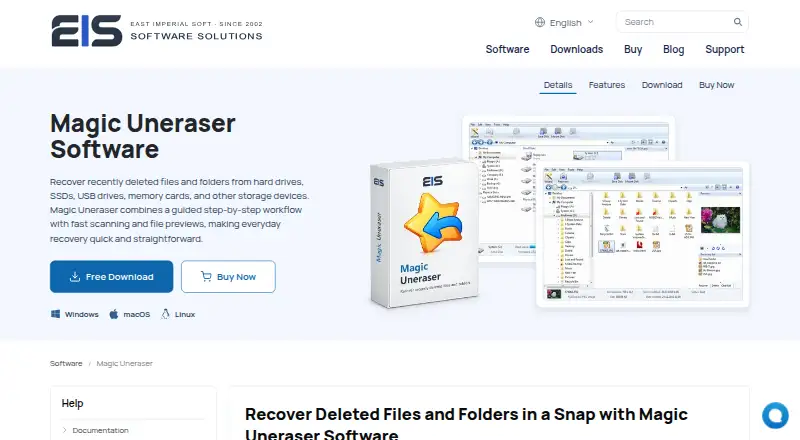
Magic Uneraser is paid data recovery software for restoring deleted files and folders from hard drives, SSDs, USB drives, memory cards, cameras, and other supported devices. It targets individuals and organizations that need file recovery across Windows, macOS, and Linux, including recovery from formatted, repartitioned, or inaccessible volumes. Its source coverage includes internal and external drives, flash storage, memory cards, digital cameras, MP3 players, and USB-connected devices. A recovery wizard, searchable file listings, filters, and previews help users identify recoverable content before saving it.
The product is offered in Home, Office, and Commercial editions. The free trial supports scanning and previewing recoverable files before purchase, while the product itself is paid. This makes Magic Uneraser more suitable for buyers who need to complete recovery rather than only assess whether files can be found. The plan structure gives buyers edition choices, but the practical difference between those editions is not described here. Recovery exports can go to ZIP, a local drive, or FTP, providing several ways to store recovered files.
Its strongest fit is cross-platform recovery with a broad range of source devices and file-system scenarios. Content-aware recovery using file signatures, fast file-system scanning, disk-image recovery, and read-only source protection add useful control for recovery work. The product is less suitable when RAID or bootable recovery is central to the workflow, or when a no-cost recovery option is required. Choose Magic Uneraser for guided recovery, file previews, and export flexibility across supported operating systems; choose an alternative for those specialized recovery requirements.
Your product? Our editors can test Magic Uneraser in depth and publish a review, labelled as paid · from $149/mo →
Magic Uneraser pricing
Magic Uneraser fact sheet
| Free plan | No |
|---|---|
| Paid from | Not verified |
| Recovery sources | HDD, SSD, SSHD, internal disks, external USB drives, USB flash drives, memory cards, SD cards, CompactFlash cards, digital cameras, MP3 players, USB-connected devices |
| Operating systems | Windows, macOS, Linux |
| Free recovery limit | Not verified |
| Memory card recovery | Yes |
| RAID recovery | Not verified |
| Bootable recovery | Not verified |
| File preview | Yes |
| Deployment | Desktop |
| Platforms | Windows, macOS, Linux |
| Pricing | Paid (source) |
| Website | magicuneraser.com |
| Facts checked | 19 Sep 2026 |
Alternatives to Magic Uneraser
- R-StudioA broad recovery toolkit for professionals handling disks, RAID, images, and networks.9.3
- TestDiskA capable free choice for partition repair, filesystem recovery, and file undelete.9.1
- RecoveritA broad recovery toolkit with strong media repair and storage-device coverage.9.0


See all Magic Uneraser alternatives →
Used Magic Uneraser? Be the first to review it
The editor score above is our own research. What this page doesn't have yet is a reader's view — what you used Magic Uneraser for, what worked and what didn't. No stars are seeded and no review is paid for; an editor reads every one before it appears.
Write a reviewTwo minutes · verified accounts only · read by an editor before it appears
Featured on iTechGuides

Magic Uneraser is listed in our Data Recovery Software directory. Add the badge to your site — it links back to this page.
<a href="https://www.itechguides.com/products/magic-uneraser/"><img src="https://www.itechguides.com/best/badge/magic-uneraser.svg" alt="Featured on iTechGuides" width="230" height="46"></a>
Reviewed by iTechGuides Editors · Editorial team · Updated Sep 2026
Advertiser disclosure: iTechGuides is reader-supported. Vendors can pay for top positions in our rankings and for a place on other products' pages, and we may earn a commission when you click some links. Bought places stand at the number bought; this page and our disclosure say so. Paying vendors may get a fuller, more detailed review from our editors, and that review can change their score. How we rank.
Last updated · How we research and update