MacKiosk
MacKiosk: A low-cost Mac kiosk browser with useful controls but no verified remote management. Ranked #18 of 20 in Kiosk Browsers by our editors (7.1/10); pricing: Paid; best for simple low-cost macOS kiosks.
At a glance
- Editor score7.1 / 10
- PricingPaid
- Best forSimple low-cost macOS kiosks
- Free planNo
- Paid from$4.99 one-time
- Facts checked20 Sep 2026
Where it wins
- Full-screen browsing with whitelist and blacklist filtering
- Password-protected exit and automatic session clearing after 20 minutes idle
- Presentation mode, local HTML support, and multi-display configuration
Where it doesn't
- Supports macOS only
- No verified remote management
- No free plan; the Kiosk plan costs $4.99 one-time
Our verdict on MacKiosk
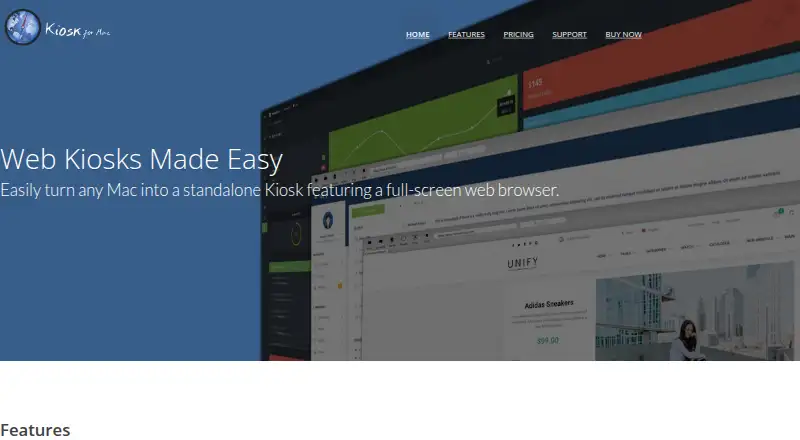
MacKiosk is a macOS application for turning a Mac into a standalone, full-screen web kiosk. It is designed for public browsing stations, event registration, informational displays, marketing screens, and other dedicated Mac deployments. The product combines a full-screen web browser with configurable home pages, hidden browser controls, single-page browsing, tabbed browsing, and password-protected browser exit. Website whitelist and blacklist filtering help restrict where visitors can browse, while session clearing removes an idle session after 20 minutes.
Pricing is straightforward: the Kiosk plan costs $4.99 USD as a one-time purchase. It includes the full-screen browser, website filtering, session clearing, presentation mode, local file support, and multi-display support. The published plan structure keeps the product easy to evaluate for a single Mac kiosk or a small collection of dedicated machines. Its low one-time price is a strong fit when the deployment does not require recurring software costs or a broader administrative platform.
MacKiosk’s strongest area is its range of on-device kiosk and presentation controls. It supports local HTML files, automatic page refresh, tab cycling, multi-display configuration, and display mirroring, making it suitable for both interactive stations and rotating information screens. The main constraint is platform and management scope: it supports macOS only, and remote management is not verified. Organizations needing centralized oversight across many devices should consider an alternative with confirmed remote administration. MacKiosk is better suited to simple, low-cost Mac kiosk deployments where local configuration and basic browsing restrictions are sufficient.
Your product? Our editors can test MacKiosk in depth and publish a review, labelled as paid · from $149/mo →
MacKiosk pricing
All 1 MacKiosk plans and prices →
MacKiosk fact sheet
| Free plan | No |
|---|---|
| Paid from | $4.99 one-time |
| Deployment mode | Not verified |
| Supported platforms | macOS |
| URL allowlisting | Yes |
| Remote management | Not verified |
| Session reset | Yes |
| Digital signage support | Yes |
| Browser engine | Not verified |
| Deployment | Desktop |
| Platforms | macOS |
| Support | Email, Phone, Docs |
| Built for | Solo, Small business (editorial estimate) |
| Pricing | Paid (source) |
| Website | mackiosk.com |
| Facts checked | 20 Sep 2026 |
Alternatives to MacKiosk
- SiteKioskA broad kiosk control suite for managed Windows and Android deployments.9.4
- KioWareA mature kiosk platform for multi-platform deployments with paid, per-device plans.9.1
- Hexnode Kiosk BrowserA paid, cross-platform kiosk browser with policy controls, resets, signage, and UEM management.8.9



See all MacKiosk alternatives →
Used MacKiosk? Be the first to review it
The editor score above is our own research. What this page doesn't have yet is a reader's view — what you used MacKiosk for, what worked and what didn't. No stars are seeded and no review is paid for; an editor reads every one before it appears.
Write a reviewTwo minutes · verified accounts only · read by an editor before it appears
Featured on iTechGuides

MacKiosk is listed in our Kiosk Browsers directory. Add the badge to your site — it links back to this page.
<a href="https://www.itechguides.com/products/mackiosk/"><img src="https://www.itechguides.com/best/badge/mackiosk.svg" alt="Featured on iTechGuides" width="230" height="46"></a>
Reviewed by iTechGuides Editors · Editorial team · Updated Oct 2026
Advertiser disclosure: iTechGuides is reader-supported. Vendors can pay for top positions in our rankings and for a place on other products' pages, and we may earn a commission when you click some links. Bought places stand at the number bought; this page and our disclosure say so. Paying vendors may get a fuller, more detailed review from our editors, and that review can change their score. How we rank.
Last updated · How we research and update