Lokus
Lokus: A free, open-source Markdown workspace for linked notes, graphs, and visual thinking. Ranked #60 of 214 in Note-Taking Apps by our editors (3.2/10); pricing: Free plan; best for open-source users wanting visual linked-note workflows.
At a glance
- Editor score3.2 / 10
- PricingFree plan
- Best forOpen-source users wanting visual linked-note workflows
- Free planYes
- Paid fromFree
- Offline accessYes
- Facts checked21 Sep 2026
Where it wins
- Stores notes as standard Markdown files with offline access
- Combines backlinks, graphs, canvas, templates, and task tools
- Runs on macOS, Windows, and Linux with plugins and custom themes
Where it doesn't
- Real-time collaboration is not available
- Verified integrations are limited to Claude MCP
- Commercial use requires licensing for competing products or services
Our verdict on Lokus
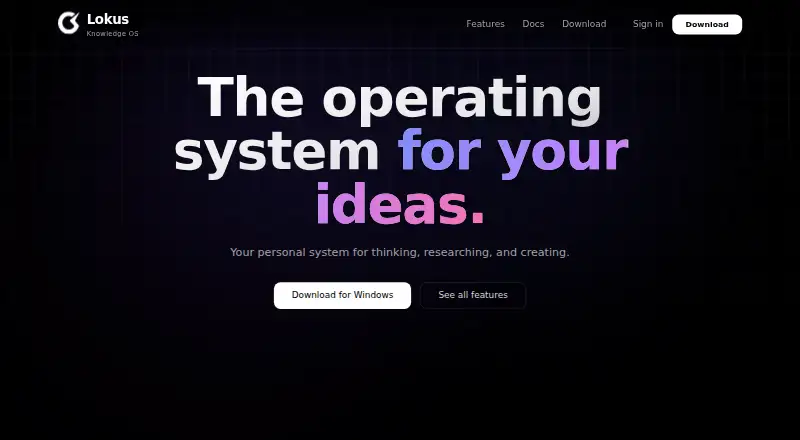
Lokus is a local-first note-taking and knowledge-management application for people who want their notes stored as standard Markdown files on their own devices. It is designed for students, researchers, professionals, writers, and other knowledge workers who prefer connected notes, visual organization, and offline access. The desktop application runs on macOS, Windows, and Linux. Its core workspace includes a rich Markdown editor with live preview, syntax highlighting, tables, code blocks, and math support, along with bidirectional wiki links and automatic backlinks.
For knowledge organization, Lokus goes beyond a basic notebook. Interactive 2D and 3D graph views show relationships between notes, while an infinite canvas supports visual thinking and diagrams. Full-text search, tags, folders, daily notes, tasks, and Kanban boards cover several common workflows. Its template system supports variables, conditionals, loops, and date operations. Custom themes can be edited live, and a community plugin marketplace extends the application. Optional encrypted sync is documented by the vendor, while local Markdown storage keeps offline work central to the product.
Lokus is free and open source, with the vendor describing it as free for personal use and education or research. Commercial licensing is required for competing products or services. The published platform details identify Claude MCP as its integration and list artificial-intelligence features, but collaboration is not available and collaborative editing appears on the repository roadmap as a future item. Choose Lokus if local files, Markdown portability, linked-note exploration, graphs, and canvas tools matter more than team editing or a broad integration ecosystem. Users seeking real-time collaboration or extensive verified integrations should consider a different note-taking app.
Questions about Lokus
What does Lokus run on? Windows, macOS and Linux. It runs as a desktop app.
What does Lokus integrate with? 1 integration: Claude MCP.
Who is Lokus built for? Solo users and small businesses (our editorial estimate).
Your product? Our editors can test Lokus in depth and publish a review, labelled as paid · from $149/mo →
Lokus pricing
Lokus fact sheet
| Free plan | Yes |
|---|---|
| Paid from | Free |
| Offline access | Yes |
| Supported platforms | macOS, Windows, Linux |
| Note sharing | Not verified |
| Real-time collaboration | No |
| Storage limit | Not verified |
| Integrations | Claude MCP |
| Deployment | Desktop |
| Platforms | Windows, macOS, Linux |
| Support | Community, Docs |
| Built for | Solo, Small business (editorial estimate) |
| Integrations | 1 integrations: Claude MCP |
| Pricing | Free plan |
| Website | lokusmd.com |
| Facts checked | 21 Sep 2026 |
Lokus integrations
Lokus lists 1 integrations on its own site.
- Claude MCP
Alternatives to Lokus
- Microsoft OneNoteA broad, collaborative note system with strong Microsoft integration and a capable free option.9.3
- NotionA flexible workspace for teams that want notes and knowledge bases alongside databases and collaboration.9.2
- EvernoteA broad note-taking workspace for organizing information, tasks, calendars, and documents.9.0


Used Lokus? Be the first to review it
The editor score above is our own research. What this page doesn't have yet is a reader's view — what you used Lokus for, what worked and what didn't. No stars are seeded and no review is paid for; an editor reads every one before it appears.
Write a reviewTwo minutes · verified accounts only · read by an editor before it appears
Featured on iTechGuides

Lokus is listed in our Note-Taking Apps directory. Add the badge to your site — it links back to this page.
<a href="https://www.itechguides.com/products/lokus/"><img src="https://www.itechguides.com/best/badge/lokus.svg" alt="Featured on iTechGuides" width="230" height="46"></a>
Reviewed by iTechGuides Editors · Editorial team · Updated Nov 2026
Advertiser disclosure: iTechGuides is reader-supported. Vendors can pay for top positions in our rankings and for a place on other products' pages, and we may earn a commission when you click some links. Bought places stand at the number bought; this page and our disclosure say so. Paying vendors may get a fuller, more detailed review from our editors, and that review can change their score. How we rank.
Last updated · How we research and update