
LightlyStudio
LightlyStudio: A broad open-source workspace for curating, labeling, reviewing, and exporting vision data. Ranked #14 of 24 in Data Labeling Software by our editors (6.0/10); pricing: Free plan; best for open-source dataset curation and vision labeling.
At a glance
- Editor score6.0 / 10
- PricingFree plan
- Best forOpen-source dataset curation and vision labeling
- Free planYes
- Paid fromNone
- Model-assisted labelingYes
- Founded2019 · Zurich, Switzerland
- Facts checked21 Sep 2026
Where it wins
- Combines curation, annotation, review, embeddings, and export in one workflow
- Supports image and video labeling with classification, detection, and segmentation
- Offers Python APIs, format support, plugins, and hosted or on-premise deployment
Where it doesn't
- Its primary labeling focus is computer vision rather than dedicated text annotation
- Enterprise capabilities such as multi-user controls require the Enterprise variant
- The breadth of features may exceed the needs of teams seeking basic annotation only
Our verdict on LightlyStudio
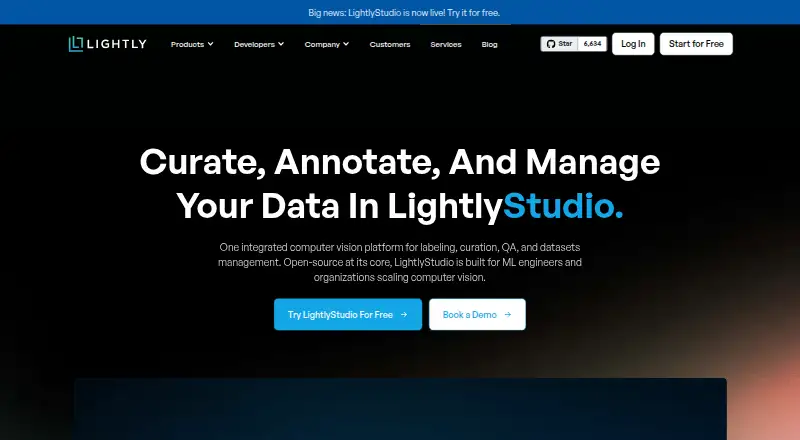
LightlyStudio is an open-source data workflow tool for computer vision teams managing image and video datasets. It brings together dataset management, sampling, filtering, deduplication, outlier discovery, annotation, quality review, model evaluation, and export. Annotation supports classification, object detection, and segmentation, while text and image similarity search uses embeddings. The local open-source version runs on Windows, macOS, and Linux, with API and self-hosted options also available. It is best suited to teams that want dataset curation and vision labeling in the same environment.
Its main strength is breadth within computer vision data work. Teams can use Python APIs for dataset loading, querying, annotation, and export, and can work with COCO, YOLO, Pascal VOC, and other annotation formats. Custom workflow plugins extend the process, while model-assisted labeling is available through SAM3 and LightlyTrain plugins. These capabilities make LightlyStudio a fit for workflows that need more than drawing labels, particularly when review, filtering, similarity search, and dataset quality are part of the same process.
Deployment flexibility is another important distinction. The open-source version runs locally, while LightlyStudio Enterprise provides hosted and on-premise deployments, multi-user access controls, shared datasets, and centrally managed cloud credentials. That gives organizations a path from local dataset work to managed team environments. The trade-off is focus: LightlyStudio is centered on computer vision, so teams seeking a dedicated text-labeling workflow should consider a more specialized alternative. Teams that need image or video annotation alongside curation, review, model assistance, Python access, and flexible deployment should pick LightlyStudio.
LightlyStudio pricing
LightlyStudio fact sheet
| Free plan | Yes |
|---|---|
| Paid from | None |
| Image annotation | Yes |
| Text annotation | Not verified |
| Audio/video annotation | Yes |
| Model-assisted labeling | Yes |
| Review workflow | Yes |
| API or SDK access | Yes |
| Deployment | Both |
| Deployment | Cloud, Self-hosted |
| Platforms | Web, Windows, macOS, Linux |
| Compliance & security | ISO 27001 |
| Support | Email, Community, Docs |
| Built for | Solo, Small business, Mid-market, Enterprise (editorial estimate) |
| Pricing | Free plan |
| Website | lightly.ai |
| Facts checked | 21 Sep 2026 |
Alternatives to LightlyStudio
- ArgillaA free, open-source option for teams labeling text and multimodal AI data.9.0
- PotatoA broad self-hosted labeling platform for multimodal datasets and model-assisted workflows.8.2
- CVATCVAT combines broad annotation tools, AI assistance, collaboration, and open-source deployment.7.9



See all LightlyStudio alternatives →
Also listed in
Used LightlyStudio? Be the first to review it
The editor score above is our own research. What this page doesn't have yet is a reader's view — what you used LightlyStudio for, what worked and what didn't. No stars are seeded and no review is paid for; an editor reads every one before it appears.
Write a reviewTwo minutes · verified accounts only · read by an editor before it appears
Featured on iTechGuides

LightlyStudio is listed in our Data Labeling Software directory. Add the badge to your site — it links back to this page.
<a href="https://www.itechguides.com/products/lightlystudio/"><img src="https://www.itechguides.com/best/badge/lightlystudio.svg" alt="Featured on iTechGuides" width="230" height="46"></a>
Reviewed by iTechGuides Editors · Editorial team · Updated Sep 2026
Advertiser disclosure: iTechGuides is reader-supported. We may earn a commission when you click some links. How we rank.
Last updated · How we research and update