
Lean
Lean: A kernel-checked Lean 4 environment for formal mathematics and verified programs. Ranked #5 of 35 in Formal Verification Tools by our editors (9.1/10); pricing: Open source; best for modern dependent-type verification.
At a glance
- Editor score9.1 / 10
- PricingOpen source
- Best forModern dependent-type verification
- Paid fromFree
- Verification methodDeductive
- Founded2013
- Facts checked20 Sep 2026
Where it wins
- Kernel-based checking produces independently checkable proof terms.
- Tactics and metaprogramming support extensible proof automation.
- Works across web, desktop, Linux, and self-hosted environments.
Where it doesn't
- Its formalism focus is theorem-proving rather than a broad multi-formalism toolkit.
- The listed editor integration is centered on Visual Studio Code.
- Lean 4 is the listed input language for formalization workflows.
Our verdict on Lean
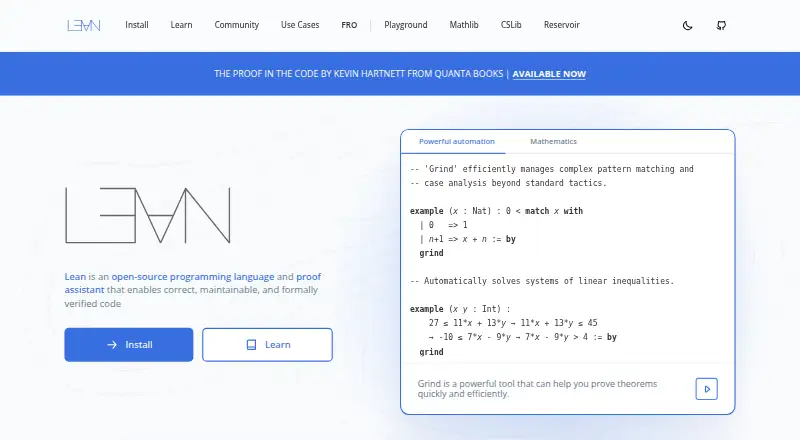
Lean combines interactive theorem proving with a dependently typed functional programming language. It is intended for formalizing mathematics, verifying software and hardware, and developing reliable programs. The open-source distribution supports local development through a command-line toolchain and editor integrations, while a browser-based environment provides web access. This makes Lean a fit for teams and individual developers working with dependent types, formal proofs, and functional programs across Windows, macOS, Linux, web, or self-hosted deployments.
Its verification model centers on a small kernel that checks formal proof terms. Tactic-based automation helps construct proofs, while metaprogramming provides a way to extend automation for more specialized workflows. Lean also supports independent proof checking and exported proof objects, giving formal results a portable artifact. Functional programming and native compilation broaden its use beyond proof scripts, although theorem proving remains the core focus. The published feature set therefore suits users who need deductive verification with explicit proof artifacts and Lean 4 source.
Lean’s ecosystem includes Visual Studio Code integration with syntax highlighting and code completion, extensive documentation, Mathlib, and community support through Zulip. The browser-based environment adds another route into the platform, alongside local toolchains and self-hosted deployment. Its main boundary is focus: supported formalisms are centered on theorem-proving rather than a wider collection of verification approaches, and the listed editor integration is Visual Studio Code. Choose Lean for modern dependent-type verification and kernel-checked proofs; consider an alternative when a broader formalism mix or a different primary input language is required.
Questions about Lean
What does Lean run on? Web, Windows, macOS and Linux. It runs in the cloud and self-hosted.
What does Lean integrate with? 1 integration: Visual Studio Code.
Who is Lean built for? Solo users, small businesses, mid-market companies and enterprises (our editorial estimate).
Your product? Our editors can test Lean in depth and publish a review, labelled as paid · from $149/mo →
Lean pricing
Lean fact sheet
| Free plan | Not verified |
|---|---|
| Paid from | Free |
| Verification method | Deductive |
| Supported formalisms | Theorem-proving |
| Counterexamples | Not verified |
| Proof artifacts | Yes |
| Input languages | Lean 4 |
| Deployment | Both |
| Deployment | Cloud, Self-hosted |
| Platforms | Web, Windows, macOS, Linux |
| Support | Community, Docs |
| Built for | Solo, Small business, Mid-market, Enterprise (editorial estimate) |
| Integrations | 1 integrations: Visual Studio Code |
| Pricing | Open source |
| Website | lean-lang.org |
| Facts checked | 20 Sep 2026 |
Lean integrations
Lean lists 1 integrations on its own site.
- Visual Studio Code
Alternatives to Lean
- IsabelleA free, open-source proof assistant for broad mathematical and systems verification.9.4
- RocqA free, kernel-checked theorem prover with dependent types, automation, and certified extraction.9.3
- PVSA broad, self-hosted environment for hybrid formal verification workflows.9.2

Lean vs the competition

Compare Lean with any tool side by side →
Used Lean? Be the first to review it
The editor score above is our own research. What this page doesn't have yet is a reader's view — what you used Lean for, what worked and what didn't. No stars are seeded and no review is paid for; an editor reads every one before it appears.
Write a reviewTwo minutes · verified accounts only · read by an editor before it appears
Featured on iTechGuides

Lean is listed in our Formal Verification Tools directory. Add the badge to your site — it links back to this page.
<a href="https://www.itechguides.com/products/lean/"><img src="https://www.itechguides.com/best/badge/lean.svg" alt="Featured on iTechGuides" width="230" height="46"></a>
Reviewed by iTechGuides Editors · Editorial team · Updated Nov 2026
Advertiser disclosure: iTechGuides is reader-supported. Vendors can pay for top positions in our rankings and for a place on other products' pages, and we may earn a commission when you click some links. Bought places stand at the number bought; this page and our disclosure say so. Paying vendors may get a fuller, more detailed review from our editors, and that review can change their score. How we rank.
Last updated · How we research and update