leafmap
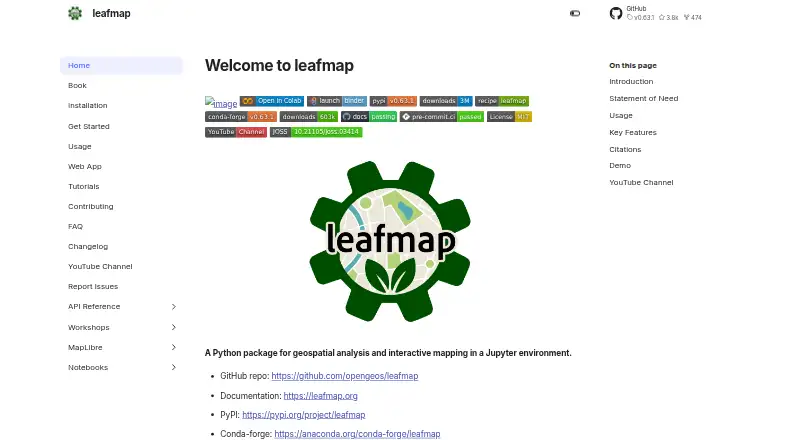
leafmap: A free Python library for notebook-based mapping, spatial analysis, and web apps. Ranked #21 of 64 in GIS Software by our editors (7.2/10); pricing: Free plan; best for jupyter-based geospatial visualization.
At a glance
- Editor score7.2 / 10
- PricingFree plan
- Best forJupyter-based geospatial visualization
- Free planYes
- Paid fromFree
- Spatial analysisAdvanced
- Facts checked24 Sep 2026
Where it wins
- Supports several mapping backends, including ipyleaflet, folium, and kepler.gl
- Visualizes and edits vector data, and displays raster and GeoTIFF data
- Connects notebook maps with WhiteboxTools, STAC, and web-app frameworks
Where it doesn't
- Requires a Python and Jupyter-oriented workflow
- Combines many backends, so users must choose a mapping approach
- Docs and community are the listed support channels
Our verdict on leafmap
Leafmap is a free, open-source Python library for interactive mapping and geospatial analysis in Jupyter environments. Researchers, geospatial data scientists, developers, and notebook-oriented learners can use it to display and edit vector data, visualize rasters, explore tiled services, and create map visualizations. It is a library rather than a hosted SaaS product, so it fits teams building geospatial workflows in Python better than buyers looking for a turnkey mapping service.
Its breadth is a defining strength: leafmap supports mapping backends including ipyleaflet, folium, kepler.gl, pydeck, and bokeh, alongside GeoPandas, PostGIS, and STAC integrations. Features span choropleths, heat maps, time-series visualization, raster pixel inspection, and WhiteboxTools-based analysis. That range can support varied notebook tasks, but also makes the project more developer-oriented than a focused point-and-click GIS. Users should be comfortable selecting tools and working in a coding environment.
Leafmap also extends beyond notebooks, with interactive web-app development through Voila, Streamlit, and Solara, plus MapLibre dashboard and 3D mapping examples. The published deployment options include cloud and self-hosted use, while support channels are documentation and community. These options suit people who want to carry notebook maps into lightweight applications, but organizations seeking a packaged SaaS with dedicated support should consider a different kind of product. Choose leafmap for flexible Python-based geospatial visualization and analysis; look elsewhere if a managed, non-code GIS is the priority.
Your product? Our editors can test leafmap in depth and publish a review, labelled as paid · from $149/mo →
leafmap pricing
leafmap fact sheet
| Free plan | Yes |
|---|---|
| Paid from | Free |
| Deployment | Hybrid |
| Spatial analysis | Advanced |
| Web mapping | Yes |
| Dashboard builder | Yes |
| Raster data support | Yes |
| Mobile apps | Not verified |
| Deployment | Cloud, Self-hosted |
| Platforms | Web |
| Support | Docs, Community |
| Built for | Solo, Small business, Mid-market (editorial estimate) |
| Integrations | 12 integrations: ipyleaflet, folium, kepler.gl, pydeck, bokeh, WhiteboxTools … |
| Pricing | Free plan |
| Website | leafmap.org |
| Facts checked | 24 Sep 2026 |
leafmap integrations
leafmap lists 12 integrations on its own site.
- ipyleaflet
- folium
- kepler.gl
- pydeck
- bokeh
- WhiteboxTools
- GeoPandas
- STAC
- PostGIS
- Voila
- Streamlit
- Solara
Alternatives to leafmap
- QGISA broad, no-cost GIS for advanced analysis, editing, mapping, and publishing.9.4
- GRASS GISA deep analytical GIS for technical teams that value open-source and scripted workflows.9.2
- Google Earth EngineA specialized GIS platform for large-scale satellite imagery, raster analysis, and geospatial computation.9.1



See all leafmap alternatives →
Used leafmap? Be the first to review it
The editor score above is our own research. What this page doesn't have yet is a reader's view — what you used leafmap for, what worked and what didn't. No stars are seeded and no review is paid for; an editor reads every one before it appears.
Write a reviewTwo minutes · verified accounts only · read by an editor before it appears
Featured on iTechGuides

leafmap is listed in our GIS Software directory. Add the badge to your site — it links back to this page.
<a href="https://www.itechguides.com/products/leafmap/"><img src="https://www.itechguides.com/best/badge/leafmap.svg" alt="Featured on iTechGuides" width="230" height="46"></a>
Reviewed by iTechGuides Editors · Editorial team · Updated Oct 2026
Advertiser disclosure: iTechGuides is reader-supported. Vendors can pay for top positions in our rankings and for a place on other products' pages, and we may earn a commission when you click some links. Bought places stand at the number bought; this page and our disclosure say so. Paying vendors may get a fuller, more detailed review from our editors, and that review can change their score. How we rank.
Last updated · How we research and update