
LABELVIEW
LABELVIEW: A Windows desktop labeler with strong data connections, forms, and print controls. Ranked #15 of 35 in Barcode Labeling Software by our editors (7.8/10); pricing: 30-day trial; best for windows teams needing forms and print logs.
At a glance
- Editor score7.8 / 10
- Pricing30-day trial
- Best forWindows teams needing forms and print logs
- Free planNo
- DeploymentDesktop
- Facts checked19 Sep 2026
Where it wins
- Connects to Excel, Access, SQL, cloud drives, and OData REST API
- Supports variable data, batch printing, and database print merge
- Provides forms, multilingual support, password protection, and print logs
Where it doesn't
- Runs on Windows rather than across multiple desktop platforms
- No free plan; the 3-year subscription starts at $893
- Edition, license configuration, and user count affect the final price
Our verdict on LABELVIEW
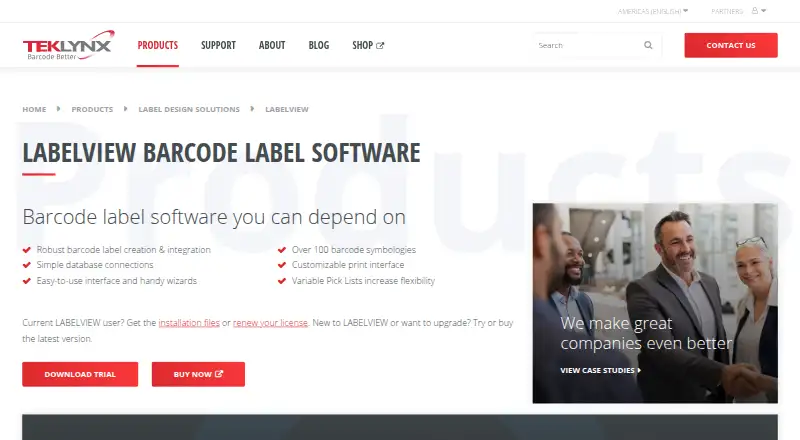
LABELVIEW is Windows desktop barcode label design and printing software for organizations with mid-level labeling requirements. It supports barcode creation, graphic and native barcode support, variable data, database connections, form-based data entry, and printer integration. The product is available in Pro and Gold editions, with single-user and network licensing options, making it a fit for teams that need structured label workflows rather than a basic standalone barcode generator.
Pricing is organized around the two editions. LABELVIEW Pro includes barcode creation, database connections, customizable data input screens, and single-user licensing. LABELVIEW Gold includes Pro features plus advanced design, integration, and automation tools, with single-user or network licensing. The published starting price is $893 for a 3-year subscription license, while the final price depends on edition, license configuration, and user count. A 30-day trial is available, and subscription or perpetual licensing options are offered.
Its strongest area is connecting label production to operational data. LABELVIEW can use Excel, Access, SQL databases, Google Drive, OneDrive, and OData REST API connections, while variable data can come from counters, dates, formulas, database fields, and print-time entry. Form Designer, batch printing, database print merge, TCP/IP printing, and printer-code conversion extend that workflow. Unicode font support and a multilingual interface broaden its fit, while label password protection and printing logs add control. Choose LABELVIEW when Windows-based forms, database-driven labels, and print records matter. Consider another option if cross-platform desktop access or a free plan is essential.
Your product? Our editors can test LABELVIEW in depth and publish a review, labelled as paid · from $149/mo →
LABELVIEW pricing
All 2 LABELVIEW plans and prices →
LABELVIEW fact sheet
| Free plan | No |
|---|---|
| Paid from | Not verified |
| Deployment | Desktop |
| Variable data | Yes |
| Batch printing | Yes |
| Data import | Yes |
| API access | Yes |
| Included users | Not verified |
| Print limit | Not verified |
| Free trial | 30 days |
| Deployment | Desktop |
| Platforms | Windows |
| Integrations | 6 integrations: Excel, Access, SQL databases, Google Drive, OneDrive, OData REST API |
| Pricing | 30-day trial (source) |
| Website | teklynx.com |
| Facts checked | 19 Sep 2026 |
LABELVIEW integrations
LABELVIEW lists 6 integrations on its own site.
- Excel
- Access
- SQL databases
- Google Drive
- OneDrive
- OData REST API
Alternatives to LABELVIEW
- BarcodeLabelGenA free, open-source workflow for designing, importing, and printing barcode labels.9.4
- ZPLabA free, open-source ZPL editor with validation, variable data, and batch printing.9.3
- PrintSpiritA broad labeling toolkit for teams that need APIs, databases, and remote printing.9.1

See all LABELVIEW alternatives →
Also Ranked In
LABELVIEW is ranked in 7 of our directories.
Used LABELVIEW? Be the first to review it
The editor score above is our own research. What this page doesn't have yet is a reader's view — what you used LABELVIEW for, what worked and what didn't. No stars are seeded and no review is paid for; an editor reads every one before it appears.
Write a reviewTwo minutes · verified accounts only · read by an editor before it appears
Featured on iTechGuides

LABELVIEW is listed in our Barcode Labeling Software directory. Add the badge to your site — it links back to this page.
<a href="https://www.itechguides.com/products/labelview/"><img src="https://www.itechguides.com/best/badge/labelview.svg" alt="Featured on iTechGuides" width="230" height="46"></a>
Reviewed by iTechGuides Editors · Editorial team · Updated Oct 2026
Advertiser disclosure: iTechGuides is reader-supported. Vendors can pay for top positions in our rankings and for a place on other products' pages, and we may earn a commission when you click some links. Bought places stand at the number bought; this page and our disclosure say so. Paying vendors may get a fuller, more detailed review from our editors, and that review can change their score. How we rank.
Last updated · How we research and update