Kyocera Cloud Print and Scan
Kyocera Cloud Print and Scan: A Kyocera-focused cloud service for secure release, scanning, quotas, and reporting. Ranked #28 of 37 in Print Management Software by our editors (6.0/10); pricing: Pricing on request; best for kyocera fleets needing cloud print and scan.
At a glance
- Editor score6.0 / 10
- PricingPricing on request
- Best forKyocera fleets needing cloud print and scan
- Secure releaseYes
- Facts checked20 Sep 2026
Where it wins
- Secure release with ID cards, PINs, or user credentials
- OneDrive, Google Drive, and Box print and scan integrations
- Group quotas plus print-usage and cost reporting
Where it doesn't
- Designed around compatible Kyocera multifunction printers
- Pricing requires contact with Kyocera sales
- Advanced workflows stay focused on print and scan management
Our verdict on Kyocera Cloud Print and Scan
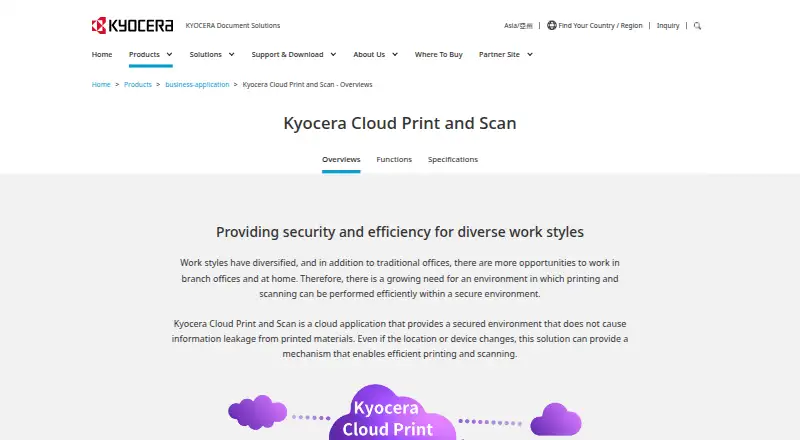
Kyocera Cloud Print and Scan is a cloud application for managing printing and scanning across Kyocera multifunction printers. It is aimed at organizations working across offices, branches, departments, or distributed environments that need centralized control over document output. Users can submit print jobs from Windows, macOS, or a web browser, then release them at compatible Kyocera devices. Administrators manage usage, device activity, quotas, and group-level limits through the cloud.
The product’s strongest fit is secure, policy-oriented print management. Authenticated release supports ID cards, PINs, or user credentials, while monthly total-print and color-print limits help departments control output. Cloud aggregation can organize print counts by users, devices, and groups, and print-usage and cost reporting gives administrators a clearer view of activity. Client spooling can also keep print jobs within the customer network, which suits organizations that want cloud management while retaining local handling for queued documents.
Its cloud-storage connections extend the workflow beyond the printer: users can print and scan with OneDrive, Google Drive, and Box, and scans from Kyocera multifunction printers can be sent to the cloud. Pricing uses a contact-sales model, so buyers should discuss deployment and commercial requirements with Kyocera or a local sales company. Kyocera Cloud Print and Scan is a strong choice for Kyocera fleets that need secure release, quotas, scanning, and reporting in one service. Organizations seeking broad printer-brand coverage or a tool centered on functions outside print and scan management should consider a different category fit.
Your product? Our editors can test Kyocera Cloud Print and Scan in depth and publish a review, labelled as paid · from $149/mo →
Kyocera Cloud Print and Scan pricing
Kyocera Cloud Print and Scan fact sheet
| Free plan | Not verified |
|---|---|
| Paid from | Not verified |
| Secure release | Yes |
| Print quotas | Yes |
| Print policy rules | Yes |
| Deployment | Cloud |
| Mobile printing | Not verified |
| Reporting | Not verified |
| Supported platforms | Windows, macOS, web browser |
| Deployment | Cloud |
| Platforms | Web, Windows, macOS |
| Support | Email, Docs |
| Built for | Small business, Mid-market, Enterprise (editorial estimate) |
| Integrations | 3 integrations: OneDrive, Google Drive, Box |
| Pricing | Pricing on request |
| Website | kyoceradocumentsolutions.com |
| Facts checked | 20 Sep 2026 |
Kyocera Cloud Print and Scan integrations
Kyocera Cloud Print and Scan lists 3 integrations on its own site.
- OneDrive
- Google Drive
- Box
Alternatives to Kyocera Cloud Print and Scan
- ApeosWare Management Suite 2Advanced print accounting and authenticated workflows for organizations managing networked devices.9.2
- Xerox Workplace SuiteA strong fit for organizations needing controlled, accountable printing on shared fleets.9.0
- PaperCut MFA mature choice for enterprises needing secure, policy-driven control across mixed print estates.8.8


See all Kyocera Cloud Print and Scan alternatives →
Used Kyocera Cloud Print and Scan? Be the first to review it
The editor score above is our own research. What this page doesn't have yet is a reader's view — what you used Kyocera Cloud Print and Scan for, what worked and what didn't. No stars are seeded and no review is paid for; an editor reads every one before it appears.
Write a reviewTwo minutes · verified accounts only · read by an editor before it appears
Featured on iTechGuides

Kyocera Cloud Print and Scan is listed in our Print Management Software directory. Add the badge to your site — it links back to this page.
<a href="https://www.itechguides.com/products/kyocera-cloud-print-and-scan/"><img src="https://www.itechguides.com/best/badge/kyocera-cloud-print-and-scan.svg" alt="Featured on iTechGuides" width="230" height="46"></a>
Reviewed by iTechGuides Editors · Editorial team · Updated Oct 2026
Advertiser disclosure: iTechGuides is reader-supported. Vendors can pay for top positions in our rankings and for a place on other products' pages, and we may earn a commission when you click some links. Bought places stand at the number bought; this page and our disclosure say so. Paying vendors may get a fuller, more detailed review from our editors, and that review can change their score. How we rank.
Last updated · How we research and update