
KMPlayer
KMPlayer: A broad media player with strong format, network, cloud, and casting support. Ranked #3 of 75 in Media Player Software by our editors (9.0/10); pricing: Free plan · 3-day trial; best for users needing broad playback and network features.
At a glance
- Editor score9.0 / 10
- PricingFree plan · 3-day trial
- Best forUsers needing broad playback and network features
- Free planYes
- Network playbackYes
- Facts checked21 Sep 2026
Where it wins
- Supports 4K, 8K, UHD, and high-frame-rate playback
- Plays media from network protocols, URLs, cloud storage, and Chromecast
- Available on Windows, macOS, iOS, and Android
Where it doesn't
- Android premium features require an in-app subscription
- The product is proprietary rather than open source
- Cloud playback is centered on Dropbox and OneDrive
Our verdict on KMPlayer
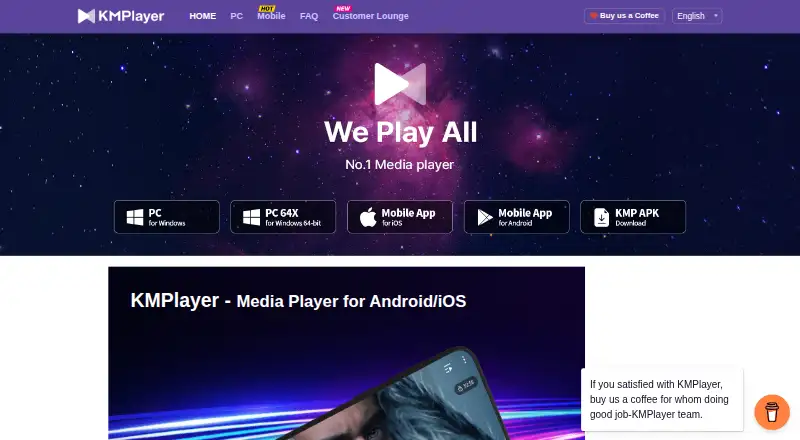
KMPlayer is a media player from PANDORA.TV for people who want one application for video, audio, subtitles, playlists, and online playback. It supports Windows, macOS, iOS, and Android, with formats including AVI, MP4, MKV, MOV, WMV, FLV, MPEG, MP3, AAC, FLAC, WAV, SRT, ASS, SSA, and WebVTT. Its scope suits users who regularly switch between local files, high-resolution content, network storage, and mobile devices.
Its strongest advantage is breadth. KMPlayer combines 4K and 8K playback with hardware acceleration, subtitle styling, subtitle-track support, playback-speed controls, section repeat, zoom, rotation, and equalizer settings. It can also stream from URLs and access media through FTP, FTPS, SFTP, UPnP, SMB, WebDAV, and NFS. Wi-Fi file transfer between computers and mobile devices adds a practical bridge across its supported platforms, while Chromecast support extends playback to compatible displays.
The pricing model is freemium: a free player is available, and the Android version offers premium features through an in-app subscription with a three-day free trial. The published product details do not frame KMPlayer as an open-source tool, so users looking for a player with an open development model should consider alternatives. Cloud playback is focused on Dropbox and OneDrive rather than a broad list of storage services. Choose KMPlayer if format coverage, network access, subtitle controls, and cross-platform playback matter most; choose another player if open-source licensing or a simpler, narrower feature set is the priority.
Your product? Our editors can test KMPlayer in depth and publish a review, labelled as paid · from $149/mo →
KMPlayer pricing
KMPlayer fact sheet
| Free plan | Yes |
|---|---|
| Paid from | Not verified |
| Supported platforms | Windows, macOS, iOS, Android |
| Network playback | Yes |
| Subtitle support | Yes |
| Format support | AVI, MP4, MKV, MOV, WMV, FLV, MPEG, MP3, AAC, FLAC, WAV, SRT, ASS, SSA, WebVTT |
| Hardware acceleration | Yes |
| 4K playback | Yes |
| License model | Subscription |
| Free trial | 3 days |
| Deployment | Desktop, Mobile |
| Platforms | Windows, macOS, iOS, Android |
| Support | |
| Built for | Solo, Small business, Mid-market, Enterprise (editorial estimate) |
| Integrations | 11 integrations: Dropbox, OneDrive, FTP, FTPS, SFTP, UPnP … |
| Pricing | Free plan · 3-day trial |
| Website | kmplayer.com |
| Facts checked | 21 Sep 2026 |
KMPlayer integrations
KMPlayer lists 11 integrations on its own site.
- Dropbox
- OneDrive
- FTP
- FTPS
- SFTP
- UPnP
- SMB
- WebDAV
- NFS
- Chromecast
- iTunes
Alternatives to KMPlayer
- VLC media playerA broad, capable free player for local, network, and streamed media across major platforms.9.4
- mpvA flexible, scriptable player for users who prefer control over convenience.9.1
- SMPlayerA capable free desktop player for broad-format playback, streaming, subtitles, and YouTube.8.8



See all KMPlayer alternatives →
KMPlayer vs the competition
- KMPlayer vs VLC media player
- KMPlayer vs mpv
- KMPlayer vs SMPlayer
- KMPlayer vs MPlayer
- KMPlayer vs Infuse
- KMPlayer vs MediaPortal


Compare KMPlayer with any tool side by side →
Also Ranked In
KMPlayer is ranked in 2 of our directories.
Used KMPlayer? Be the first to review it
The editor score above is our own research. What this page doesn't have yet is a reader's view — what you used KMPlayer for, what worked and what didn't. No stars are seeded and no review is paid for; an editor reads every one before it appears.
Write a reviewTwo minutes · verified accounts only · read by an editor before it appears
Featured on iTechGuides

KMPlayer is listed in our Media Player Software directory. Add the badge to your site — it links back to this page.
<a href="https://www.itechguides.com/products/kmplayer/"><img src="https://www.itechguides.com/best/badge/kmplayer.svg" alt="Featured on iTechGuides" width="230" height="46"></a>
Reviewed by iTechGuides Editors · Editorial team · Updated Oct 2026
Advertiser disclosure: iTechGuides is reader-supported. Vendors can pay for top positions in our rankings and for a place on other products' pages, and we may earn a commission when you click some links. Bought places stand at the number bought; this page and our disclosure say so. Paying vendors may get a fuller, more detailed review from our editors, and that review can change their score. How we rank.
Last updated · How we research and update