
Kiosk Pro
Kiosk Pro: A feature-rich iOS kiosk browser for controlled public-facing experiences. Ranked #8 of 20 in Kiosk Browsers by our editors (8.1/10); pricing: Paid; best for feature-rich iPad kiosk experiences.
At a glance
- Editor score8.1 / 10
- PricingPaid
- Best forFeature-rich iPad kiosk experiences
- Free planNo
- Paid from$5/device/mo
- Deployment modeHybrid
- Facts checked20 Sep 2026
Where it wins
- Allowed-domain controls, session resets, and homepage refreshes
- Offline content, remote updates, MDM, and digital signage
- Supports printers, scanners, iBeacons, and external displays
Where it doesn't
- Limited to Apple devices running iOS or iPadOS
- No free plan; Lite costs $5 per device per month
- Advanced capabilities require higher-priced tiers or add-ons
Our verdict on Kiosk Pro
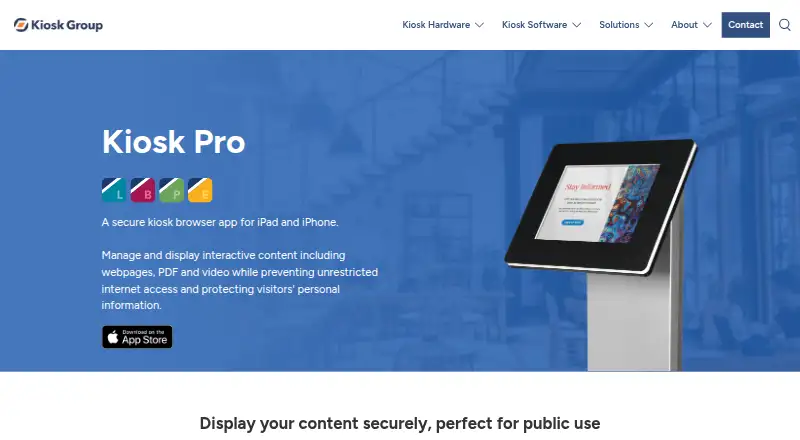
Kiosk Pro is an iPad and iPhone kiosk browser for organizations displaying webpages, PDFs, videos, audio, and interactive content in public settings. It fits retail, museums, healthcare, education, events, and visitor services that need to control navigation and reset visitor sessions. The app uses domain allowlists and restricted-domain lists, can hide browser interface elements, and includes digital signage mode for public-facing displays.
Pricing is structured around deployment scope. Kiosk Pro Lite costs $5 per device per month and includes a no-code site builder, management dashboard, allowed-domain controls, idle refresh, and digital signage. Basic costs $24.99 per device and adds offline content, remote app-settings updates, session data clearing, a custom navigation bar, AirPrint, and a JavaScript API. Plus costs $49.99 per device and adds screensavers, power scheduling, remote content updates, Dropbox synchronization, MDM features, and Autonomous Single App Mode. Enterprise costs $99.99 per device and adds printers, external displays, UPC and QR scanning, iBeacons, Zapier, and advanced AirPrint. A Remote Management Server is $149 per device per year, while Version Control & Rebranding costs $950 per year.
Its strongest case is a controlled iPad kiosk deployment that needs more than browser lockdown. Offline storage supports locations with limited connectivity, while remote settings and content updates help manage distributed devices. The JavaScript API supports visitor data capture, and the higher tiers extend the kiosk to scanners, printers, iBeacons, and external displays. Kiosk Pro is a strong fit for teams committed to Apple hardware and willing to match capabilities to tier. Organizations needing Android, Windows, or a free deployment option should choose another kiosk browser.
Your product? Our editors can test Kiosk Pro in depth and publish a review, labelled as paid · from $149/mo →
Kiosk Pro pricing
All 6 Kiosk Pro plans and prices →
Kiosk Pro fact sheet
| Free plan | No |
|---|---|
| Paid from | $5/device/mo |
| Deployment mode | Hybrid |
| Supported platforms | iOS/iPadOS |
| URL allowlisting | Yes |
| Remote management | Yes |
| Session reset | Yes |
| Digital signage support | Yes |
| Browser engine | Webkit |
| Deployment | Cloud, Mobile |
| Platforms | iOS |
| Support | Email, Docs · 24/7 |
| Built for | Small business, Mid-market, Enterprise (editorial estimate) |
| Integrations | 750+ integrations: Dropbox, Zapier, Apple Managed App Configuration, AirPrint, Thermal printers, Barcode scanners … |
| Pricing | Paid (source) |
| Website | kioskgroup.com |
| Facts checked | 20 Sep 2026 |
Kiosk Pro integrations
Kiosk Pro lists 750+ integrations on its own site — the 7 named here are the ones its pages call out.
- Dropbox
- Zapier
- Apple Managed App Configuration
- AirPrint
- Thermal printers
- Barcode scanners
- iBeacons
Alternatives to Kiosk Pro
- SiteKioskA broad kiosk control suite for managed Windows and Android deployments.9.4
- KioWareA mature kiosk platform for multi-platform deployments with paid, per-device plans.9.1
- Hexnode Kiosk BrowserA paid, cross-platform kiosk browser with policy controls, resets, signage, and UEM management.8.9



See all Kiosk Pro alternatives →
Kiosk Pro vs the competition
- Kiosk Pro vs SiteKiosk
- Kiosk Pro vs KioWare
- Kiosk Pro vs Hexnode Kiosk Browser
- Kiosk Pro vs SureFox
- Kiosk Pro vs Fully Kiosk Browser
- Kiosk Pro vs Kiosk Browser


Compare Kiosk Pro with any tool side by side →
Also Ranked In
Kiosk Pro is ranked in 4 of our directories.
Used Kiosk Pro? Be the first to review it
The editor score above is our own research. What this page doesn't have yet is a reader's view — what you used Kiosk Pro for, what worked and what didn't. No stars are seeded and no review is paid for; an editor reads every one before it appears.
Write a reviewTwo minutes · verified accounts only · read by an editor before it appears
Featured on iTechGuides

Kiosk Pro is listed in our Kiosk Browsers directory. Add the badge to your site — it links back to this page.
<a href="https://www.itechguides.com/products/kiosk-pro/"><img src="https://www.itechguides.com/best/badge/kiosk-pro.svg" alt="Featured on iTechGuides" width="230" height="46"></a>
Reviewed by iTechGuides Editors · Editorial team · Updated Oct 2026
Advertiser disclosure: iTechGuides is reader-supported. Vendors can pay for top positions in our rankings and for a place on other products' pages, and we may earn a commission when you click some links. Bought places stand at the number bought; this page and our disclosure say so. Paying vendors may get a fuller, more detailed review from our editors, and that review can change their score. How we rank.
Last updated · How we research and update