
Kinto
Kinto: A focused open-source remapper for Mac-style keyboard behavior on Windows and Linux. Ranked #80 of 105 in Keyboard and Mouse Customization Software by our editors (5.3/10); pricing: Free plan; best for open-source users remapping Mac-style shortcuts.
At a glance
- Editor score5.3 / 10
- PricingFree plan
- Best forOpen-source users remapping Mac-style shortcuts
- Free planYes
- Paid fromFree
- Supported operating systemsCross-platform
- Facts checked22 Sep 2026
Where it wins
- System-wide Mac-style modifier remapping across applications and terminals
- Application-specific keymaps and custom multi-key shortcuts
- Supports terminal behavior and remote desktop keyboard workflows
Where it doesn't
- Focused on keyboard remapping rather than mouse customization
- Windows installation uses AutoHotkey
- Support is provided through community resources and documentation
Our verdict on Kinto
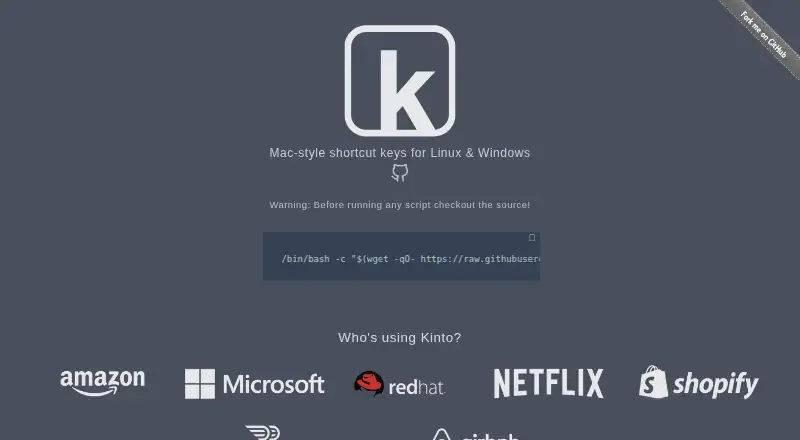
Kinto is an open-source desktop keyboard remapping utility for Windows and Linux. It is designed for people who prefer Apple-style modifier keys and shortcuts on non-macOS systems, including solo users and small teams. The software applies Mac-style behavior across applications and terminals, covering copy and paste, window switching, tab navigation, and cursor controls. It also supports application-specific keymaps, custom multi-key shortcut definitions, and keyboard workflows for remote desktop use.
Kinto’s main strength is its focused approach to modifier-key consistency. System-wide remapping helps carry familiar shortcuts between applications, while application-specific keymaps allow behavior to change when a particular program is active. Terminal-specific shortcut behavior is included, which matters for users who want copy-and-paste conventions to remain usable in command-line environments. The published product details describe Kinto as free and open source, with no paid plan structure. On Linux, it includes a system-tray application and setup wizard; Windows installation uses AutoHotkey. That makes the platform fit clear, though the installation path differs by operating system.
Kinto is a strong fit for open-source users who want Mac-style keyboard behavior without changing their operating system. Its desktop deployment, cross-platform support, per-application profiles, and remote-desktop keyboard support suit people moving between Linux or Windows applications and terminal sessions. The trade-off is a narrow focus: Kinto is centered on keyboard modifiers, shortcuts, and related workflow behavior rather than broader peripheral customization. Users seeking a keyboard-focused remapper with terminal and application-specific support should consider it; users primarily looking for mouse customization or a wider peripheral suite should choose a different category fit.
Your product? Our editors can test Kinto in depth and publish a review, labelled as paid · from $149/mo →
Kinto pricing
Kinto fact sheet
| Free plan | Yes |
|---|---|
| Paid from | Free |
| Supported operating systems | Cross-platform |
| Macro support | Not verified |
| Per-app profiles | Yes |
| Onboard device memory | Not verified |
| Polling rate control | Not verified |
| Sensitivity controls | Not verified |
| Profile slots | Not verified |
| Deployment | Desktop |
| Platforms | Windows, Linux |
| Support | Community, Docs |
| Built for | Solo, Small business (editorial estimate) |
| Pricing | Free plan |
| Website | kinto.sh |
| Facts checked | 22 Sep 2026 |
Alternatives to Kinto
- Razer SynapseA free Razer-focused hub for remapping, macros, profiles, and Chroma lighting.9.2
- Logi Options+A broad free toolkit for remapping, automation, profiles, and multi-computer control.9.1
- Logitech G HUBA free desktop suite for Logitech G lighting, profiles, and device settings.9.0



Used Kinto? Be the first to review it
The editor score above is our own research. What this page doesn't have yet is a reader's view — what you used Kinto for, what worked and what didn't. No stars are seeded and no review is paid for; an editor reads every one before it appears.
Write a reviewTwo minutes · verified accounts only · read by an editor before it appears
Featured on iTechGuides

Kinto is listed in our Keyboard and Mouse Customization Software directory. Add the badge to your site — it links back to this page.
<a href="https://www.itechguides.com/products/kinto/"><img src="https://www.itechguides.com/best/badge/kinto.svg" alt="Featured on iTechGuides" width="230" height="46"></a>
Reviewed by iTechGuides Editors · Editorial team · Updated Oct 2026
Advertiser disclosure: iTechGuides is reader-supported. Vendors can pay for top positions in our rankings and for a place on other products' pages, and we may earn a commission when you click some links. Bought places stand at the number bought; this page and our disclosure say so. Paying vendors may get a fuller, more detailed review from our editors, and that review can change their score. How we rank.
Last updated · How we research and update